Subject Matter Expert (SME) Review: A Complete Guide
30 Jun

Table of Contents
ToggleWhat is a Subject Matter Expert (SME) Review?
An SME review is the stage where subject matter experts verify that technical content is accurate before publication.
Verifies accuracy: Confirms content is factually correct, complete, and safe.
Named reviewer: Links the verification to a specific, accountable domain expert.
Version control: Locks the exact content version being reviewed to prevent unauthorized changes.
Audit trail: Captures precise timestamps and approvals to create a definitive, compliance-ready record.
TL;DR
An SME review is the stage in a documentation cycle where named subject matter experts verify that technical content is accurate, complete, and safe to publish. Most teams run it through email and chat, which scatters feedback, hides which version each expert saw, and leaves accuracy unverified at release. This guide covers the stages, roles, failure modes, and the difference between an SME review that confirms accuracy and one that only assumes it.
- SME review is the accuracy gate in a documentation cycle. When it breaks, inaccurate content ships and no record shows which expert verified what.
- Most SME review process failures trace to four operational causes: no owned deadline, no single home for feedback, no version lock at review time, and no authority to resolve conflicting expert input.
- An SME verifies technical accuracy within a defined domain. An SME who rewrites structure or wording is working outside scope, which is a primary cause of cycle extension.
- A governed SME review produces a record tied to a named expert, a specific version, and a timestamp, so accuracy is provable rather than assumed.
- Conflicting SME feedback from two experts stalls more releases than slow experts do. Without a named reconciliation owner, the writer is left arbitrating technical disputes they are not qualified to settle.
- The difference between a stalled SME review and a governed one is whether the workflow forces a named owner, a locked version, and a single feedback record before sign-off.
- zipBoard runs SME review on rendered output, keeps all expert feedback in one place tied to a locked version, and captures sign-off as a retrievable record, without requiring SMEs to hold a paid seat.
Why do SME reviews stall before the content is verified?
Most SME reviews stall for the same reason: review is unowned work layered on top of an expert’s real job. No deadline binds it. Feedback lands in whatever channel is convenient. No record shows which version the expert actually saw. The content ships on assumed accuracy rather than verified accuracy.
When this operational friction isn’t managed, the SME review process breaks down into four primary failure modes:
Failure Mode 1: SME review is unowned, unscheduled work
- Operational Cause: The draft is sent to an expert with a soft ask and no clear target completion date. The task directly competes with the expert’s primary product development or engineering responsibilities and inevitably loses priority.
- Consequence: The review sits untouched. The technical writer is forced to continuously chase down the expert. Ultimately, the release date arrives before technical verification does, forcing the team to either ship unverified content or slip their release schedule.
- Data Benchmark: Reviews with no assigned deadline take 4 to 8 business days longer to clear than reviews with an owned deadline and a defined escalation path (zipBoard directional estimate).
Failure Mode 2: SME feedback has no single home
- Operational Cause: One expert replies by email, another leaves comments across a scattered Slack thread, and a third marks up a printed or localized PDF. The writer is forced to manually collect and organize these fragmented inputs.
- Consequence: Reconciliation becomes the writer’s second full-time job. Crucial SME feedback points get lost in transit. Furthermore, because reviewers operate in isolation, two experts often flatly contradict each other without ever seeing the other’s contextual input.
- Operational Example: A documentation lead spends an entire working day reconstructing fragmented feedback from an inbox, a chat channel, and a scanned markup file before actual content editing can even begin.
Failure Mode 3: Version ambiguity at review time
- Operational Cause: The initial review request links directly to a live, fluctuating working document or attaches a static file copy. The expert inadvertently opens a stale revision or references a cached version of the project.
- Consequence: The expert expends effort verifying technical content that has already changed or been deleted. Their submitted comments reference sections that no longer exist, leaving the writer completely unable to verify which version was actually checked.
- Operational Example: In highly regulated content domains (such as medical device IFUs or fintech disclosures), a lack of version tracking means there is no audit trail to prove an SME verified the precise content version that shipped, resulting in a direct compliance finding during an external audit.
Failure Mode 4: Conflicting expert input with no reconciliation authority
- Operational Cause: Two separate engineering or product SMEs review the same technical section and actively disagree on a foundational technical point. No specific team member is designated to break the deadlock.
- Consequence: The technical writer is left arbitrating a deep technical dispute that they are simply not qualified to resolve. The document bounces back and forth between engineering desks in an infinite loop while the formal release date passes.
- Data Benchmark: Conflicting SME feedback without a named reconciliation owner adds an average of 3 to 5 days per affected document to the production lifecycle (zipBoard directional estimate).
Say Goodbye to Vague Feedback—Try Visual Collaboration with zipBoard.
Start Free TodayWhat is a subject matter expert (SME) review?
A subject matter expert review is the stage in a documentation cycle where named experts verify that technical content is accurate, complete, and safe to release within their specific domain. It produces an explicit, audit-ready record of exactly which expert verified which version, and when, ensuring that accuracy is provable rather than assumed at release.
To run an effective workflow, teams must clearly differentiate this stage from neighboring quality gates:
How it differs from editorial review
Editorial review evaluates content clarity, structural hierarchy, grammar, and style guidelines. Conversely, an SME documentation review strictly checks whether the information is technically correct. An editor asks whether a sentence reads fluidly and complies with style; an SME asks whether the statement is fundamentally true. For a deeper look at the broader quality framework, see our guide on the technical document review workflow.
How it differs from approval
SME review verifies technical accuracy, while formal approval explicitly authorizes content release. An engineer confirming that a calibration procedure is technically correct is not the same as a release authority signing off that the complete manual is ready to publish. These two stages maintain distinct exit criteria and different operational owners. For more on the final sign-off stage, explore our breakdown of the document approval workflow.
What a Governed SME Review Must Produce
A true governed review cannot rely on informal sign-offs. It must automatically generate three clear data points:
- ✓ Identity: The specific identity of the expert who performed the review.
- ✓ Version: The exact version of the content they verified.
- ✓ Timestamp: A definitive verification timestamp.
Without these three components, a team possesses scattered feedback, but no actual proof of compliance.
What are the stages of an SME review process?
An SME review process moves systematically through five distinct stages: scoping what needs expert verification, assigning named experts against a locked version with a firm deadline, active review within each expert’s domain, reconciliation of conflicting or overlapping feedback, and recorded confirmation that a specific version is accurate. Each stage has an explicit exit criterion that gates the next.
Stage 1: Scope the review
- What gets defined: Which specific sections or chapters require expert validation, which technical domains those sections fall under, and which high-risk product claims carry severe consequences if published incorrectly.
- Who runs it: The Documentation Manager or Lead Technical Writer.
- What it produces: A highly focused scope brief that tells each expert exactly what they need to verify and what they should leave alone.
- Operational detail: Proper scoping prevents the most common cause of cycle extension: experts spending time reviewing structural or stylistic elements outside their domain. In platforms like zipBoard, reviewers can be assigned to targeted documents or sections so the request remains explicit.

Stage 2: Assign experts against a locked version
- What happens: Each distinct section is assigned to a specific, named expert—never an ambiguous group alias—complete with a hard deadline and a clearly stated scope of responsibility.
- What it carries: The underlying content version under review is completely frozen at the point of request, ensuring that every parallel expert reviews identical material.
- Operational detail: The request workflow must lock the version. Sending a link that resolves to a live, shifting file allows the text to drift while reviews are actively underway. Using zipBoard, expert markup attaches directly to the specific version the reviewer opened.
Need a Visual Feedback Tool that Brings Everyone onto the Same Page?
Try zipBoard. Your all-in-one platform for visual design feedback, website reviews, and collaborative approvals.
Start Free TodayBook Demo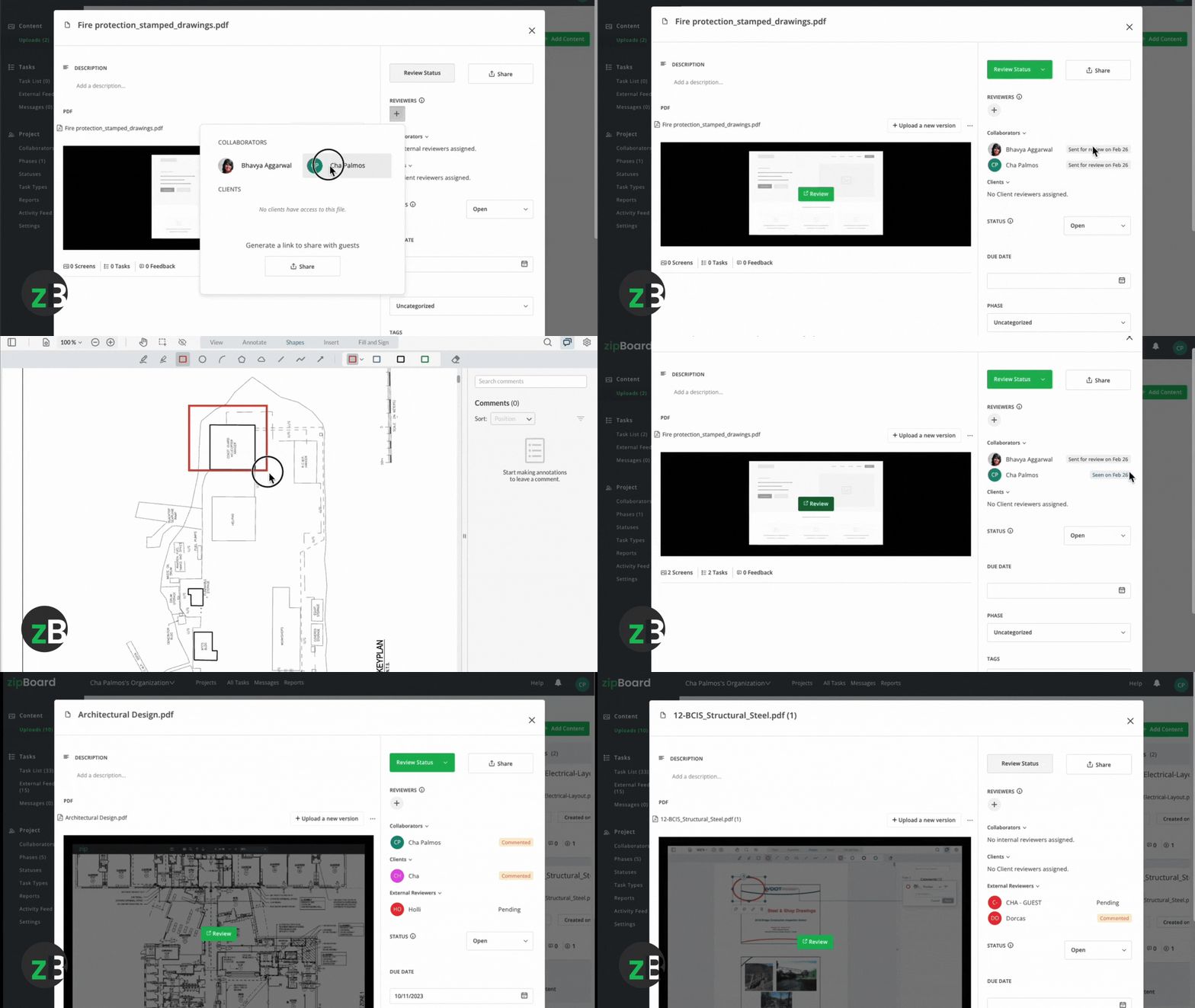
Stage 3: Active SME review
- What the expert does: Evaluates content for factual accuracy, completeness, and safety within their assigned domain, flagging any claims that are incorrect, missing, or outdated.
- What is out of scope: Structural rewrites, personal wording preferences, and style modifications, all of which belong exclusively to editorial review.
- Operational detail: All inputs land in a centralized location tied directly to that version, avoiding the need to collect fragmented feedback later. Silence does not equal verification; a missed deadline immediately triggers the escalation path established in Stage 2.
Stage 4: Reconcile feedback
- What happens: Overlapping, redundant, and conflicting comments are systematically triaged. Where two technical experts disagree on a point, the named reconciliation owner resolves the issue, not the technical writer.
- Who owns it: The Documentation Manager or a designated senior technical authority.
- What it produces: A single, reconciled master set of required changes alongside a transparent record of how each contradiction was resolved.
- Operational detail: Reconciliation is the stage most documentation teams skip entirely, which is precisely why conflicting input stalls releases. A centralized comment record makes contradictions clearly visible rather than leaving them buried across disparate inbox threads.
Stage 5: Confirm and record accuracy
- What happens: Each assigned expert formally confirms that the updated, revised content version is accurate within their designated scope. This confirmation is captured explicitly against the version and the expert’s verified identity.
- What it produces: A permanent accuracy record that feeds directly into the final approval stage and effortlessly survives external compliance audits.
- Operational detail: Within zipBoard, this verification confirmation is instantly retrievable from the project dashboard, allowing the team to show who verified which version without wasting hours reconstructing historic trails. Learn more on our Collaborative Document Review page.
Who is involved in an SME review and what does each role own?
An SME review requires four named functions: a writer who prepares a review-ready draft and owns reconciliation, a documentation manager who scopes the review and owns deadlines and escalation, subject matter experts who verify accuracy within their domain, and a reconciliation authority who settles conflicting expert input. Each function must be assigned to a named person, not a general team or department.
| Task / Responsibility | Writer | Document Manager | SME | Reconciliation Authority |
|---|---|---|---|---|
| Scope Review | C | A | I | I |
| Verify Accuracy | I | I | R | C |
| Reconcile Conflicts | R | C | I | A |
| Confirm Accuracy | I | I | R | C |
| Escalate Delays | I | A | I | I |
To execute this technical review process cleanly, teams must enforce three strict accountability boundaries:
- Named Individuals Over Group Aliases: Issuing a request stating “Engineering needs to check this” without pointing to a specific person produces the same operational stall as sending no request at all. Every single review slot must be occupied by a named individual with an explicitly defined scope and a firm deadline, paired with a named backup reviewer to account for unexpected leave or churn.
- Owned Escalation Paths: When an expert misses an established deadline, the technical writer should not be stuck playing the role of informal enforcer. The Documentation Manager owns the escalation path, which must be clearly defined before the review cycle ever kicks off, not improvised on the fly after a project stalls.
- Strict Scope Boundaries: An expert’s sole responsibility is to verify accuracy within their core domain. When an SME begins modifying document architecture or tweaking stylistic phrasing during a review stage, they are engaging in scope creep—one of the single greatest accelerators of lifecycle delays.
What does a governed SME review look like compared to a stalled one?
The operational difference is whether the review produces verified accuracy or assumed accuracy. A stalled SME review leaves feedback scattered, versions ambiguous, and conflicts unresolved. A governed SME review keeps feedback in one place, locks the version each expert saw, and records who confirmed accuracy on which version.
| Scenario | Stalled SME Review | Governed SME Review |
|---|---|---|
| How review is requested | Sent via ad-hoc email or chat message with an attached file or bare link. | Formal system request tied directly to a specific, locked content version. |
| What the expert reviews | Whatever version they happen to open or download at that moment. | The version locked at the point of request, guaranteed identical for all parallel experts. |
| Where feedback lives | Split across isolated email threads, chat logs, and manual PDF markups. | A single, unified record tied immutably to the underlying version. |
| When an expert misses a deadline | The technical writer chases informally, or silence is dangerously assumed to mean "looks good." | Automatic or manager-led escalation triggered along a pre-defined path. |
| When two experts disagree | The writer is left trying to arbitrate a technical dispute well outside their expertise. | A named reconciliation owner settles the conflict, and the final decision is recorded. |
| What the accuracy record looks like | Fleeting memories and fragmented, unorganized inbox history. | A clear, retrievable log featuring the named expert, specific version, and exact timestamp. |
| Proving the shipped version was verified | No dependable way to prove which exact iteration an expert reviewed. | Technical verification is structurally bound to the precise version pushed to production. |
The “Accuracy Theater” problem
A casual chat reply stating “looks fine” is not technical verification. It is not tied to a specific version, it fails to state what the expert actually evaluated, and it will not survive an external compliance audit. This dynamic creates “accuracy theater”—where the outward form of a review occurs but the actual substance does not, allowing inaccurate content to ship with a paper-thin audit trail. In strictly regulated environments, frameworks like FDA 21 CFR Part 11 mandate electronic records that explicitly identify the signer, the date, and the precise meaning of the digital signature—requirements an informal chat message or email thread can never fulfill.
The version drift problem
Even completely genuine, rigorous verification fails under the weight of version ambiguity. If an expert confirms a technical section, but the writer subsequently applies unverified edits right before publication, the released content differs from what was verified. Without an unyielding lock on the reviewed version, it is impossible to demonstrate what the expert actually approved. Maintaining tight control over these changes is essential; learn more on our Document Version Control page.
How do you build an SME review process step by step?
Building an SME review process takes eight steps: scope what needs expert verification per document type, assign named experts and backups, set deadlines and an escalation path before the cycle, lock the version at review request, centralize all feedback in one record, name a reconciliation authority for conflicts, capture each expert’s confirmation against the version, and archive the accuracy record.
Step 1: Scope SME review by document type
Not every document requires the same cohort of experts. A quick product release note might only require a single software engineer with a strict 24-hour turnaround window. Meanwhile, a highly regulated compliance procedure may require separate clinical, legal, and engineering verifications spread across a 5-business-day window. Map your distinct document types to the specific expert domains and turnaround timelines they require.
- Operational Output: A document-type-to-SME-path registry detailing required domains and turnaround SLAs per document type.
Step 2: Assign named experts and backups
Explicitly identify the specific individual who owns each technical domain for each document type. Clearly define the boundaries of their technical scope, and formally name an alternate backup reviewer who can step in immediately if the primary expert becomes unavailable mid-cycle.
- Operational Output: A centralized, version-controlled SME registry reviewed and updated on a quarterly basis.
Step 3: Set deadlines and escalation paths before the cycle starts
Every expert must receive a definitive, non-negotiable deadline at the exact moment a review request is issued. The underlying escalation path must be mapped out up front: clearly defining who handles the escalation, exactly when it triggers, and what precise action will be taken (such as reassigning the task, extending the window, or escalating directly to the documentation lead).
- Operational Output: An explicit escalation matrix documented thoroughly within the team’s review SOP.
Step 4: Lock the version at review request
The moment a review request goes out to your expert cohort, the underlying content version must be completely frozen. If a critical structural change is discovered mid-review, the active cycle must be paused, the edits applied, and a brand-new version minted to re-enter the review loop from the beginning.
- Operational Output: A strict version policy featuring explicit lock rules tied directly to the SME review stage.
Step 5: Centralize feedback in one record
Force all expert comments to land in one single, shared location tied to that version, entirely eliminating off-channel input. The technical writer can then reconcile updates from a single source of truth instead of wasting time piecing together fragmented notes.
- Operational Output: A single, unified review record per content version. Within zipBoard, comments attach directly to the rendered document and remain anchored to the exact version the reviewer looked at. Learn more on our Collaborative Document Review page.
Step 6: Name a reconciliation authority for conflicts
Decide well in advance who will serve as the ultimate decision-maker when experts disagree. The technical writer’s role is to flag the conflict; the named reconciliation authority resolves it, and that final decision is officially entered into the log.
- Operational Output: A dedicated reconciliation log capturing each technical conflict, the final decision rendered, and the specific authority who made it.
Step 7: Capture each expert’s confirmation against the version
Technical confirmation must be captured as a timestamped, identity-verified entry linked directly to the locked content version—never a casual verbal agreement in a status meeting. This file serves as your core accuracy record.
- Operational Output: A clean verification record per expert, per version, automatically generated by the review system at final sign-off.
Step 8: Archive the accuracy record with full provenance
The finalized, verified version must be safely archived alongside the names of the reviewing experts, their specific domains, confirmation timestamps, reconciliation logs, and the original scope brief. This creates a highly secure, audit-ready record rather than an unorganized folder on a shared corporate drive.
- Data Benchmark: Teams utilizing zipBoard retrieve formal review evidence in under 60 seconds, compared to the 3 to 5 business days typically required by teams manually reconstructing trails from email and chat records (zipBoard internal benchmark). Explore this further on our Document Approval Software page.
Which tools support an SME review management process?
SME review tools fall into five distinct categories, each offering varying degrees of version security and accountability. For technical and documentation teams, the critical differentiators are content type support, whether feedback stays tied to a locked version, and whether external experts can review without a paid seat.
Tool comparison: Technical document review workflow
| Tool | Best For | Feedback Centralized? | Version Locked at Review? | Guest Reviewer Access (No Paid Seat)? | Verifiable Accuracy Record? |
|---|---|---|---|---|---|
| zipBoard | Technical docs, regulated content, HTML, PDF, and SCORM files. | ✔ Yes, anchored directly to the version. | ✔ Yes | ✔ Yes, no seat or signup required. | ✔ Yes, combining named expert, version, and timestamp. |
| Confluence | Wiki-based internal documentation. | Page-level comments only. | ✖ No | ✖ No, requires an active Confluence seat. | ✖ No |
| Google Docs | Quick, highly collaborative early drafts. | Inline comment threads. | No version lock | Yes, but requires a Google account. | No formal record |
| Filestage | Creative assets and marketing collateral. | ✔ Yes | No lock for technical content formats. | ✔ Yes | Status flags only, not a compliance record. |
| MadCap / Paligo | Teams operating entirely within a single CCMS. | ✔ Yes, native to the authoring platform. | Partial | Frequently requires a paid seat layer. | Inside the CCMS framework only. |
| Adobe Acrobat | Basic, PDF-only markup loops. | Comment thread. | ✖ No | ✔ Yes | ✖ No |
Purpose-built review platforms (e.g., zipBoard)
zipBoard runs the SME review process directly on the rendered output, meaning experts review the content exactly as the end-user will see it, with all feedback anchored to a locked version. External experts can review and comment without needing a paid seat or account creation, completely removing the licensing barriers that usually block cross-functional stakeholders. The resulting accuracy record clearly details the expert’s identity, the precise version, and the exact time of confirmation.
CCMS-native review environments (e.g., MadCap Central, Paligo Review)
These tools function well when every single reviewer lives permanently inside the core authoring environment. However, the moment a clinical lead, a legal reviewer, or a field engineer needs to quickly verify a section, the CCMS either demands an expensive paid seat or locks them out entirely. zipBoard solves this by accepting direct output from these systems and running the review on the rendered version, allowing external experts to participate easily without ever touching the underlying authoring tool.
Document and wiki commenting tools (e.g., Confluence, Google Docs)
These setups are helpful for early brainstorming and informal drafting phases. However, neither platform locks the specific version under review, meaning an expert can easily comment on text that is actively changing underneath them. Furthermore, they do not produce a verifiable record that proves which exact iteration was verified. While acceptable for low-risk internal wikis, they are fundamentally insufficient for regulated or release-critical technical content.
Creative review platforms (e.g., Filestage, Ziflow)
These options are exceptionally strong for marketing teams, video assets, and design collateral requiring visual markup and straightforward status tracking. For deep technical documentation, they lack robust content-type support and fail to securely lock the reviewed version. Their binary status flags function as approval indicators rather than rigorous accuracy records capable of holding up under a formal regulatory audit.
Project management tools with review modules (e.g., Asana, Jira, Monday.com)
These platforms are designed to route tasks and track high-level status, but they cannot natively render complex content, capture detailed inline verification, or generate a content-level accuracy record. They function well as an automated notification layer sitting on top of your workflow, but they can never serve as a true replacement for a dedicated SME review system.
The zipBoard Positioning Solution
zipBoard acts as the dedicated review operations layer positioned directly between your core authoring environment and the experts who verify your content. It smoothly accepts output from MadCap, Paligo, Confluence, Docusaurus, and standard docs-as-code pipelines, running the review on the final rendered output rather than the source code.
For SME reviews specifically, it accomplishes three critical tasks that email and chat cannot: it keeps every expert’s feedback inside a single record tied to the version they saw, prevents version drift by locking the content at the moment of request, and captures each confirmation against a verified identity and timestamp. The resulting audit-ready accuracy record can be retrieved from your dashboard in under 60 seconds, all while allowing external experts to review without consuming a paid software seat.
Want to See Visual Feedback in Action?
Request a demo or start your free trial with zipBoard today—no credit card required.
Book DemoStart Free TrialFAQs - Technical Document Review Workflows
An SME review is the quality gate where a named subject matter expert systematically evaluates a technical draft to ensure all concepts, procedures, and safety instructions are accurate, complete, and safe to release.
Editorial review focuses entirely on the presentation of the content, checking for grammar, clarity, and style compliance. SME review focuses strictly on the technical truth of the content, verifying that the information is factually correct.
SME review is an accuracy gate owned by a technical expert to verify facts. Document approval is a business gate owned by a manager or executive to authorize the formal publication or release of the document.
Keep the cohort as small as possible. Assign exactly one primary SME per technical domain. Adding redundant reviewers within the same domain exponentially increases the risk of conflicting feedback without adding verification value.
Avoid informal chasing. Implement a pre-defined escalation matrix where a missed deadline automatically triggers a notification to the Documentation Manager, who then reassigns the task to the designated backup or contacts the expert’s manager.
Never attempt to arbitrate the dispute yourself. Flag the contradiction immediately and pass it to your pre-assigned Reconciliation Authority, whose job is to make the definitive technical decision and record the resolution.
An SME must verify technical accuracy, missing edge cases, and safety risks within their domain. Out of scope are wording preferences, punctuation, paragraph layout, and style guide formatting, all of which belong to the editor.
You must utilize a review workflow that automatically locks the content version at the moment of the request and binds the expert’s electronic signature and timestamp directly to that immutable file version.
In regulated fields, the review must comply with strict compliance standards like ISO 9001 or FDA 21 CFR Part 11, which mandate a traceable, unalterable electronic audit trail showing exactly who verified the document and when.
While most legacy CCMS and wiki platforms require an active, paid license for every reviewer, modern review platforms like zipBoard allow external clients and experts to review content completely free via secure guest links.
For standard technical updates, the baseline SLA should be 2 to 3 business days. For highly complex or heavily regulated new documentation, the cycle typically spans 5 business days, provided the scope is clearly defined.
Wiki and CCMS comments do not lock the underlying content version, allowing text to drift during active reviews. zipBoard completely freezes the version under review, centralizes all feedback, and lets external experts collaborate without requiring a paid seat.
Turning SME review into verified accuracy
An SME review is not a courtesy step performed right before a product launch. It is the critical operational stage that decides whether your published technical content is genuinely verified or merely assumed to be correct.
Moving away from “accuracy theater” requires a fundamental shift: treating expert feedback not as casual, scattered inputs across email and chat, but as a highly governed corporate record. This means ensuring every review is tied to a named individual, an explicitly locked version, and an indisputable verification timestamp. Furthermore, establishing a named reconciliation owner completely eliminates the deadlocks and conflicting inputs that stall more content releases than slow reviewers ever will.
If your technical writers are currently losing days manually reconstructing SME feedback from scattered inboxes and chat threads before every major release, it’s time to modernize your workflow. zipBoard keeps every expert’s feedback inside a single record tied directly to the precise version they saw, capturing final confirmation as a permanent, retrievable record—all without ever asking your cross-functional SMEs to manage a paid platform seat.
Ready to Eliminate Feedback Chaos?
Stop losing time in email chains. Collect clear, contextual feedback—on every design, from every stakeholder, in one place. Try zipBoard for free — no credit card, no client signup required. Or book a personalized demo to see it in your workflow.
Start Free TrialBook DemoRelated Post


Recent Posts
- How to Compare Two PDF Versions Without Losing Track of Changes September 1, 2026
- Why IT Teams Are Getting Out of the PDF Review Server Business August 20, 2026
- The Real Cost of Adobe Acrobat for Documentation Teams August 19, 2026
- Best PDF Review Tools for Technical Writers in 2026 August 19, 2026
- Do You Need a Takeoff Tool or a Measurement Tool? (They’re Not the Same Thing) August 13, 2026
©️ Copyright 2025 zipBoard Tech. All rights reserved.