AI checks against your rules
Run zipBoard Editorial Review or write your own rules in plain language. Findings are marked on the page and labelled as AI.
Send one link. Clients, SMEs and consultants review in the browser, with no account needed. Every comment becomes a tracked task, every approval is on record, and zipBoard plugs into the systems you already use.

Used by technical documentation, eLearning, test publishing and construction teams


The first hour of most reviews goes on typos, wrong terms and missing details. Orbit Check takes that pass on your PDFs against your own rules, so your reviewers spend their time on judgment.
Run zipBoard Editorial Review or write your own rules in plain language. Findings are marked on the page and labelled as AI.
Accept a finding and it becomes a task with an owner. Reject it and it stays off your task list, with the reason on record.
Reviewers add their own comments, required reviewers approve, and every decision has a name and a date.
Off until your admin turns it on. Content goes to AI services on Amazon Bedrock only when someone runs a check, and it isn't used to train models.
zipBoard helps teams get feedback from their stakeholders faster and get to a recorded sign-off.
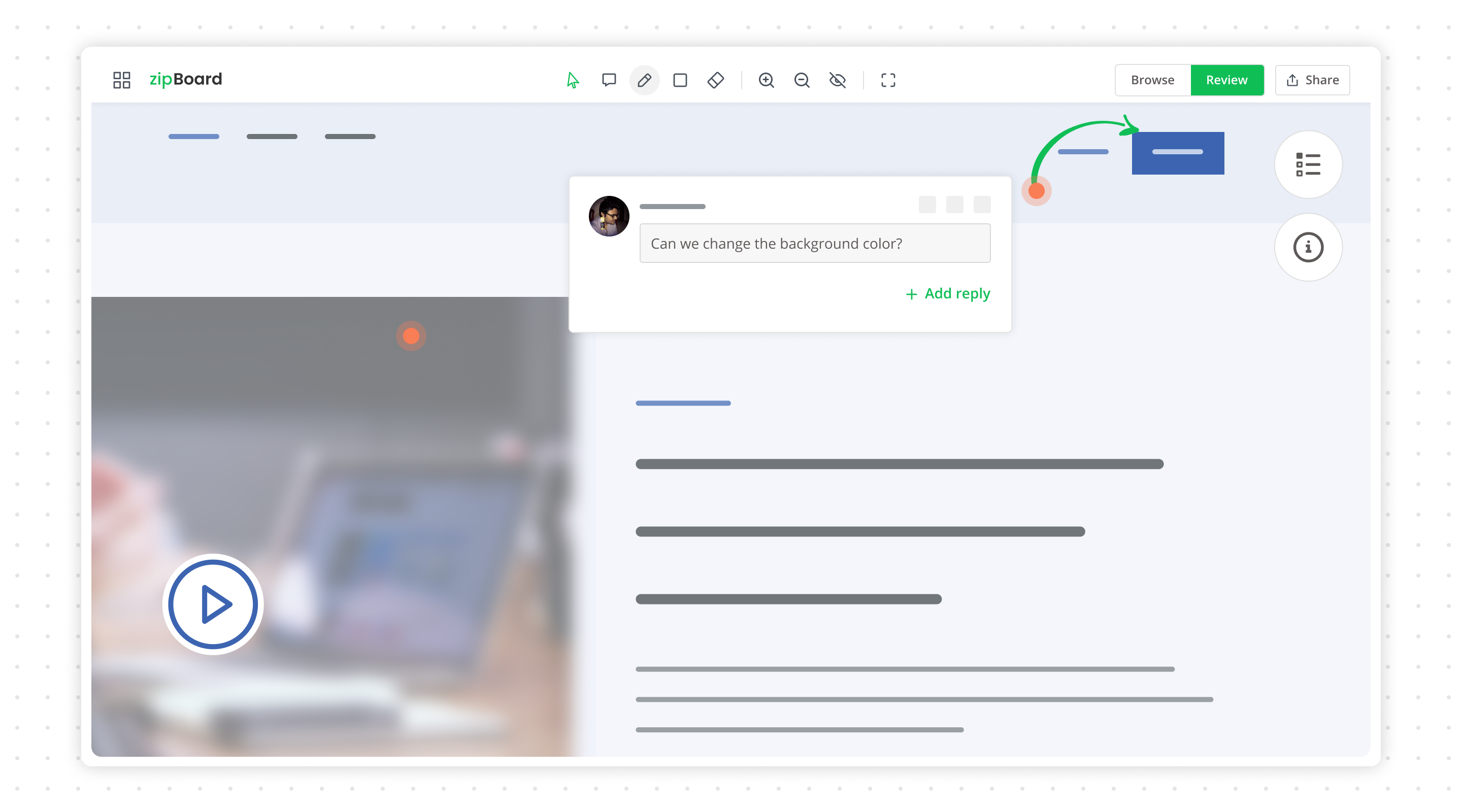
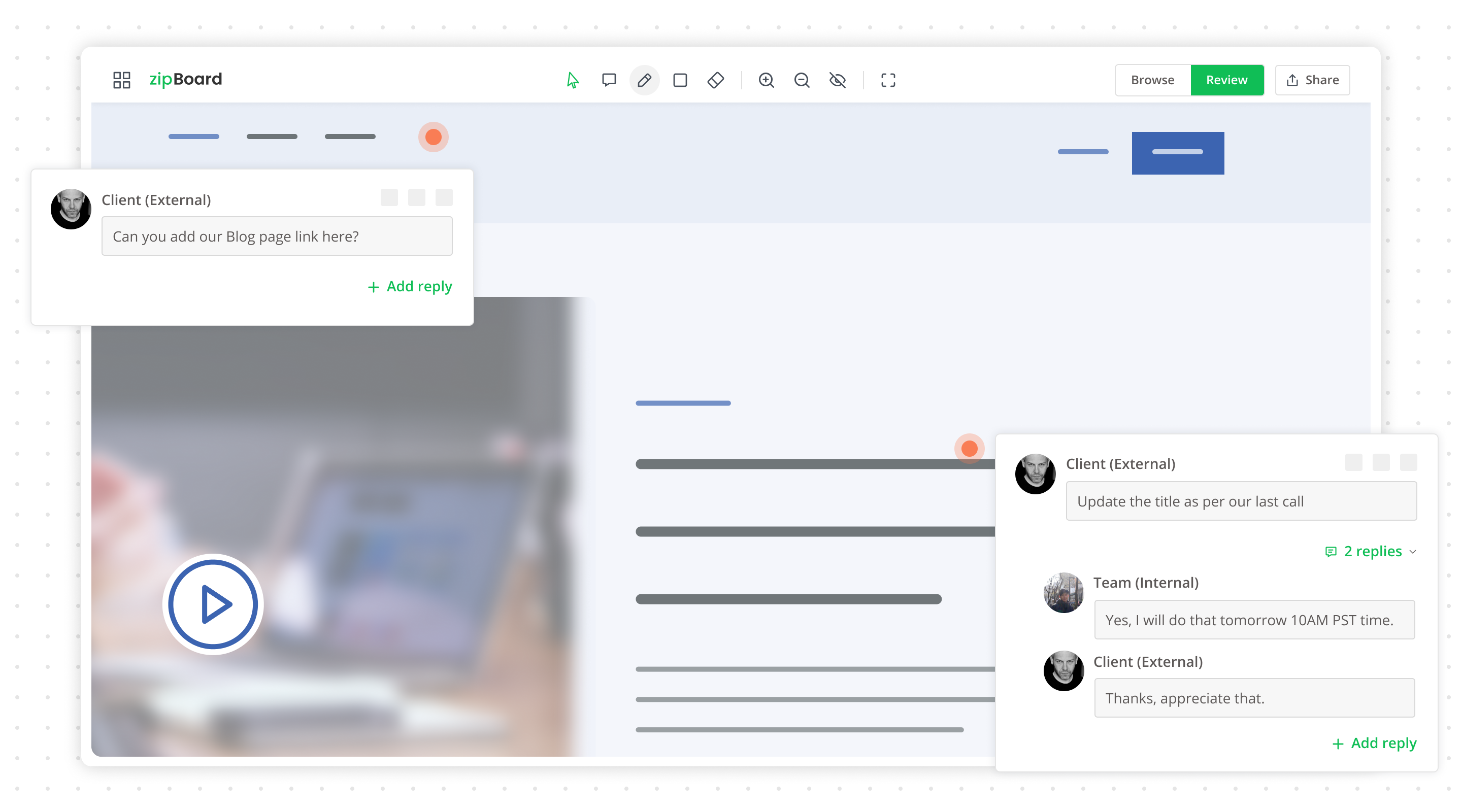
PDFs, drawings, eLearning courses, videos and live web pages, reviewed from one link, with every comment pinned to the exact spot it is about.
Knowledge check
Which of these counts as personal data?
Live URLs, staging sites and web apps, with browser, OS and screen size captured on every comment.
Learn moreYour experts comment exactly where the work is, every comment becomes a task, and every approval has a name and a date. Nothing gets lost in an email thread again.
Sent for review
Upload a version, pick reviewers and a due date. Everyone gets an email. Nobody needs an account to start.
Seen
“Seen” is recorded automatically, so you know who is engaged and who still needs a nudge.
Commented
Pins, shapes, highlights and @mentions land on the asset itself. Content owners resolve, reply or reject.
Approved
Each reviewer marks Approved or Feedback shared. The round closes when everyone who matters has signed off.
Q3 Product Brochure.pdf
Version 4 · Round 2 · Due Thu
Approved
0/4
Marcus Lee
Reviewer · Legal
Aisha Khan
Reviewer · Brand
Tom Becker
Reviewer · SME
Elena Ruiz
Designer
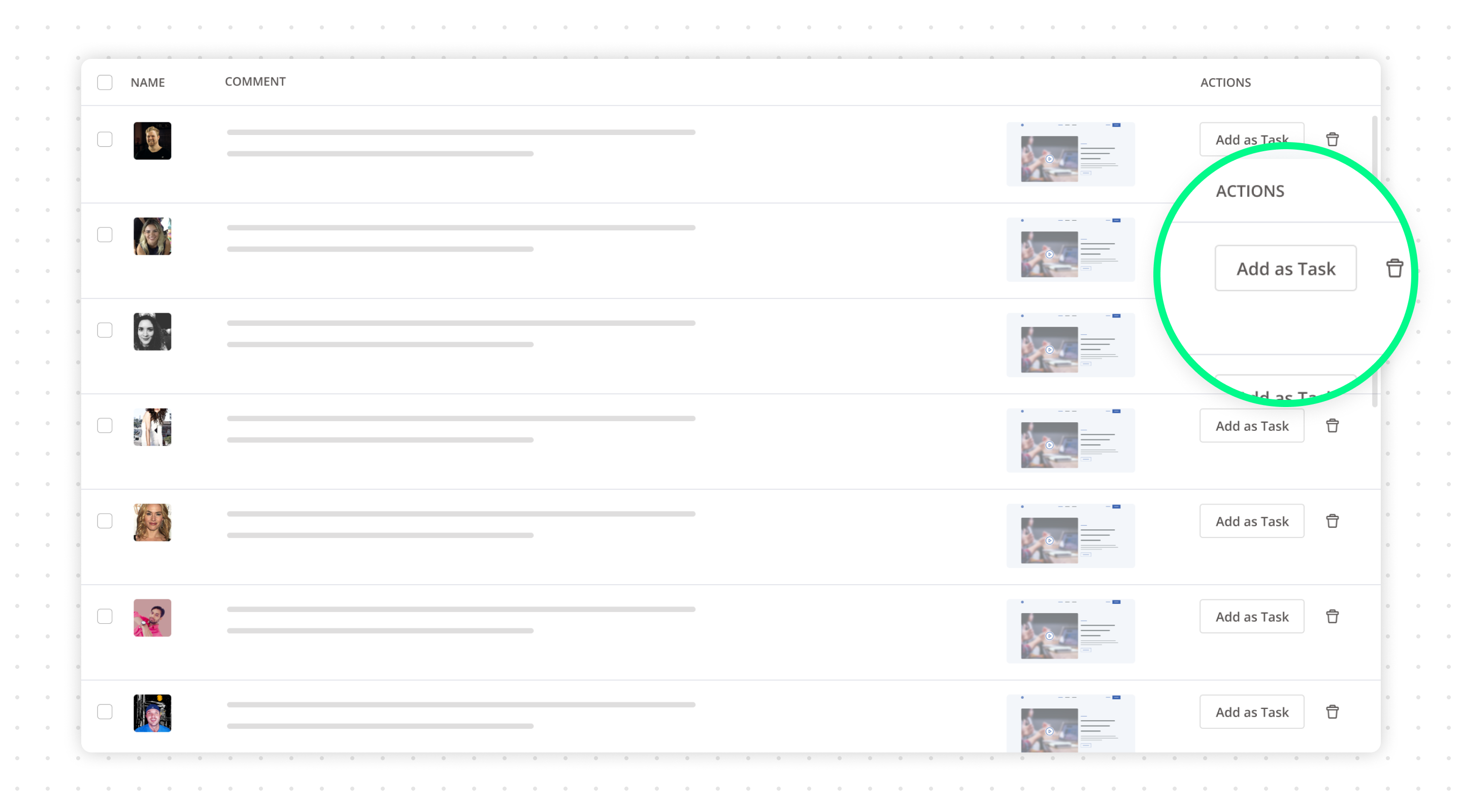
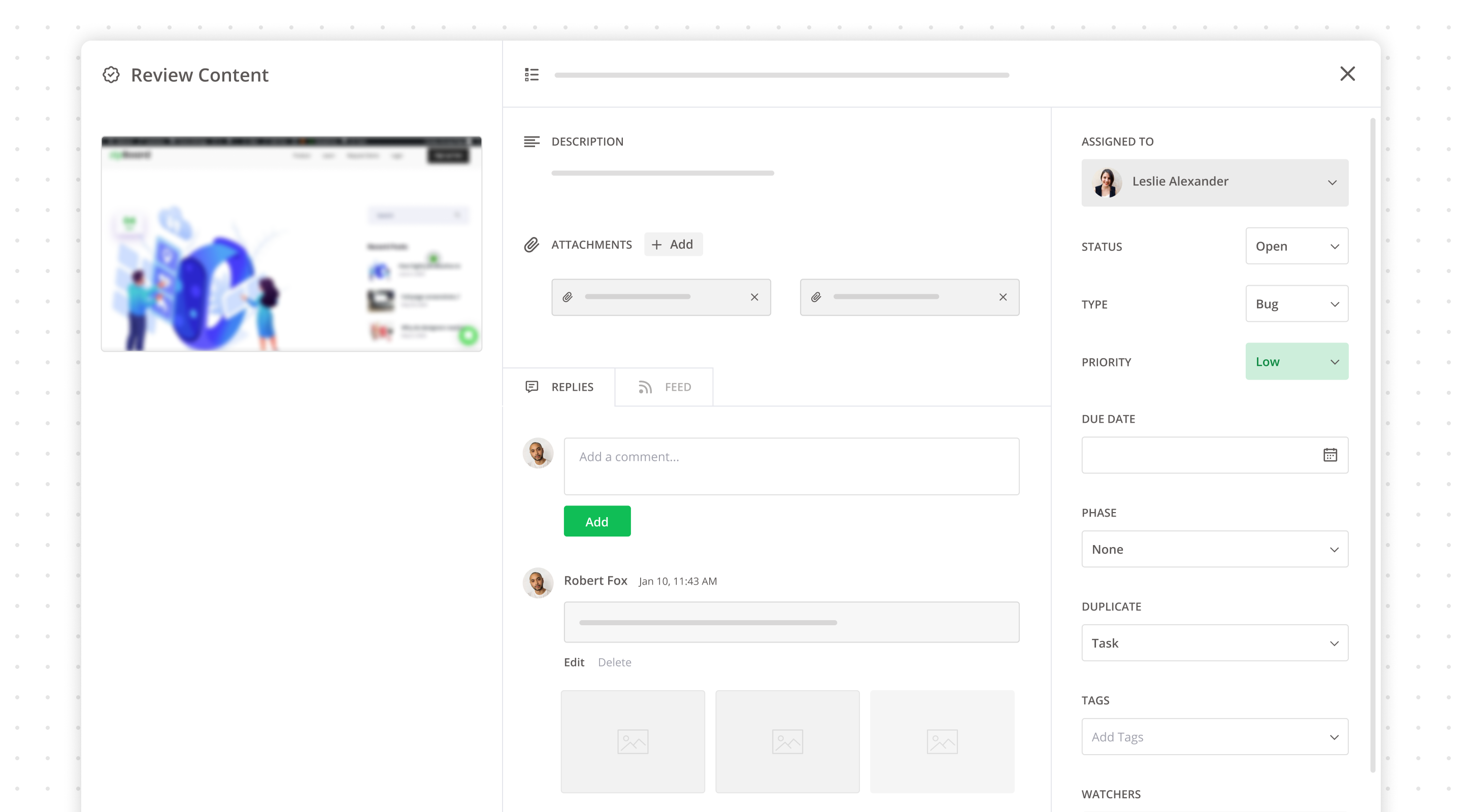
Turn any comment into a task with an owner, priority and due date, and move work through review rounds on a Kanban board or table view, with your team and outside reviewers alike.
Torque value in step 4 (manual Rev C)
Add lockout/tagout warning to section 2
Sheet A-201 dimension callouts
Update module 3 quiz feedback copy
Replace stock photo on slide 12
Figure 3: update housing drawing
Project reports break every review round down by stage and by person, so you can see who still has to sign off and fix the process instead of chasing people by email.
Where review time goes
Median days per stage · last 30 rounds
Reviewer participation
% of rounds reached
Authors stay in control of their documents, reviewers comment from a link, and approvers sign off with a name and a date.

Send a version out once, see who has opened it, and get every comment back on one copy, ready to act on.

Review in the browser from a link, with no account or install. Comment, mark up and approve in minutes.

See every pending review across projects, chase the right person, and keep consultants and clients on the same version.

Review SCORM courses, storyboards and videos with SMEs and QA, slide by slide, without spreadsheets.
Proof artwork, videos and web pages with stakeholders, and keep each approval on record.
PDFs, drawings, courses, videos or a live URL.
Reviewers comment in the browser, no account needed.
Comments become tasks; approvals are recorded.
The overall value comes from efficiently gathering feedback from our quality assurance team and any other stakeholders. If we had to collect the feedback in another way and coalesce them, this would take time and effort that zipBoard makes easy for us. So it’s very valuable.
 John JustSenior VP of Learning Innovation · KnowBe4
zipBoard has been amazing for quickly being able to point out complex or difficult to explain changes that need to be made on our website. Rather than write up a small book I can quickly use the provided tools to visually capture the problem and point, encircle, and write a note connected to the needed changes. It has saved us so much time and increased productivity.
 Nathan WilliamsMarketing Director · Best Practice Medicine
I like that zipBoard can function as a bug tracking and design feedback tool that is extremely helpful when creating tasks, organizing projects, and tracking user activity. My team uses it for prioritizing assignments, adding tags or labels, and checking the status of projects.
zipBoard has made it a lot easier for our reviewers to make notes about proposed changes and for developers and project managers to track the completion of those changes.
 Erich RenkenSr. Instructional Designer
Was great! Was able to build our site effectively as a team. As a remote worker creating websites, this was a really effective and easy way to share screens with my team.
Incredibly effective platform to communicate.
 G2Review on G2
Implementing zipBoard into our development process has taken the team from using antiquated manual processes to an easy to use, globally accessible, online process. zipBoard’s environment allows multiple projects to be set up and managed uniquely; where other tools force a specific method for everything, zipBoard gives you and your team some elbow room.
 Beth EppersonQA Manager · ELM Learning
zipBoard’s visual review and feedback feature helped the non-technical stakeholders and reviewers get their points across easily. Rather than relying on long texts or screen-sharing meetings, they relayed their points within seconds.
 Raschid RafaellySr. Product Manager
zipBoard has a very intuitive user interface. Once the user is onboarded, they do not need any manual or help documentation to get started. Workflow is very easy to implement starting from creating a project till the signing off from the client.
Reviewers and collaborators are unlimited on every plan, so the price doesn't grow with the number of SMEs, clients or consultants.
From $99/mo
Up to 20 content pieces, for a small team running quick reviews.
From $199/mo
Up to 50 content pieces, for teams with several managers and projects.
Custom
For organisations with security, workflow and integration needs.
Review Procore documents, push issues to Jira, get review alerts in Slack and Teams, turn Outlook emails into tasks, and connect the systems you already run through Zapier and our API.
Explore integrationszipBoard is review and approval software for documents, drawings, eLearning courses, videos and creative work. You share one link, reviewers comment in the browser, every comment can become a tracked task, and every approval is recorded with a name and a date.
No. Clients, SMEs and consultants can review from a share link without an account, and share links can have a password and an expiry date. Reviewers and collaborators are unlimited on every plan.
PDFs, drawings, images, videos, audio, live web pages and apps, and zipped SCORM or HTML courses. You can upload new versions and compare them side by side.
Orbit Check, in beta on paid plans, takes a first pass on your PDFs against zipBoard Editorial Review or your own rules. Each finding is labelled as AI, and a person accepts or rejects it. It is off until an admin turns it on, and your content isn't used to train models.
Yes. zipBoard integrates with Procore, Jira, Slack, Microsoft Teams, Outlook and Wrike, connects to other systems through Zapier, and has an API for custom integrations.
The Team plan starts at $99 a month and the Agency plan at $199 a month, and Enterprise plans are custom. Every plan includes unlimited reviewers and a 14-day free trial, with no credit card required.
Start a 14-day free trial, no credit card required. Your reviewers join from a link, free.
