7 Best Fieldwire Alternatives for Construction Teams
29 Sep

Table of Contents
Toggle7 Best Fieldwire Alternatives for Construction Teams
What is the best Fieldwire alternative for construction teams?
The best Fieldwire alternative depends on what you actually need. For full jobsite management, offline features, and budget change adjustments, Procore or Autodesk Build are the closest like-for-like options. For a focused, lower-cost plan review and sign-off workflow, especially one that involves outside reviewers like GCs, owners, or consultants, zipBoard is built specifically for that and charges by document volume instead of per seat.
TL;DR
zipBoard: Best for plan review and sign-offs when you work with lots of outside reviewers (unlimited free guest reviewers, priced by document volume).
Procore & Autodesk Build: Best direct swaps if you need full-scale enterprise construction management, financials, and BIM capabilities.
Bluebeam Revu: Best specialized tool for deep, precise PDF markup and quantity takeoffs (best paired with a separate field tool).
Raken: Best if your main bottleneck is daily field reporting and photo logs rather than drawing markup.
PlanRadar: Best mobile-first punch list and defect tracking tool, especially popular for European teams.
Contractor Foreman: Best budget-friendly, broad project management option for small contractors.
Fieldwire has earned its reputation as a solid, full-featured jobsite management platform. It handles plan viewing, BIM coordination, punch lists, RFIs, submittals, and budget tracking, all in one place. For teams running large, complex projects with dozens of moving parts, that breadth is exactly the point.
But Fieldwire isn’t the right fit for every team, and if you’re actively researching Fieldwire alternatives, you already know that. This guide takes an honest look at seven real Fieldwire competitors, what each one is actually good at, and, just as important, where each one falls short. No single tool here is a perfect swap. The goal is helping you match the right construction document management software to the specific problem you’re trying to solve.
Why construction teams look for a Fieldwire alternative
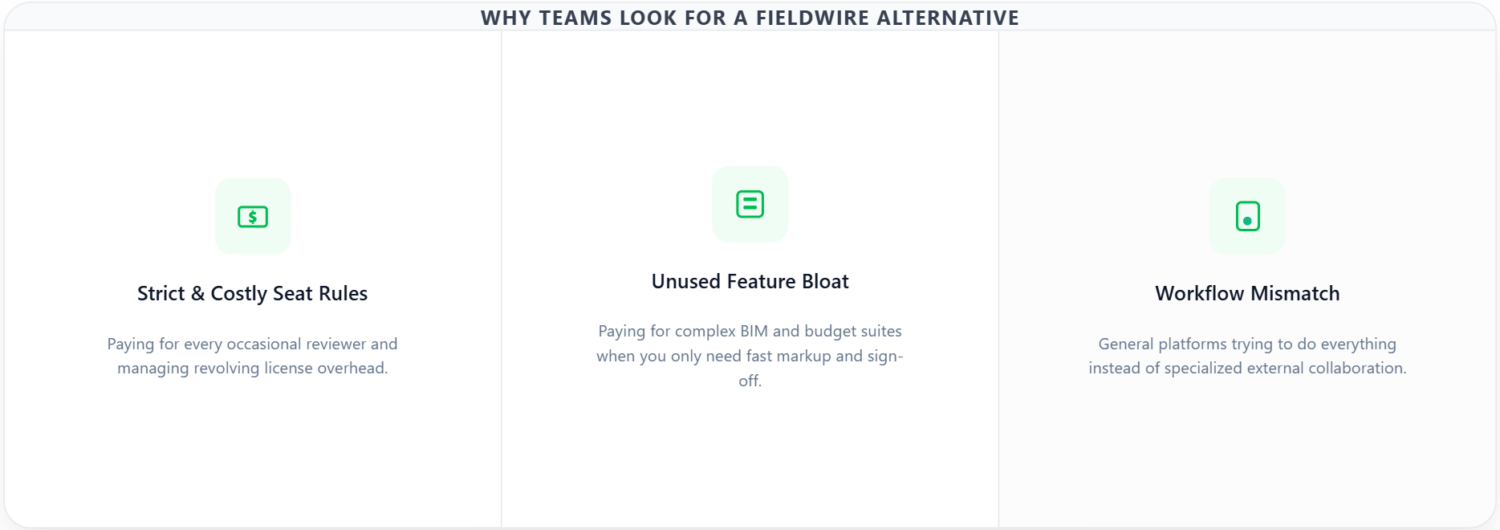
Three reasons come up again and again when teams start evaluating alternatives to Fieldwire:
Three reasons come up again and again when teams start evaluating alternatives to Fieldwire:
Per-user pricing gets expensive fast, with strict seat rules
Every person who touches the platform, including field techs who log in once a week just to glance at a drawing and leave a comment, needs a paid seat. While Fieldwire’s pricing is prorated so you are only charged for the exact time a revolving user has access, managing those licenses creates administrative friction. The account owner is financially responsible for any invited user who doesn’t already hold an independent premium subscription. If a subcontractor or consultant joins your project without their own account, you pay for them, and if a user drops down to a basic plan while staying on your roster, your account can trigger unexpected overage charges unless covered by an active license. That adds up quickly for a small core staff collaborating with a large pool of changing external partners.
The toolset is more than some teams need
If your actual workflow is “get drawings marked up, commented on, and signed off,” you may be paying for BIM viewing, RFI management, and budget tracking you never touch. A lot of teams researching Fieldwire alternatives aren’t unhappy with Fieldwire’s quality, they’re paying for capability they don’t use.
A specific workflow is better served elsewhere
External reviewer collaboration, deep PDF markup and measurement, and automated task tracking, some of these jobs are done better by a tool built specifically around them than by a general-purpose platform trying to do everything at once.
Understanding which of these three is actually driving your search matters more than any single feature comparison. A team frustrated by per-seat costs on external reviewers needs a very different tool than a team that’s outgrown Fieldwire and needs more capability, not less. Keep that distinction in mind as you read through the options below.
What to look for in a Fieldwire alternative
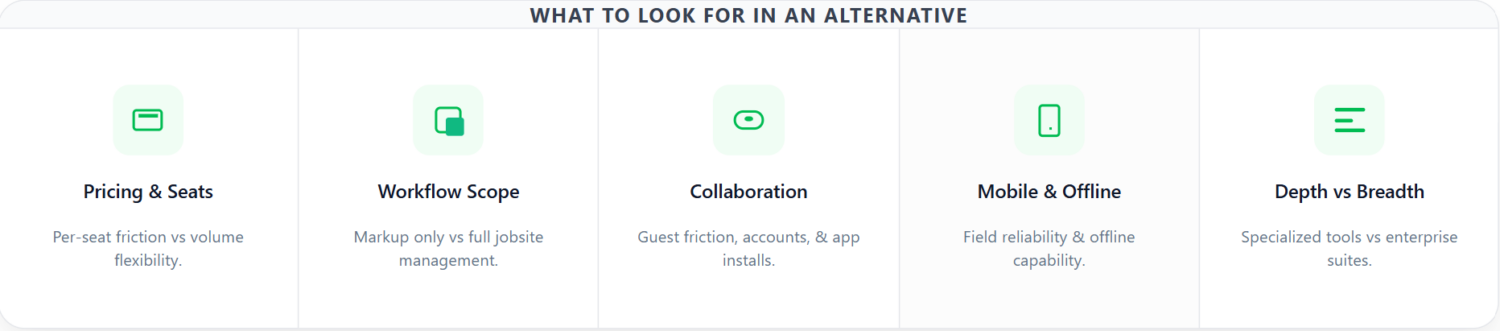
Before comparing specific tools, it helps to define what “better” actually means for your team. When evaluating construction plan review software or a broader jobsite management software alternative, weigh these factors:
Pricing model and seat mechanics
Per-seat pricing (like Fieldwire’s) scales directly with headcount. While Fieldwire prorates charges so you only pay for the exact duration a revolving user is active, managing those licenses introduces administrative overhead. The project owner is financially responsible for anyone invited who doesn’t already hold an independent premium subscription, and unexpected downgrades can trigger overage charges. Alternative models, like document-volume or project-based pricing, scale differently, avoiding per-seat friction entirely if you manage a high volume of occasional reviewers.
Scope of workflow
Are you replacing Fieldwire’s plan review and markup only, or do you also need BIM viewing, offline features, and budget tracking? Being honest about this up front avoids picking a tool that looks cheaper but forces you to bolt on two or three other systems anyway.
External collaborator experience
If GCs, owners, or consultants outside your organization need to review and comment on drawings, how much friction does that add? Does it require an account, a license, an app install?
Mobile and offline capability
Field crews working in areas with poor connectivity need a tool that functions offline or has a robust native app, not every alternative on this list offers that.
Depth versus breadth
Specialist Tools (like Bluebeam, Raken) focus on a single core workflow (precise takeoff/markup or daily field reporting) and build exceptionally deep feature sets for that specific use case, making them the industry standard for professionals whose entire day revolves around those tasks. Meanwhile, generalist platforms (like Procore, Autodesk Build) act as the “operating system” for the entire jobsite, connecting financials, project management, BIM, and field operations under one roof. However, that breadth comes with a heavy price tag, a complex implementation process, and a steeper learning curve for teams that only need a fraction of what the platform offers.
With those criteria in mind, here’s how the seven leading Fieldwire alternatives actually stack up.
zipBoard: best for plan review, markup, and sign-off without per-seat pricing

What it’s not: a full jobsite management replacement. zipBoard doesn’t do BIM viewing, offline access, or budget tracking. If those are core to how your team operates, this isn’t your alternative.
What it’s genuinely good for: if the actual pain point with Fieldwire is the cost of licensing every reviewer, field techs, subcontractors, GCs, owners, consultants, zipBoard’s pricing model is built around solving exactly that problem. Collaborators and reviewers are unlimited and free on every pricing plan. You only pay for manager seats (the people creating and managing projects) and your additional document volume tier. A review link works in any browser, on any device, with no install and no account required to leave a comment.
On most per-seat construction plan review software, bringing an outside GC or owner’s rep into a single review means provisioning a license for them, a small piece of friction that adds up when you’re doing it project after project, review after review. With zipBoard, that friction disappears entirely: you send a link, they open it in a browser, they comment. No downloads, no seat requests, no waiting on IT.
zipBoard also isn’t limited to construction drawings specifically. It supports PDFs, images, video, and web pages, which is useful if your review workflow spans more than plan sheets, marketing or closeout documents, and specialty document sets like MEP document management workflows that a jobsite-specific tool like Fieldwire simply isn’t built to handle. zipBoard also fastens your RFI and punch lists by automated task tracking and clear due dates, assignees, and more. If you’re formalizing how drawings move through review, zipBoard’s guide to setting up a shop drawing review process walks through the workflow end to end.
Pricing: starts at $99/mo for 20 document uploads, reviewers and collaborators remain free and unlimited at every tier. See the full zipBoard pricing breakdown for plan details.
Best for: Construction teams, general contractors, specialty and trade contractors, owners, whose core need is getting drawings marked up and signed off by a mix of internal staff and outside parties, without paying a per-seat license for everyone who just needs to comment.
Where it falls short: no BIM viewer, no offline access, no native mobile app, and no budget tracking. If any of those are non-negotiable for your team, look further down this list.
If you want the detailed head-to-head, including a worked pricing example at real team size, see the full zipBoard vs. Fieldwire comparison.
Tired of managing licenses for every reviewer?
Streamline your next plan review with zipBoard
Procore: best for full construction management at scale
Procore is the closest like-for-like to Fieldwire’s full-platform ambitions, and it’s consistently one of the first names that comes up in any Fieldwire competitors discussion. It covers project management, financials, quality and safety, and field collaboration in one system, and it’s aimed squarely at larger general contractors and enterprise construction operations.
It’s a heavier, pricier platform than either Fieldwire or zipBoard, and it typically involves a custom quote rather than transparent self-serve pricing. Procore does not publish fixed prices. All plans are quote-based and depend on:Annual Construction Volume (ACV), Products selected (Project Management, Financials, Workforce, Quality & Safety, Analytics, etc.), and Company type (GC, specialty contractor, owner/developer, government). Teams weighing Procore’s cost against a lighter plan-review-focused tool may want to read zipBoard’s take on being an affordable Procore alternative, and teams that use both platforms together can also look at Procore integration options rather than treating it as an either/or decision.
If your team has outgrown a lighter tool and needs a single system running the entire project lifecycle, not just plan review, not just field ops, but everything from preconstruction through closeout, Procore is worth evaluating seriously.
Best for: larger GCs and enterprise construction operations that need one platform running the whole business, not just the jobsite.
Autodesk Build (formerly PlanGrid): best for teams already in the Autodesk ecosystem
Autodesk Build covers document management, field issue tracking, and BIM coordination, with tight integration into Autodesk’s design tools, Revit, AutoCAD, and the rest of the Autodesk Construction Cloud suite. If your design workflow already lives inside Autodesk products, that native integration is a real advantage; you’re not exporting and re-importing files between disconnected systems, and version control stays consistent from design through construction.
Worth noting, and worth saying honestly: some teams that made the jump from the original PlanGrid to Autodesk Build have found the transition added cost and complexity without a matching increase in value for their specific use case. If you’re evaluating that transition, zipBoard’s zipBoard vs. PlanGrid comparison is worth a look, as is the broader Autodesk Docs vs. zipBoard breakdown if document management specifically, rather than BIM coordination ,is your priority.
Best for: teams whose design and preconstruction work already runs through Autodesk’s ecosystem and want field data connected back to those same models.
Bluebeam Revu: best for deep, precise PDF markup

Bluebeam is the standard for detailed PDF markup and takeoff work. Its measurement tools, custom tool sets, and batch-processing capabilities go deeper than most jobsite-management platforms attempt ,including Fieldwire’s own markup features. If your work involves precise quantity takeoffs, detailed redlining, or highly customized markup workflows, Bluebeam’s depth is hard to match, and it’s a name that comes up constantly in any serious construction plan review software comparison. If you’re weighing Bluebeam specifically against a lighter, browser-based review tool, zipBoard’s best Bluebeam alternative comparison covers that trade-off directly.
What it isn’t is a full project or task management system. Teams that rely on Bluebeam for markup often pair it with a separate tool for field operations, task tracking, or team collaboration ,it’s rarely used as a standalone replacement for a platform like Fieldwire. It’s best thought of as a specialist’s tool: ideal for estimators, architects, and engineers whose core workflow centers on precise document markup rather than day-to-day field coordination.
Best for: estimators, architects, and engineers who need the deepest possible markup and takeoff tools, and are comfortable pairing Bluebeam with a separate field-management tool.
Streamline your plan reviews today
Check out how zipBoard can streamline your team’s plan review workflow
Raken: best for daily field reporting and photo documentation

Raken’s focus is different from the other tools on this list: daily reports, time tracking, and field insights, rather than plan markup or BIM. It’s less a direct one-for-one Fieldwire swap and more a common pairing tool, teams often run Raken alongside a plan-review or project-management platform rather than as a replacement for one.
If your actual bottleneck with Fieldwire isn’t plan review at all, if it’s getting consistent, well-documented daily reports out of your field crews, Raken is worth a look specifically for that gap. It’s a good reminder that “Fieldwire alternative” doesn’t always mean finding one tool that replaces everything; sometimes it means identifying the one workflow that’s actually broken and fixing that specifically.
Best for: teams whose real pain point is daily field documentation and reporting, not plan review or markup.
PlanRadar: best for European and international Construction teams

PlanRadar covers plan markup, defect and punch-list tracking, and field documentation, with particularly strong adoption in European markets. In terms of feature scope, it’s a closer match to Fieldwire for heavy on-site execution. If your team needs robust defect and punch-list tracking anchored directly to drawings or BIM models, and especially if you’re operating in European markets where PlanRadar has deep regional compliance, hosting, and support, it’s worth evaluating on its own merits as a genuine jobsite management alternative.
PlanRadar is built around a mobile-first field motion, standing on site, tapping a spot on a drawing or BIM model, photographing the problem, and assigning it. Everything is anchored directly to a plan position rather than a list row. The platform functions seamlessly with no signal in basements, and subcontractors can be onboarded quickly without formal training courses. Its scope covers defect and snag management pinned to drawings/BIM, site diaries, inspections, checklists, photo/document management, automatic report generation, and task assignment with deadline tracking.
Headquartered in Vienna with European hosting, it is tailored to European construction documentation standards, legal evidence requirements, tender practices, and handover expectations. It uses a per-user monthly subscription across tiers with unlimited projects on higher plans, featuring cheaper subcontractor licensing to make site-wide adoption viable.
Best for: International construction teams, particularly in Europe, that need comprehensive defect management and punch-list tracking combined with drawing markup in a single tool.
Contractor Foreman: best for small contractors on a tight budget

Contractor Foreman is a lower-cost, broader-but-shallower alternative aimed at small contractors who need basic project management, scheduling, and daily logs without the price tag that comes with Fieldwire or Procore. It trades depth for affordability; you won’t get the plan-markup precision of Bluebeam or the BIM capability of Autodesk Build, but for a small operation that needs core PM functionality without enterprise pricing, it fills a real and underserved gap in the market.
When using the platform, you can easily navigate the intuitive interface, which helps save time on project tasks, and customer support is responsive and helpful when questions or issues arise. Furthermore, the project management tools are adaptable to fit your workflow. However, some users find the mobile app less responsive than the desktop version, and advanced features lack the depth found in more specialized software. Additionally, you might encounter occasional glitches that require you to contact support.
Best for: Small contractors who need broad, basic project management tools on a tight budget, without the overhead of an enterprise platform.
Try zipBoard Measurement Tool Today!
Check out how zipBoard measurement tools can streamline your team’s review workflow
How to actually choose between Fieldwire alternatives
| If your priority is… | Look at |
|---|---|
| Cheaper plan review with unlimited outside reviewers; automated task tracking and issue tracking | zipBoard |
| One platform for the whole jobsite, at scale | Procore |
| Tight integration with Autodesk design tools | Autodesk Build |
| The deepest possible PDF markup and takeoff tools | Bluebeam Revu |
| Daily field reporting and photo logs | Raken |
| Punch lists plus plan markup, international teams | PlanRadar |
| Basic PM tools on a small-contractor budget | Contractor Foreman |
The honest throughline across this list: no single tool here is a universal Fieldwire replacement, because Fieldwire itself is trying to do several different jobs at once, plan review, BIM, task and punch-list tracking, budget management. Most of the alternatives above are strong precisely because they pick one of those jobs and do it better or cheaper than a general-purpose platform can.
The right move isn’t searching for a like-for-like swap, it’s matching the tool to the specific workflow that’s actually causing you pain. If it’s per-seat cost on outside reviewers, that’s a pricing-model problem, and a tool like zipBoard solves it directly. If it’s missing BIM capability or enterprise-scale financials, that’s a scope problem, and Procore or Autodesk Build solve that instead. Get clear on which problem you actually have before you commit to a switch, migrating construction data and retraining field crews on a new platform isn’t a decision to make twice.
Try zipBoard today
Try a 14-day free trial or book a quick 15-minute walkthrough call with us.
Frequently Asked Questions
What's the closest alternative to Fieldwire?
Procore and Autodesk Build are the closest in overall scope ,both are full jobsite management platforms like Fieldwire. If your actual need is narrower, such as just plan review and markup, a focused tool like zipBoard or Bluebeam Revu may be a better and cheaper fit than a like-for-like swap.
Is there a free Fieldwire alternative?
Among Fieldwire alternatives, zipBoard offers free trial access and unlimited free reviewer and collaborator seats on every paid plan, though manager seats and additional document volume are paid.
What should I use instead of Fieldwire if I only need plan review, not full jobsite management?
zipBoard is built specifically for that narrower use case, plan markup, review, automated issue tracking, sign-off, and prices by document volume with unlimited free reviewers, rather than charging a per-seat license the way Fieldwire and Procore do.
Which Fieldwire alternative supports BIM (3D model) viewing?
Autodesk Build and Procore both support BIM/3D model viewing. zipBoard and Bluebeam Revu (in its core markup use case) do not.
Which Fieldwire competitor is cheapest for teams with lots of outside reviewers?
zipBoard is specifically priced for this scenario, reviewers and collaborators are unlimited and free on every plan, so a team with a small number of managers and a large number of occasional external reviewers avoids the per-seat costs that Fieldwire, Procore, and Autodesk Build all charge.
Do I need to fully replace Fieldwire, or can I use an alternative alongside it?
Many teams don’t do a full swap. It’s common to pair a specialist tool, Bluebeam for markup, Raken for daily reporting, or zipBoard for external review workflows, alongside Fieldwire or another core platform, rather than replacing the whole system at once.
Streamline Your Design Reviews with Purpose-Built Measurement Tools
Ready to see how zipBoard simplifies your plan reviews?
Try a 14-day free trial or book a quick 15-minute walkthrough call with us.


Recent Posts
- 7 Best Fieldwire Alternatives for Construction Teams September 29, 2026
- How to Track Content Approvals Across Multiple Projects (Without Missing One) September 25, 2026
- How to Compare Two PDF Versions Without Losing Track of Changes September 1, 2026
- Why IT Teams Are Getting Out of the PDF Review Server Business August 20, 2026
- The Real Cost of Adobe Acrobat for Documentation Teams August 19, 2026
©️ Copyright 2026 zipBoard Tech. All rights reserved.