PDF Annotator and Markup Software for Teams
Everyone marks up one copy of the PDF from a link, with no account or install. Every highlight, cloud and note becomes a task you can track to done, and each reviewer's sign-off is recorded on the version they saw.
14-day free trial, no credit card. Reviewers are always free.
 Drawings
Try it: mark up a sample manual, no sign-up
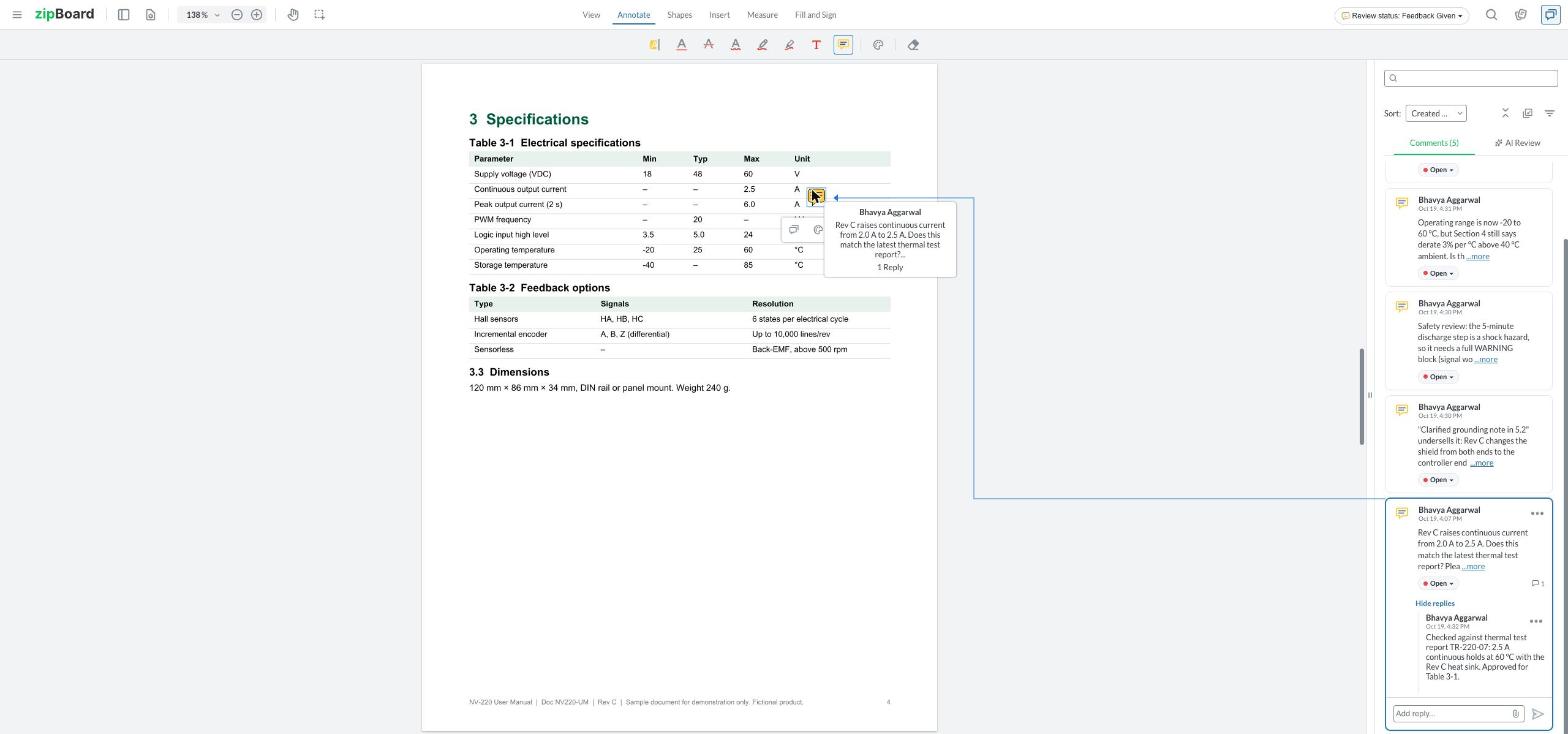
This is a live zipBoard review of a fictional product manual, the same view your reviewers get from a link. Highlight a line, draw a box around a table, or reply to a pinned comment. Your demo comments are private to this visit.
Why teams pick zipBoard for PDF markup
Five things a single-user PDF annotator can't do for a team.
Anyone can mark up from a link
Send one link. Reviewers open it in any browser and comment, with no install, account or training. Reviewers and collaborators are unlimited on every plan.
Every markup ends as done work
Highlights, clouds and notes become tasks with an owner, priority and status. Filter by owner or status and see exactly what's left before the next revision.
Decisions per reviewer, per version
Name the people who must approve. Each records Approved or Changes requested on the version they saw. Upload a revision and compare it side by side, with every text change listed.
Put PDF markup inside your own systems
Send PDFs for review from your document system, ERP, construction platform or LMS, and pull tasks, comments and decisions back into your reports. Or embed a review link in your own app or portal. How the API works
Review PDFs without moving them
Your system sends a PDF by URL and zipBoard never stores the file; only comments and markups are kept. For controlled documents, Enterprise can host everything on your own servers or in your region. Security details
PDF markup tools, one by one
The PDF viewer groups its tools into tabs. Change the colour, opacity, line thickness and text style of any annotation.
Annotate: highlight and comment on a PDF
- Highlight, underline, strikeout, squiggly
- Free text, sticky notes, free hand
- Rectangles and hyperlinks to sources
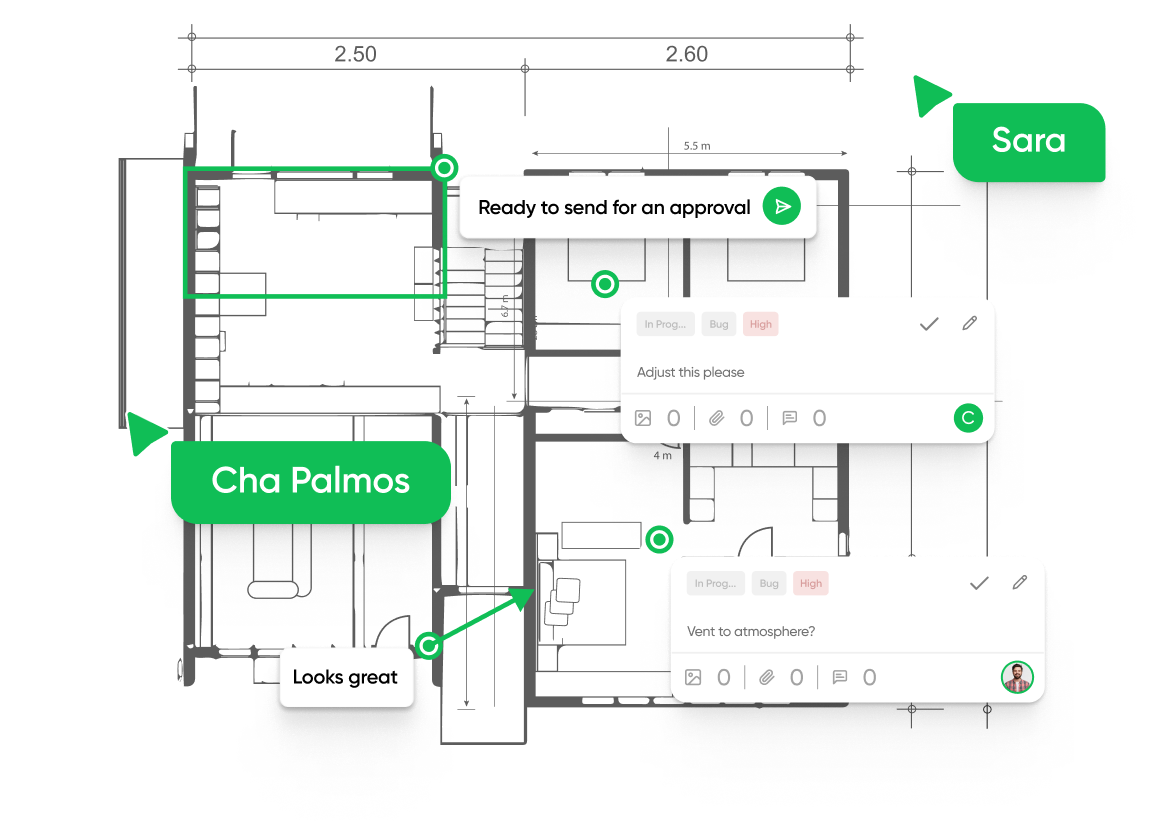
Shapes: clouds and callouts on drawings
- Clouds, ellipses, arcs, polygons
- Lines, polylines and arrows
- Point at a figure, a pinout or a detail
Measure: distances and areas on a PDF drawing
- Calibrate the scale first
- Distance, area, perimeter, arc
- Rectangle, ellipse and count
Insert, fill and sign
- Stamps, signatures, images, callouts
- Ticks, crosses, dots and date stamps
- Checklists and dated marks on forms
Markup to task
Highlights, underlines, strikeouts, squiggly lines, notes, shapes, lines and free hand drawings create a task when you save them. Set the owner, priority and instructions in the task panel. Free text, inserts and fill-and-sign marks are visual only.
Compare revisions
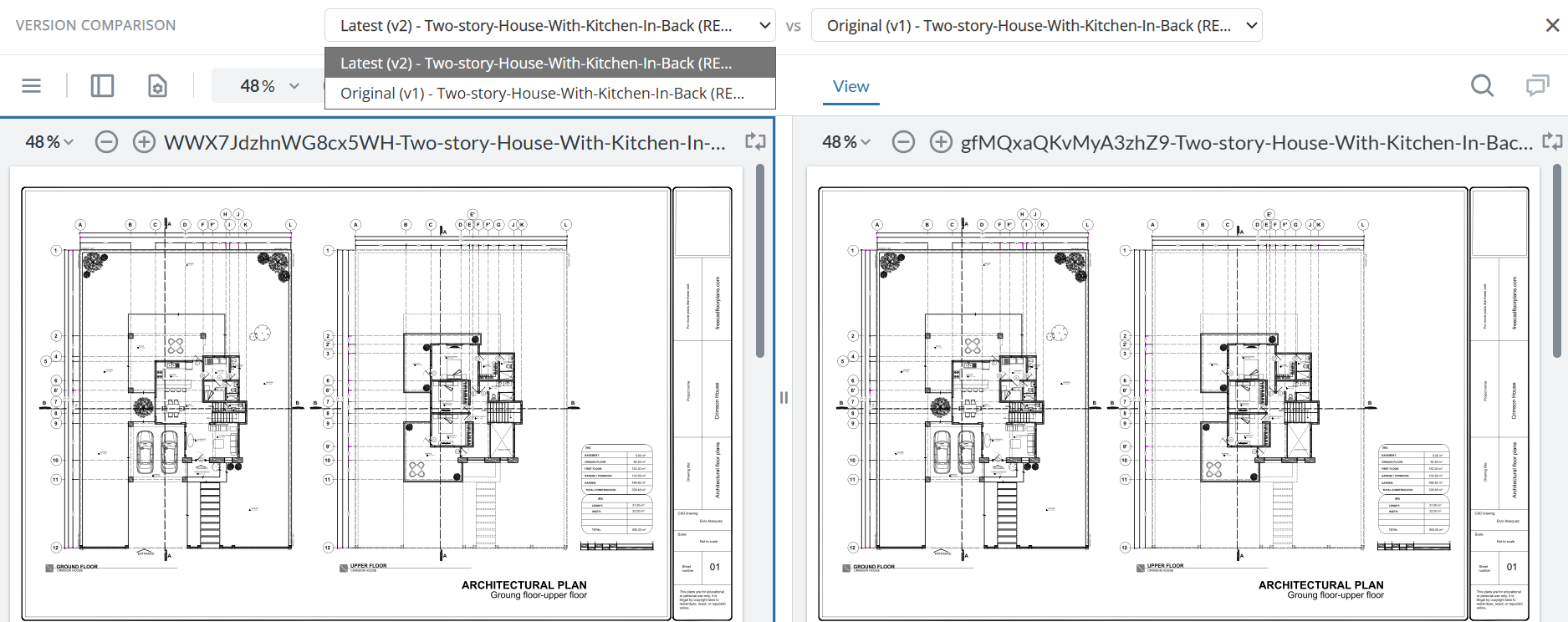
Upload the next revision as a new version, view both side by side with synced scrolling, and see every text change in the Change List. Each version keeps its own comments, and approvals reset.
Full tool list and steps: PDF and drawing review in zipBoard: complete guide.
Let AI take the first pass. Your people make the calls.
AI checks the mechanical things before your reviewers open the file. A person accepts or rejects every finding, and only accepted findings become tasks.
Orbit Check for documents
Catches typos, inconsistent terms and style-guide slips across a PDF. Use the standard editorial check, or write your own rules in plain language, like "We say sign in, not login".
Free until 15 January 2027. We turn it on for your team on request.
AI drawing review
A first pass on a drawing set against your own rules: title blocks, revision clouds, sheet references and spec section numbers. A person accepts or dismisses each finding.
AI submittal register
Send us a spec book and get the submittal register back, every line traced to its section, paragraph and page. Your coordinator checks every line before it goes into tracking.
AI findings carry a badge, every run shows who ran it, and rejected findings keep their reason. Content goes to AI services only when someone runs an AI feature, and it isn't used to train models.
How a team PDF review runs in zipBoard
- Add the PDF to a project, or add it by URL so the file stays on your own server.
- Share one link. Reviewers comment in any modern browser. Add a password, an expiry date or required sign-in if you want.
- Name the required reviewers with a due date. The file sits in their review list until they decide.
- Everyone marks up the same copy. Comments, replies and @mentions show up for everyone.
- Work through the tasks. Filter by owner or status, resolve what's done, attach files to a thread.
- Upload the next revision. Compare side by side and check each comment was addressed.
- Keep the record. Download the PDF with every annotation and comment.
Checking a revision? Watch the one-minute lesson Check a revised PDF.
Built for the teams that send PDFs out for review
The tools are the same. What changes is what's in the PDF and who has to approve it.
Manuals, datasheets and SOPs
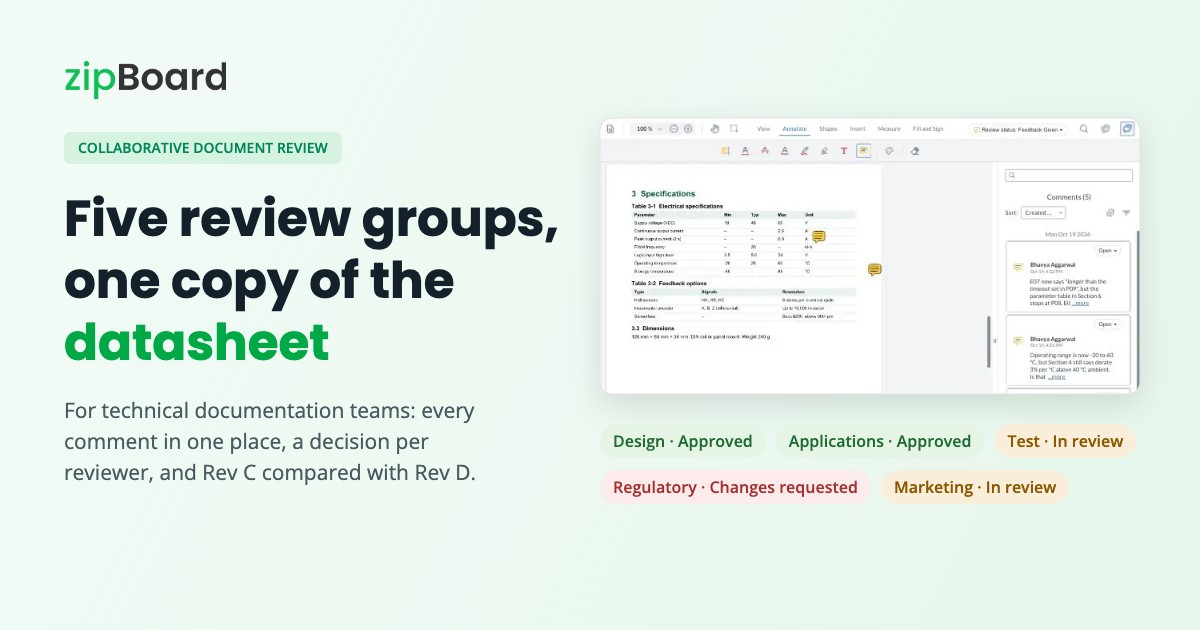
Engineers, QA and regulatory review the same revision from a link, without an authoring seat. Required reviewers sign off each version, and you compare Rev C with Rev B before release.
Drawings, submittals and specs
Owners, consultants and subcontractors mark up and measure drawings in the browser, without buying a desktop licence for every trade. Send tasks to Procore.
Brochures, artwork and PDF proofs
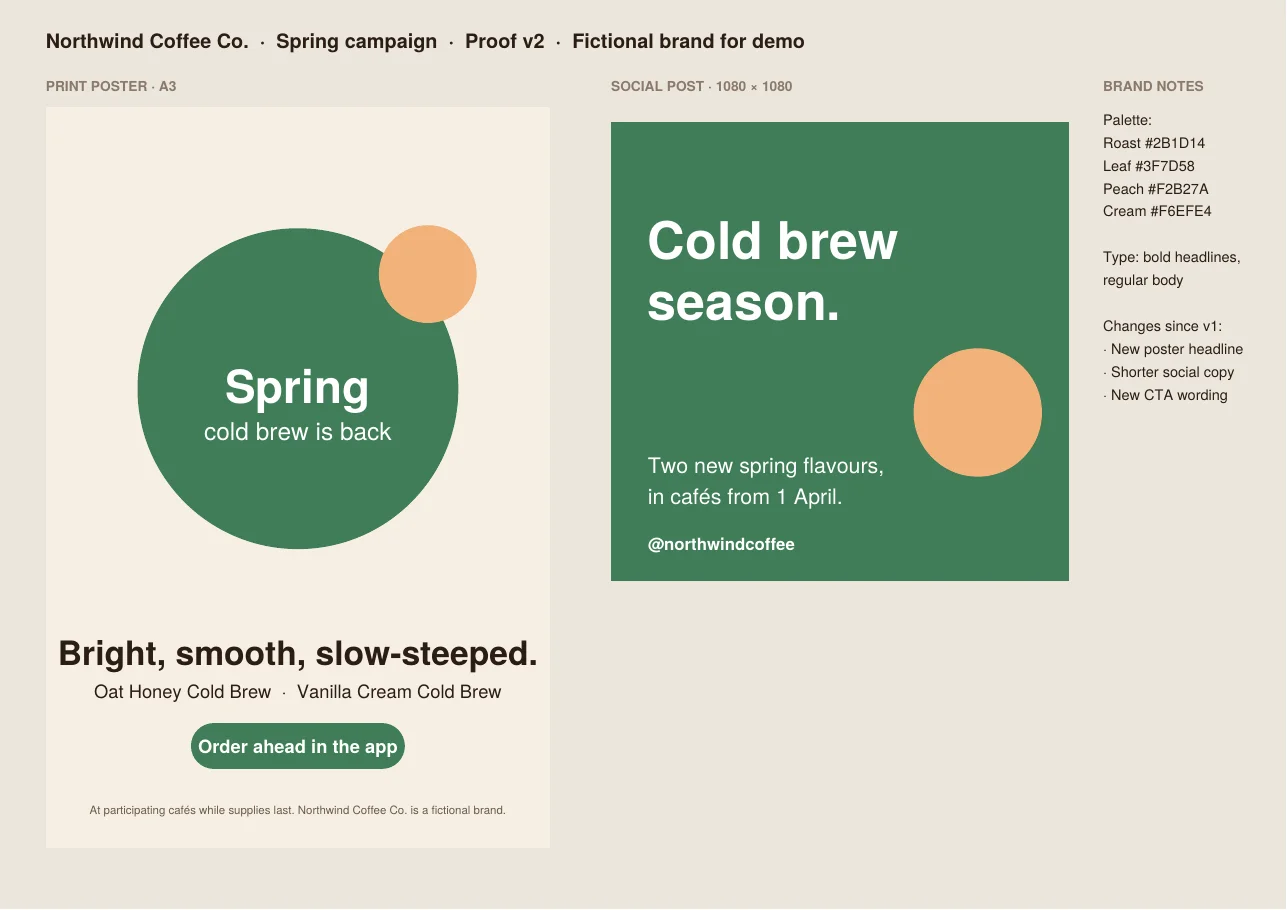
Brand, legal and clients approve the same PDF proof, with each decision recorded on the version they saw. Designs, video and live pages sit in the same review.
Reports, policies and proposals
Collect comments from many reviewers on one copy instead of merging six annotated attachments, and keep the decision trail with the document.
Add PDF markup to your platform, DMS or dashboard
Building review and markup from scratch takes months. zipBoard gives you a finished review layer: your system sends the PDF, people mark it up, and the results come back to you.
A review step inside your system of record
Drawings, specs and documents stay organised where they are. Review happens in zipBoard, and the status flows back.
Review projects created automatically
A new job, project or course in your platform creates the matching review project and share links, with no manual setup.
Review data in your dashboards
Feed open items, owners and recurring issues into BI tools, an issue tracker or an LMS, across every project.
| zipBoard review layer | Building on a PDF SDK | |
|---|---|---|
| What you build | The connection: send PDFs, read results | The viewer, comments, tasks, notifications, permissions and sign-off |
| Reviewer experience | Ready: link, markup tools, tasks, decisions, compare | Yours to design and maintain |
| Outside reviewers | Comment from a link with no account | You build guest access |
| Your brand | Custom URL and your logo on Enterprise | Fully yours |
| Best when | You want review working in weeks, not a product to build | Markup is your core product and you need full control of the viewer |
Building review into your platform? See the PDF review API. API reference at docs.zipboard.co. Partnering or building zipBoard into your product? Ways to work with us.
Can our documents stay on our own servers?
Yes. Many engineering, government and enterprise teams can't upload controlled documents to an outside service. zipBoard supports that two ways, and reviewers still get the full markup and approval experience.
Your system adds the PDF by its URL through the API. zipBoard never stores a copy of the file; only the comments and markups are kept in zipBoard.
For controlled documents, Enterprise keeps documents on your own servers or in a specific region, with sign-in through your identity provider.
What IT usually asks
Where are files stored? With review by URL, in your system. Otherwise in zipBoard's cloud, or on your servers with Enterprise.
Where are comments stored? In zipBoard's database.
How do people sign in? Email, Google or Microsoft, or SSO on Enterprise. Guests use a share link.
Straight answers
zipBoard doesn't hold a SOC 2 report or ISO 27001 certificate. We complete security questionnaires, and a security white paper is available on request.
zipBoard, Acrobat or Bluebeam: which PDF markup tool fits team review?
Each column says only what that vendor's own pages say. Plans change, so check each page before you decide.
| Question buyers ask | Email + any PDF reader | Adobe Acrobat "Share for review" | Bluebeam (Revu, Studio) | zipBoard |
|---|---|---|---|---|
| Built for | One person annotating their own copy | Creating, editing and signing PDFs; sharing a PDF for comments | Construction and engineering drawings: markup, measurement, takeoff | Reviewing and approving PDFs, drawings and other content with a team |
| Where reviewers mark up | Their own copy | One shared PDF from a link; Adobe says recipients can comment without an Acrobat account | Revu on Windows, or Bluebeam on web and mobile; Studio sessions for shared markup | One shared copy in the browser from a link, no sign-up |
| Who needs a paid seat | Nobody | The person sharing from Acrobat | Plans are per user, billed annually; hosting a Studio session needs Core or higher | The team running reviews; reviewers and collaborators are unlimited on every plan |
| Does a markup get an owner and a status? | No | Comments can be replied to; tracking is up to you | Markups list in Revu | Yes: markups become tasks with an owner, priority and status |
| Who still hasn't reviewed? | Ask by email | Track it yourself | Track it yourself | Required reviewers, due dates and a decision per reviewer per version |
| Comparing the next revision | Reread it | Compare Files, in Acrobat Pro | Compare Documents and Overlay Pages, on Core, Complete or Max | Side by side in the browser, with text changes listed |
| Connect to your own systems | No | See Adobe's developer docs | See Bluebeam's integrations | REST API: send PDFs by URL, pull tasks and comments back; embeddable links |
| Editing the PDF itself | Depends on the reader | Yes | Yes | No; zipBoard reviews, it doesn't edit |
Sources: Adobe Share a PDF file for review and commenting and Compare two versions of a PDF file; Bluebeam plans and pricing and Compare Documents vs Overlay Pages. zipBoard: PDF and drawing review, reviewing from a share link, comparing PDF versions, API. Longer comparison with Drawboard and Filestage: PDF review tools for teams compared · zipBoard vs Drawboard.
What teams using other PDF tools tell us
Short quotes from public reviews and forums, and how zipBoard handles each one. Most reviewers like these tools.
An Acrobat user on the Adobe Community, about a shared review. In zipBoard, reviewers comment from a link with no account. If shared review in Acrobat is failing, start with why Adobe shared review stops working.
A manager reviewing Bluebeam Revu on Capterra. zipBoard doesn't charge for reviewers: they're unlimited on every plan.
The same Bluebeam reviewer. In zipBoard each version keeps its own markups, and every markup has an owner and a status.
A marketing manager reviewing MarkUp.io on Capterra. zipBoard pins each comment to its spot on the page and keeps it with the version it belongs to.
Sources: Adobe Community thread · Bluebeam Revu on Capterra · MarkUp.io on Capterra.
What zipBoard adds
- Markups that become tasks with owners, priorities and statuses
- Required reviewers and a decision per reviewer, per version
- Side-by-side compare with text changes listed
- Unlimited reviewers from a link, with no account
- An API and embeddable links to put review inside your own systems
- Review by URL, so files never leave your system
- An AI first pass on documents and drawings, in early access
- Other content in the same review: images, video, audio, websites and SCORM courses
What other tools do better
- Editing and e-signing PDFs: keep Acrobat for that.
- Takeoff and estimating: Bluebeam Revu goes much deeper.
- Offline field markup on a tablet: desktop and tablet apps work without a connection; zipBoard runs in the browser.
- Existing PDF comments: comments already inside a PDF don't convert into zipBoard comments (why).
- Redlining Word files: use your word processor's tracked changes.
Pay for the team that runs reviews, not for reviewers
Reviewers and collaborators are unlimited on every plan. Team starts at $99 a month and Agency at $199 a month; Enterprise adds SSO, your own URL and logo, and hosting on your servers. 14-day free trial.
PDF annotator and markup: common questions
What's the difference between a PDF annotator and PDF markup software?
Both add highlights, shapes, notes and comments on top of a PDF without changing its content. A PDF annotator is usually for one person and their own copy. PDF markup software for teams shares one copy, gives each markup an owner and a status, and records who approved which version.
Which PDF markup apps let a whole team comment on the same document?
Tools built for shared review, such as zipBoard, put everyone on one copy from a link. Everyone sees new markups, replies and @mentions as they're added, so nobody merges annotated copies by hand.
Is there a free version?
There's no free plan, but every tool is included in the 14-day free trial, with no credit card. People you share a PDF with can always comment from the link without an account or a paid seat.
Do reviewers need Acrobat, an install or an account?
No. Reviewers open the share link in a browser and mark up the PDF. You can require sign-in, add a password or set an expiry date on the link.
Can I mark up and measure PDF drawings?
Yes. Add clouds, arrows and callouts, then calibrate the scale and measure distance, area, perimeter, arcs and counts. Construction reviewers can do this in the browser without a desktop licence.
How do I see what changed between two versions of a PDF?
Upload the revision as a new version and open both side by side with synced scrolling. The Change List shows every text change, and each version keeps its own comments.
Can we add PDF markup to our own product or system?
Yes. With the zipBoard REST API your system sends PDFs for review by URL, creates projects and share links, and pulls tasks, comments, replies and markups back. You can also embed a review link in your own app or portal. Enterprise adds your own URL and logo.
Can PDFs be reviewed without leaving our servers?
Yes. When your system adds a PDF by URL, zipBoard doesn't store a copy of the file; only comments and markups are kept in zipBoard's database. Enterprise can also host documents on your own servers, in your region or in a private cloud.
Is it safe for confidential documents?
Share links can require sign-in, carry a password and an expiry date, and be revoked. Guests don't see your team's internal comments, and Enterprise adds SSO. zipBoard doesn't hold SOC 2 or ISO 27001; we complete security questionnaires on request.
Can I annotate PDFs on an iPad or phone?
Reviewers can open the link in a mobile or tablet browser. There's no separate app, and zipBoard needs a connection.
Does zipBoard use AI to review PDFs?
Yes, in early access. Orbit Check takes a first pass on a PDF against a standard editorial check or your own plain-language rules, and AI drawing review does the same for drawing sets. A person accepts or rejects every finding, and accepted findings become tasks. We turn it on for your team on request, and your content isn't used to train models.
Can I import comments that are already in a PDF?
Not automatically. Comments added in Acrobat or other tools stay visible in the PDF but don't become zipBoard comments; re-create the ones you want to track.
Does zipBoard replace Acrobat or Bluebeam?
For team review, yes: reviewers mark up from a link with no seat, and every markup is tracked to done. For editing PDFs, keep Acrobat; for takeoff and estimating, keep Bluebeam.
Get your next PDF reviewed on one copy
Upload a PDF, send one link, and see what's fixed and who still has to approve.
No credit card needed. Reviewers are always free.