Your review tool has to pass IT, not just the design team.
Moving off Workfront Proof means a new review tool, and the first questions come from IT: who can see what, how people sign in, where the files sit and who signed off. zipBoard gives every review admin roles, single sign-on and the option to keep documents on your own servers, and every comment becomes a task with an owner.
No credit card needed. Reviewers are always free.
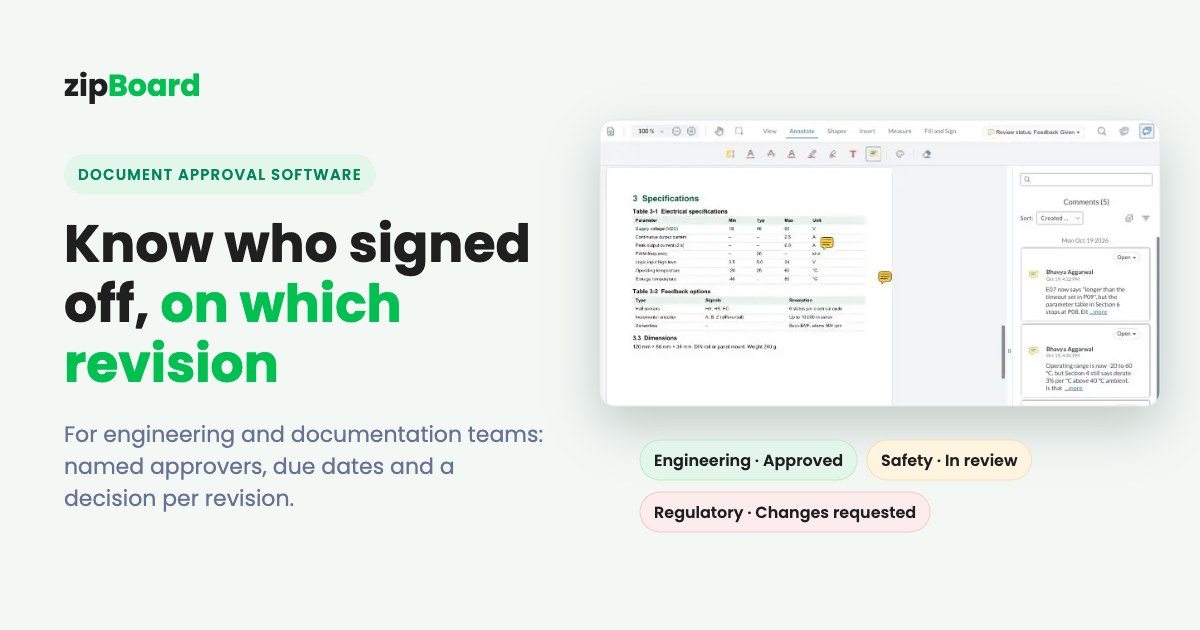
The five questions IT asks about a review tool
Creative and marketing teams pick a review tool for how it handles proofs. Enterprise IT approves it for five other reasons.
"Who can see and change what?"
Roles for admins, project owners, contributors and outside reviewers, not just "reviewer" and "approver".
"Can people sign in with our identity provider?"
Single sign-on, so access ends when someone leaves.
"Where do the files live?"
Region, private hosting, or kept on our own servers.
"Who approved which version, and when?"
A record you can show at audit or launch time.
"What certifications do you hold?"
And will you fill in our security questionnaire?
How the main review tools answer them
What each vendor's own pages say, opened 10 Nov 2026. Plan names are the vendor's; check their pricing pages for current terms.
| What IT asks | zipBoard | Frame.io (incl. Workfront Unified Review and Approval) | Ziflow | Filestage |
|---|---|---|---|---|
| Built for | Review and approval of documents, web pages, images, video and eLearning | Video-first creative review, now also documents; the review surface inside Workfront | Creative proofing for marketing and agency teams | Content review for marketing, CPG and regulated teams |
| Account roles | Super Admin, Admin, Manager, Collaborator; Client (Enterprise), Guest Collaborator, Guest Reviewer | Account Owner, Content Admin, Member; inside Workfront, permissions are set in Workfront and sync to Frame.io | Proof and folder access permissions (Pro); role names not listed on its pricing or security pages | Member role (Business); custom roles and permissions (Enterprise) |
| Review roles | Required reviewers with a decision per version; guest reviewers on a link | Workfront approvals: Reviewer or Approver | Unlimited reviewers inside and outside the organization | Reviewer groups; reviewers see only the groups they're invited to |
| Single sign-on | Enterprise: through your identity provider, such as Microsoft, Google or Okta | Enterprise: SAML2-based SSO | Enterprise: SAML 2.0, plus SCIM user management | Enterprise; Google SSO, SAML and OpenID Connect named on its security page |
| Where files live | AWS by default. Enterprise options: documents kept on your servers and reviewed by URL through the API, customer-hosted storage, region-specific or private cloud, Azure | AWS. "Storage Connect" listed on the Enterprise Prime tier | AWS, multiple availability zones; region choice not stated | AWS Frankfurt, Germany; Germany data residency control on Enterprise |
| Staged approval | Enterprise and custom plans | Multi-stage approvals in Workfront | 1 stage (Free), 2 (Standard), 3 (Pro), unlimited (Enterprise) | 2 reviewer groups (Free, Starter), 3 (Business), unlimited (Enterprise) |
| Approval record and audit | Decision per reviewer per version; comments and tasks exportable; no packaged audit-log export yet | Decisions sync between Workfront and Frame.io; comments don't sync | Audit trail: 90 days (Standard), 1 year (Pro), lifetime plus activity and access logs (Enterprise) | Audit logs of logins, permission changes and deletions (Enterprise); PDF report of comments and decisions per reviewer group (Business) |
| Outside reviewers | Comment from a link, no account; each link has its own permissions, password and expiry | Share links; passphrase and expiry from Pro | Public proof links; MFA for guest reviewers on Enterprise | No account needed; "verified approval" with password on Enterprise |
| After the comment | Each comment can become a task with owner, priority and due date; Kanban or table; Jira, Wrike, Teams | Comments | Comments and checklists | Comments and to-dos |
| Certifications | No SOC 2 report or ISO 27001 of our own; questionnaires completed on request | SOC 2 Type 2; ISO 27001 through Adobe's ISMS | SOC 2; ISO 27001 | ISO/IEC 27001:2022; SOC 2 Type II; CSA STAR Level One |
| Other enterprise controls | Private Cloud plan (a separate instance); archive and restore projects | Restricted projects (Team); watermarking and DRM on Prime | IP allowlisting; 99.9% SLA; white label; custom email domain | 99.9% Enterprise SLA; FDA 21 CFR Part 11 verified approval (Enterprise) |
| Cost model | Reviewers and collaborators unlimited on every plan. See plans | Per member; included with Workfront V2 licences. Frame.io pricing | Per plan with included users, extra users in packs of 5. Ziflow pricing | 10 team members per plan, more in bundles of 5. Filestage pricing |
Sources: Frame.io: Transitioning from Workfront Proof · Workfront integration overview · Pricing · Security. Ziflow: Pricing · Security. Filestage: Pricing · Security. zipBoard: roles · SSO · documents on your own servers · share link security · Security at zipBoard. All opened 10 Nov 2026.
Watch: what your IT team will see
A 90-second security overview, and how admins set up roles.
Security at zipBoard (1:29): hosting, encryption, roles, SSO, where files live and vendor assessments. Read the security page
Getting started as Super Admin and Admin: invite people, set roles and manage projects. Roles explained
Try it: run a review the way your reviewers will see it
Comment, turn a comment into a task, then compare two versions. Your demo comments are private to this visit.
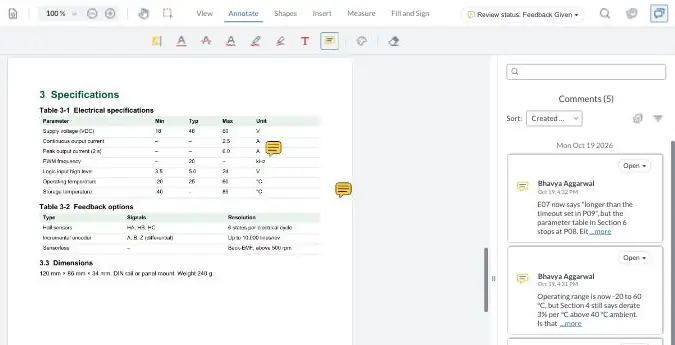
What zipBoard gives an enterprise review team
Admins decide who sees what
- Four internal roles. Super Admins add and remove admins and manage members and billing; Admins have the same rights apart from billing and member management; Managers and Collaborators work in the projects they're added to. Roles and permissions
- Outside people come in as a Client (Enterprise), a Guest Collaborator with a login, or a Guest Reviewer on a share link with no login.
- Every share link has its own permissions, and can have a password and an expiry date.
Sign-in through your identity provider
- On Enterprise, people use corporate sign-in through your identity provider, such as Microsoft, Google or Okta.
- SSO changes only how people sign in; roles stay as you set them. How SSO works
Files on your terms
- By default zipBoard runs on Amazon Web Services.
- Enterprise options: documents kept on your own servers and sent for review by URL through the API; customer-hosted document storage; region-specific or private cloud hosting (the Private Cloud plan runs on its own instance); and Microsoft Azure. Scoped with your IT team. How it works
Feedback becomes owned work
- Any comment can become a task with an owner, priority and due date, on a Kanban board or a table.
- Global Asset View and My Work show what's still waiting across every project.
- Send tasks to Jira or Wrike; get updates in Microsoft Teams or Slack.
Sign-off you can point to
- Name the required reviewers for each version and see each one's decision.
- Staged approval is on Enterprise and custom plans.
Help with your security review
- We complete security questionnaires (SIG, CAIQ or your own format), provide security documentation and meet your IT, risk and legal teams.
- One review tool for brochures, manuals, PDFs, images, video, audio, live websites and SCORM courses. Security at zipBoard
What the others do better
- Certifications. Frame.io (through Adobe), Ziflow and Filestage all list SOC 2 and ISO 27001. zipBoard doesn't hold its own yet.
- Audit logs. Ziflow Enterprise keeps a lifetime audit trail with activity and access logs, and Filestage Enterprise logs logins, permission changes and deletions. zipBoard records decisions per version but doesn't offer a packaged audit-log export yet.
- Regulated sign-off. Filestage Enterprise offers verified approval for FDA 21 CFR Part 11 and EU Annex 11. zipBoard isn't built for Part 11 e-signatures.
- Inside Adobe. Frame.io is included with Workfront V2 licences, and decisions sync back to the Workfront task. zipBoard has no Workfront connector yet.
- User provisioning and network controls. Ziflow Enterprise adds SCIM user management, IP allowlisting and MFA for guest reviewers.
- Creative-file compare. Ziflow and Frame.io overlay and pixel-compare images. zipBoard's image compare is on the way.
When not to switch
Keep your current tool if:
- A SOC 2 report or ISO 27001 certificate from the vendor is a hard requirement. zipBoard doesn't hold its own yet. We complete questionnaires and can run you on a private instance, but if the certificate is a must, check with your security team first.
- You need 21 CFR Part 11 e-signatures for regulated labelling or submissions.
- Everything must stay inside Workfront, with approvals on the Workfront task and no second tool.
- Your reviews are almost all video or pixel-perfect creative, with few documents, web pages or courses.
- You need SCIM provisioning or IP allowlisting today. Ask us before you assume.
- You want old comments moved over. Comments already inside a PDF don't convert into zipBoard comments (why), and Proof or Frame.io comments don't import today. Adobe says Proof content isn't deleted, so old proofs can stay where they are.
How the move works
Start with one workflow and your IT team in the room. Keep Workfront for projects.
Guided setup
We configure roles, SSO, your first projects and approval stages with your admin.
A 30-day pilot on one live workflow
Pick the review with the most rounds or the most reviewers. At the end you get an exit report on review rounds and time to sign-off.
Security review in parallel
Send your questionnaire at the start; we answer it during the pilot.
Keep Workfront
Projects stay there; task sync options (Wrike, Jira, Zapier, API) are scoped in the pilot.
Coming soon
Approval record export
Export who approved which version, when, and the decision.
Workfront connector
Sync a zipBoard review's status and decision back to the Workfront task.
Enterprise review and approval: common questions
What makes review and approval software "enterprise-ready"?
Usually five things: roles that separate admins from contributors and outside reviewers, single sign-on, a choice of where files are held, a record of who approved which version, and a vendor that will go through your security review. Check each tool against all five before you shortlist it.
Does zipBoard support single sign-on?
Yes, on Enterprise. People sign in through your identity provider, such as Microsoft, Google or Okta, and their roles stay as you set them.
Can our documents stay on our own servers?
Yes, as an Enterprise option. Your system can send documents for review by URL through the zipBoard API, or you can use customer-hosted storage, region-specific or private cloud hosting, or Azure. How it works
What roles does zipBoard have?
Super Admin, Admin, Manager and Collaborator inside your organization, plus Client (Enterprise), Guest Collaborator and Guest Reviewer for outside people. Guest Reviewers comment from a share link with no account.
Does zipBoard have SOC 2 or ISO 27001?
Not at present. zipBoard completes security questionnaires, provides security documentation and can run you on a private instance. See Security at zipBoard.
Is Frame.io's review included with Workfront?
Adobe says review and approval with Frame.io is included at no extra cost on Workfront V2 licences. Inside Workfront, approvers choose Approve or Needs Work, and permissions are set in Workfront.
Can we keep Workfront and use zipBoard for review?
Yes. Projects stay in Workfront and review moves to zipBoard. Task sync to Wrike, Jira, Zapier or the API is scoped during the pilot; a native Workfront connector isn't available yet.
Do outside reviewers need a zipBoard account?
No. They comment from a link. Each link has its own permissions and can have a password and an expiry date.
How do we see who still hasn't signed off?
Name the required reviewers on each version and check their decisions in one place. Step by step: set up a document approval workflow.
Bring your IT team to the first call
We'll walk through roles, SSO and where your files will live, then set up one workflow for a 30-day pilot.
No credit card needed. Reviewers are always free.