Adobe moved your review. Move it somewhere built for review.
Your Workfront Proof workflows are being moved to the Frame.io viewer, with two reviewer roles, Approve or Needs Work, and no measurement tools. If most of what you review is PDFs, brochures, manuals and web pages, zipBoard gives every document, every reviewer and every sign-off a home, with the admin controls your IT team expects.
No credit card needed. Reviewers are always free.
What's actually changing with Workfront Proof
Nothing is switched off on a date. Adobe is making the Frame.io viewer the default review surface and leaving Proof to fade.
Frame.io is now the default
Adobe says Workfront Proof "is no longer the primary review surface for new projects", and once Unified Review and Approval is enabled, new documents and projects use Frame.io for reviews by default. (Frame.io help)
It arrives with a contract update
Unified Review and Approval has been available to all Workfront customers on a contract update since 17 April 2026 (Adobe Experience League). Frame.io review is included at no extra cost on Workfront V2 licences (Frame.io help).
There's no retirement date
Adobe says there is no timeline yet for moving the legacy Proof tool out fully. (Adobe Experience League, 21 Apr 2026)
Your old proofs stay
Adobe says Proof content is not deleted: existing proof projects and history remain accessible. (Frame.io help)
So the real question isn't "when do we have to move?" It's "is the Frame.io viewer the right place for the review work we actually do?"
What Proof users notice in the Frame.io viewer
Frame.io is a strong review tool, built first for video. Teams whose proofs are mostly documents notice these differences first. All from Adobe's own transition article.
| What you did in Proof | In the Frame.io viewer today |
|---|---|
| Proofing roles: Reviewer, Approver, Author and more | Simplified to a Reviewer or Approver role |
| Decisions: Approved / Changes Required / Rejected | Approve / Needs Work (or no response) |
| Mark a review complete | Listed by Adobe as coming soon |
| Compare any two versions | Pixel difference and overlay slider, only for like-for-like file types and sizes |
| Measurement tools | Unsupported at this time |
| Review .msg and .eml files | Not supported; Adobe suggests converting them |
Source: Transitioning from Workfront Proof to the Frame.io viewer, opened 3 Nov 2026.
To be fair to Adobe, Workfront approvals keep improving. The Q4 2026 release lets you group several documents under one approval workflow, request approval on a live web page added as a web link, add a Workfront team as an approver, and see approval history across versions. (Workfront Q4 2026 release overview, updated 22 Oct 2026)
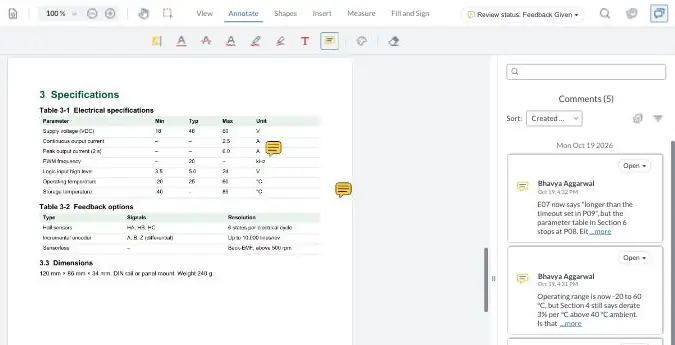
Try it: comment on a sample manual
Comment the way your reviewers would, turn a comment into a task, then compare two versions. Your demo comments are private to this visit.
zipBoard vs the Frame.io viewer for Workfront teams
zipBoard isn't a Workfront replacement. It's the review layer next to it: keep Workfront for projects, move review here.
| What buyers decide on | zipBoard | Workfront + Frame.io viewer |
|---|---|---|
| Built for | Review and approval of documents, web pages, video, images and eLearning | Video-first review, inside Workfront projects |
| Roles | Super Admin, Admin, Manager, Collaborator and Reviewer, plus guest reviewers on a link | Reviewer or Approver |
| Approval decisions | Required reviewers with Approved or Changes requested | Approve / Needs Work |
| Outside reviewers | Comment from a share link, no account; each link has its own permissions, optional password and expiry date | Secure share links; reviewers without a Frame.io licence get 15-minute digest notifications |
| Comparing versions | Side by side, with text changes highlighted | Pixel difference and overlay, like-for-like file types and sizes only |
| After the comment | Each comment can become a task with owner, priority and due date, in Kanban or table view, or go to Jira or Wrike | Comments, visible from the Workfront Comments panel |
| Seeing what's waiting across projects | Global Asset View and My Work | Workfront dashboards and approval fields |
| File types | PDF, images, video, audio, live web pages and apps, SCORM/HTML courses | 40+ formats; no .msg/.eml |
| Single sign-on | Enterprise plan: Microsoft, Google, Okta | Through Adobe |
| Where files live | AWS by default; on Enterprise, region-specific or private cloud, Azure, or documents kept on your own servers and reviewed by URL | Adobe cloud |
| Project management | Not a PM tool. Integrates with Jira, Wrike, Teams, Slack and Zapier; API | Full Workfront work management |
| Cost model | Reviewers and collaborators unlimited on every plan. See plans | Included at no extra cost on Workfront V2 licences |
| Free trial | Yes, 14 days | Via your Adobe account manager |
Sources: Frame.io transition article · Unified Review and Approval announcement · Workfront Q4 2026 release. Opened 3 Nov 2026. zipBoard: roles · share link security · SSO · documents on your own servers.
The cost is the review time, not the licence
Frame.io review is included with Workfront V2. The licence may be free; the review rounds aren't. Ask three questions before you decide:
zipBoard: reviewers and collaborators are unlimited on every plan. See plans
What zipBoard adds, and what Frame.io does better
What zipBoard adds for a Workfront team
- Admin control: five internal roles; Super Admins manage members and billing; Admins configure workflows.
- Single sign-on on Enterprise (Microsoft, Google, Okta), set up with your IT team.
- Documents can stay on your servers: submit PDFs for review by URL through the API, or use customer-hosted storage, region-specific or private cloud hosting, or Azure. Enterprise options scoped with your IT team. Security at zipBoard
- Feedback becomes owned work: comments turn into tasks with an owner, priority and due date; see everything still waiting in Global Asset View and My Work.
- Text-change compare: see what changed in the words between versions, not just the pixels.
- One review tool for everything the team ships: brochures, manuals, web pages, video, audio and SCORM courses.
- Required reviewers and decisions, @mentions with email, status-change notifications, share links with password and expiry.
What Frame.io does better
- It's inside Workfront and included with V2 licences: nothing new to buy or connect.
- Video review is its core, with support for very large files (up to 500 GB, per Adobe) and Adobe Creative Cloud alongside.
- Pixel and overlay compare for like-for-like creative files. zipBoard's image compare is on the way (see Coming soon).
- Workfront's new approval features (multi-document approvals, web-link approvals, team approvers) live in the same place as your projects.
See what changed in the words, not just the pixels
Open two versions side by side with text changes highlighted, and check which comments from the last round were addressed. Compare documents side by side
When not to switch
Stay with Workfront Proof or the Frame.io viewer if:
- Most of your proofs are video or motion. Frame.io is built for that.
- Your reviews must live inside Workfront with no second tool, and the two roles cover how you work.
- You need pixel overlay on creative files today. Wait for zipBoard's image compare, or keep Frame.io for that work.
- You need a SOC 2 report or ISO 27001 from the review vendor. zipBoard doesn't hold its own yet. We complete security questionnaires and can run you on a private instance, but if a certificate is a hard requirement, check with your security team first.
- You're in regulated labelling (21 CFR Part 11 e-signatures). zipBoard isn't built for that.
- You want your Proof history moved over. Old proofs stay in Proof (Adobe doesn't delete them); zipBoard doesn't import them today.
How the move works
We make the switch low-risk. New work starts in zipBoard, and your Proof history stays where it is.
Guided setup
We configure roles, SSO, your first projects and approval stages with your admin.
A 30-day pilot on one live workflow
Pick one Proof workflow, run it in zipBoard, and get an exit report on review rounds and time to sign-off.
Keep Workfront
Run projects there and review in zipBoard; task sync options (Wrike, Jira, Zapier, API) are scoped in the pilot.
Coming soon
Image compare
Compare two versions of an image or artwork side by side.
AI review
AI-assisted checks, offered today only to organizations in a private beta.
Workfront connector
Sync a zipBoard review's status and decision back to the Workfront task.
Workfront Proof alternative: common questions
Is Adobe shutting down Workfront Proof?
Not on a set date. Adobe says there's "no timeline" for retiring Proof fully, but the Frame.io viewer is now the default for new documents and projects once Unified Review and Approval is enabled.
What happens to our existing proofs?
Adobe says Proof content is not deleted, and existing projects and history stay accessible. You can start new work in zipBoard and leave old proofs where they are.
What's the best Workfront Proof alternative for PDFs and documents?
If your proofs are mostly video, the Frame.io viewer is a good fit. If they're mostly PDFs, brochures, manuals and web pages, and you need more than two roles, look at a document-first review tool such as zipBoard.
Is Frame.io review free with Workfront?
Adobe says it's included at no extra cost on Workfront V2 licences. The licence cost is only part of it: also count review rounds and the time spent chasing sign-off.
Do reviewers need a zipBoard account?
No. Reviewers comment from a share link. Each link has its own permissions and can have a password and an expiry date. Share link security
Can documents stay on our own servers?
Yes, as an Enterprise option. Your system can submit PDFs for review by URL through the API, or you can use customer-hosted storage or a private instance. How it works
Does zipBoard support single sign-on?
Yes, on the Enterprise plan, through Microsoft, Google, Okta or your identity provider.
Does zipBoard have SOC 2 or ISO 27001?
Not at present. zipBoard completes security questionnaires, provides security documentation, and can run you on a private instance. See Security at zipBoard.
Can we keep using Workfront?
Yes. zipBoard is the review layer next to Workfront: keep projects there and run review in zipBoard. We scope task sync during the pilot.
Move one workflow first
Pick the Proof workflow that hurts most. We'll set it up with your admin and run it for 30 days, then you decide.
No credit card needed. Reviewers are always free.