
29 Oct
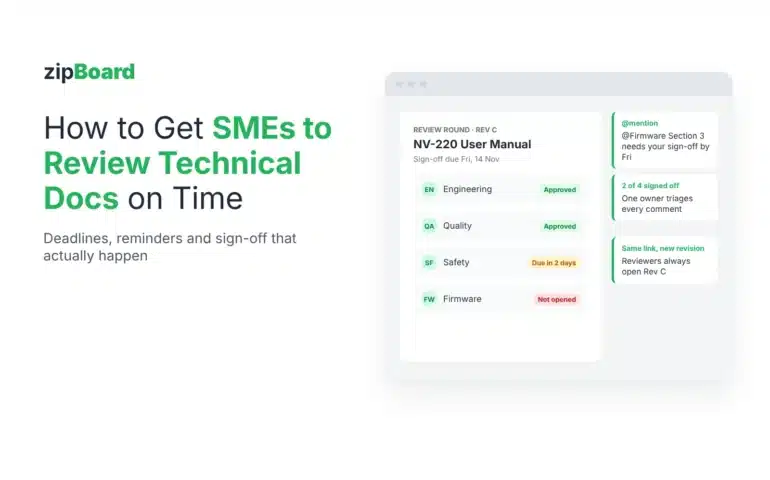
How to Get SMEs to Review Technical Docs on Time: Deadlines, Reminders and Sign-off
SMEs miss review deadlines because the ask is vague and the file is hard to open. How documentation teams set due dates, remind without nagging and record sign-off per revision.
26 Oct
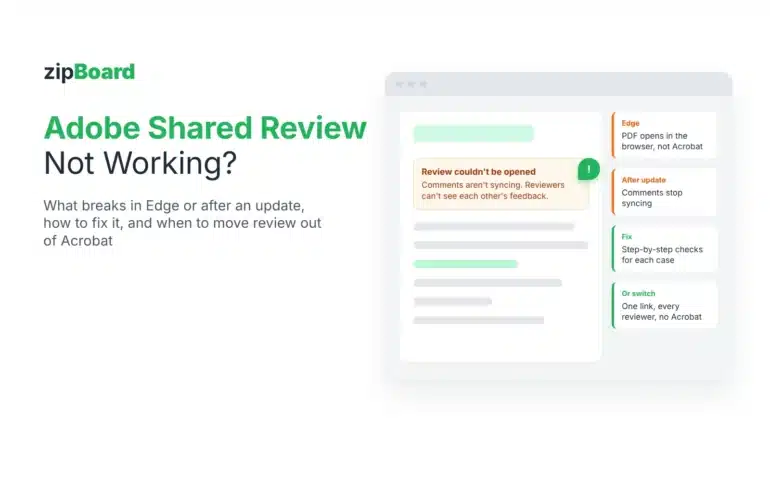
Adobe Shared Review Not Working in Edge or After an Update? What Breaks and How to Fix It
"Check for new comments" gone, or Acrobat can't connect to the review server after an Edge or Acrobat update? What breaks, the fixes, and when to move on.
20 Aug
Why IT Teams Are Getting Out of the PDF Review Server Business
Why IT Teams Are Getting Out of the PDF Review Server Business Why IT Teams Are Getting Out of the PDF Review Server Business? IT teams are systematically deprecating self-hosted PDF review servers, such as legacy WebDAV setups, internal network shares, and custom SharePoint document libraries, because they introduce significant infrastructure overhead, recurring support tickets,
19 Aug
The Real Cost of Adobe Acrobat for Documentation Teams
The Real Cost of Adobe Acrobat for Documentation Teams What is the real cost of Adobe Acrobat for documentation teams? The license is the part you can see. For most documentation teams it isn’t the biggest cost. The bigger cost is the review process around it: comments that get lost or arrive in five places,
19 Aug
Best PDF Review Tools for Teams and Technical Writers (2026)
Which tools work best when a whole team reviews a PDF: Acrobat, Bluebeam, Drawboard, Filestage, CCMS review and zipBoard, compared for documentation teams.
05 Aug
Sharepoint vs zipBoard Documentation Review
What sets apart SharePoint and zipBoard? SharePoint is an enterprise document repository and intranet designed for content storage, security, and document management. zipBoard is a specialized visual proofing and documentation review platform designed for collaborative markup, issue tracking, and feedback collection across digital assets (PDFs, live websites, images, and e-learning SCORM files). For Microsoft-standardized teams,
28 Jul
Structured Documentation Review: Why Email and Confluence Break Down at Scale
Why your team needs structured document review tool? A structured documentation review tool provides a centralized, visual proofing environment that replaces informal feedback channels like email, Confluence, and SVN comment threads. Designed specifically for complex documentation, it streamlines multi-stakeholder feedback with pixel-accurate markup, automated timestamp for clear audit trail, and clear approval workflows. When teams
30 Jun

Subject Matter Expert (SME) Review: A Complete Guide
What is a Subject Matter Expert (SME) Review? An SME review is the stage where subject matter experts verify that technical content is accurate before publication. Reviewing training content instead of documentation? See how to review AI-generated eLearning courses. Verifies accuracy: Confirms content is factually correct, complete, and safe. Named reviewer: Links the verification to
15 Jun

Document Approval Workflow: A Complete Guide
A document approval workflow is the governed stage at the end of a review cycle where named approvers confirm a specific document version is ready for release. Most teams run this through email or comments, producing no audit trail. This guide covers the stages, roles, failure modes, and what separates checkbox approval from governed approval.
02 Jun

Technical Document Review Workflow: Stages, Stakeholders & Approvals
A technical document review workflow is the governed sequence of stages a technical document moves through before publication: peer review, SME review, editorial review, compliance review, and final approval, with defined reviewers, deliverables, and sign-off criteria at every stage. A well-designed workflow gives documentation leads three things: complete review coverage (no SME feedback missed), full