24 Nov
If you’re a project engineer, you know the setup. Spec book on one monitor, a 100-page submittal on the other, Ctrl+F, and a lot of coffee. You’re checking whether the door hardware finish matches the schedule, whether the fire rating is right, whether the model number in the cut sheet is the one the spec actually asked for. And half the time the sub has sent the whole product catalog and left you to figure out which item they mean.
Ask a senior PM how to speed it up and you’ll often hear some version of “that’s the job.” They’re partly right. Submittal review is the last chance to catch a problem before it gets bought, and nobody wants to be the person whose stamp is on the wrong equipment.
But experienced reviewers aren’t faster because they read faster. They’re faster because they’ve stopped reading every page in order. Here’s what they do instead.
1. Make the submittal arrive in a shape you can check
The fastest review starts before the PDF arrives, with a submittal process that tells subs exactly what to send. Many GCs and engineers now require subs and vendors to put the relevant spec section at the front of the submittal, with every paragraph marked Comply, Deviate or N/A, and a reason next to every deviation.
That does two things. It puts the work of finding the right product on the person who chose it. And it surfaces conflicts in the documents early: a surprising number of “deviations” turn out to be outdated, copy-pasted spec language that never fit the project.
If a package arrives as a generic catalog with nothing marked, you’re within your rights to send it back. Most subcontracts already say what a submittal must contain. Enforcing it once trains people to submit properly the next time.
2. Write the checklist before you open the PDF
Quick reviewers keep a short list of must-check items for each spec division: model, rating, finish, voltage, mounting, dimensions, and the code or standard that applies. Ten to twenty items, written once from the spec and drawings, reused on every submittal in that section. For a head start, adapt our free construction submittal review checklist.
Then the review becomes a search, not a read. Find each item, confirm it, move on. Over a few projects the list grows with the things you missed last time, which is how experience turns into a process instead of staying in one person’s head.
3. Triage first: check the deal-breakers
Before you read anything in detail, check the handful of items that would get the package rejected anyway: the wrong manufacturer, the wrong rating, a missing required document. If two or three of those are off, return it now. There’s no point spending an hour on page 37 of something that’s coming back regardless.
4. Mark as you go, then look at what’s left
An old trick from the paper days still works on screen: highlight each item on the submittal once you’ve verified it. When you’re done, the page should be mostly marked up. Whatever isn’t marked is exactly where you need to look harder. Doing it as annotations on the PDF also means the next reviewer can see what you checked: here’s how teams manage submittals with annotations.
5. Check that it fits, not just that it complies
This is the part no checklist fully covers, and it’s why experienced PMs are wary of automating the whole thing. A product can match the spec word for word and still be wrong for the project. Exit hardware specified on doors that swing the wrong way. Equipment specified at a voltage the building service doesn’t supply. A frame that doesn’t fit the partition it’s going into.
Catching these means knowing how the product works with the scope around it, and with related submittals and RFIs. That judgment is the reason a person signs the stamp. Everything else in this list is about clearing time for it.
6. Don’t re-review resubmittals from scratch
When a revised package comes back, the job isn’t a fresh review. It’s confirming that every comment from last round was addressed, and that nothing else quietly changed. Put the new version next to the old one, with last round’s comments visible, and go through them one by one.

7. Where AI fits (and where it doesn’t)
Plenty of engineers already paste specs and submittals into a chatbot for a first comparison. It can save time on the “is this package even worth reading” question. Two cautions are worth taking seriously:
- Check your company’s policy first. A growing number of contractors explicitly ban uploading contract documents into public AI tools, and projects under NDA carry the same risk.
- The stamp is still yours. AI is good at surfacing likely issues. It isn’t good at design intent, or at knowing that the spec itself is wrong for this building. Treat its output as a list of things to look at, not a verdict.
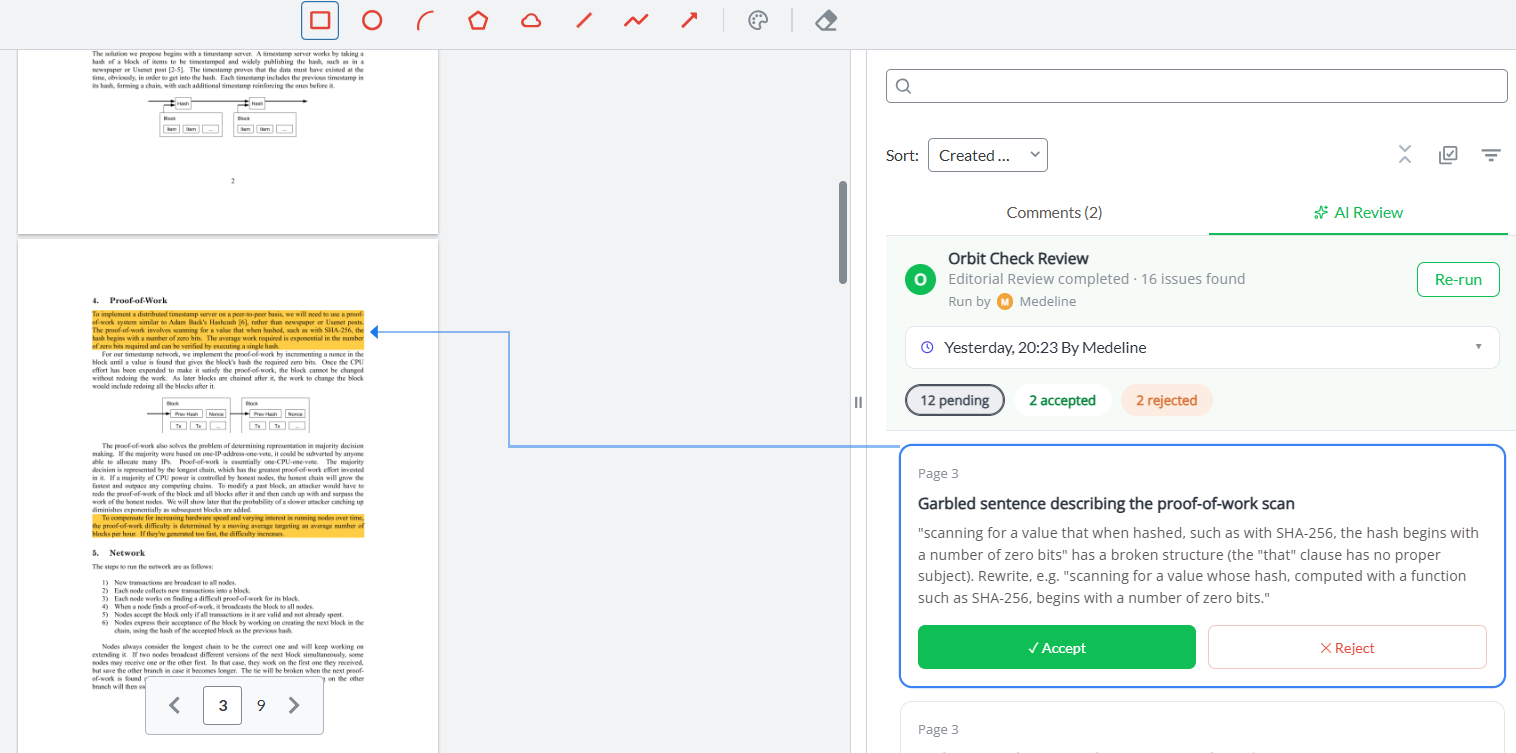
The setup that works is AI as a first pass inside the review tool your team already controls, where every finding is labelled as AI, a person accepts or rejects it, and the approval carries a name and a date. For the routing side (reviewers, reminders, statuses), see how to automate submittal workflows.
How zipBoard helps with submittal review
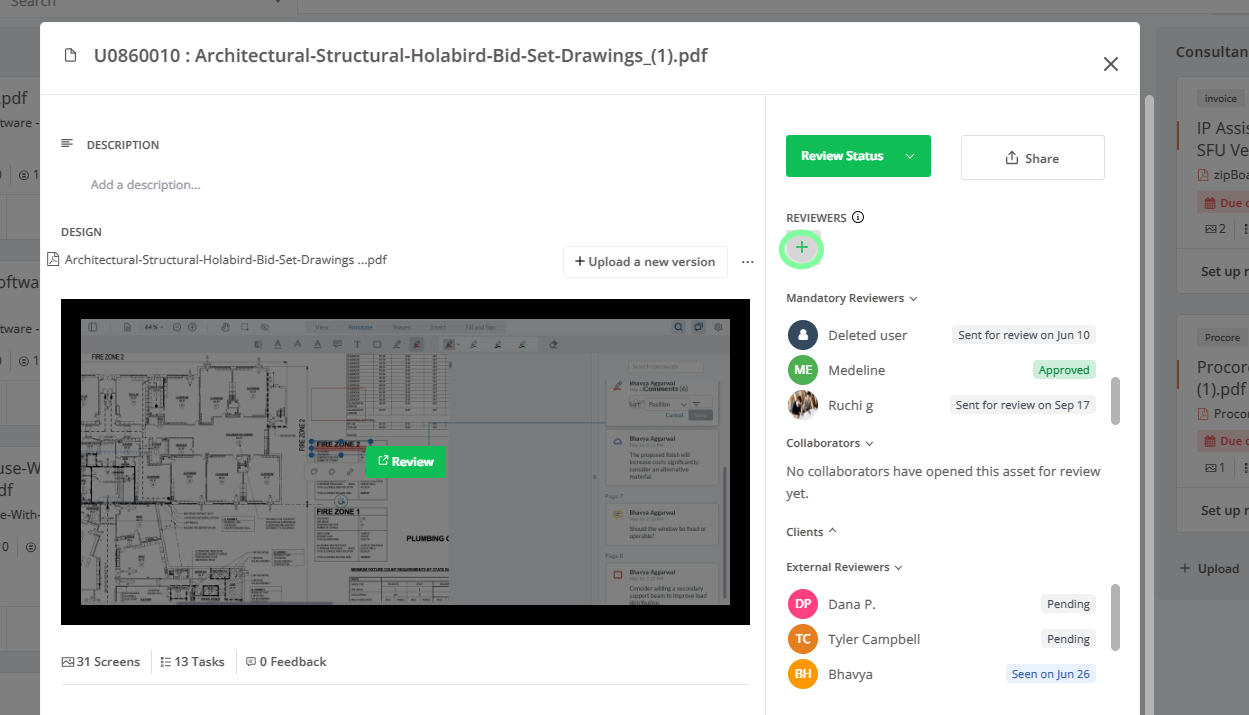
zipBoard keeps the whole review round on the PDF itself, instead of in three email threads.
- Everyone marks up the same drawing. Add consultants as required reviewers with a due date, or send a share link to people who don’t have a zipBoard seat. Clouds, arrows, text and measurements all land on one document.
- Every comment can become a task with an owner, so nothing gets lost between rounds.
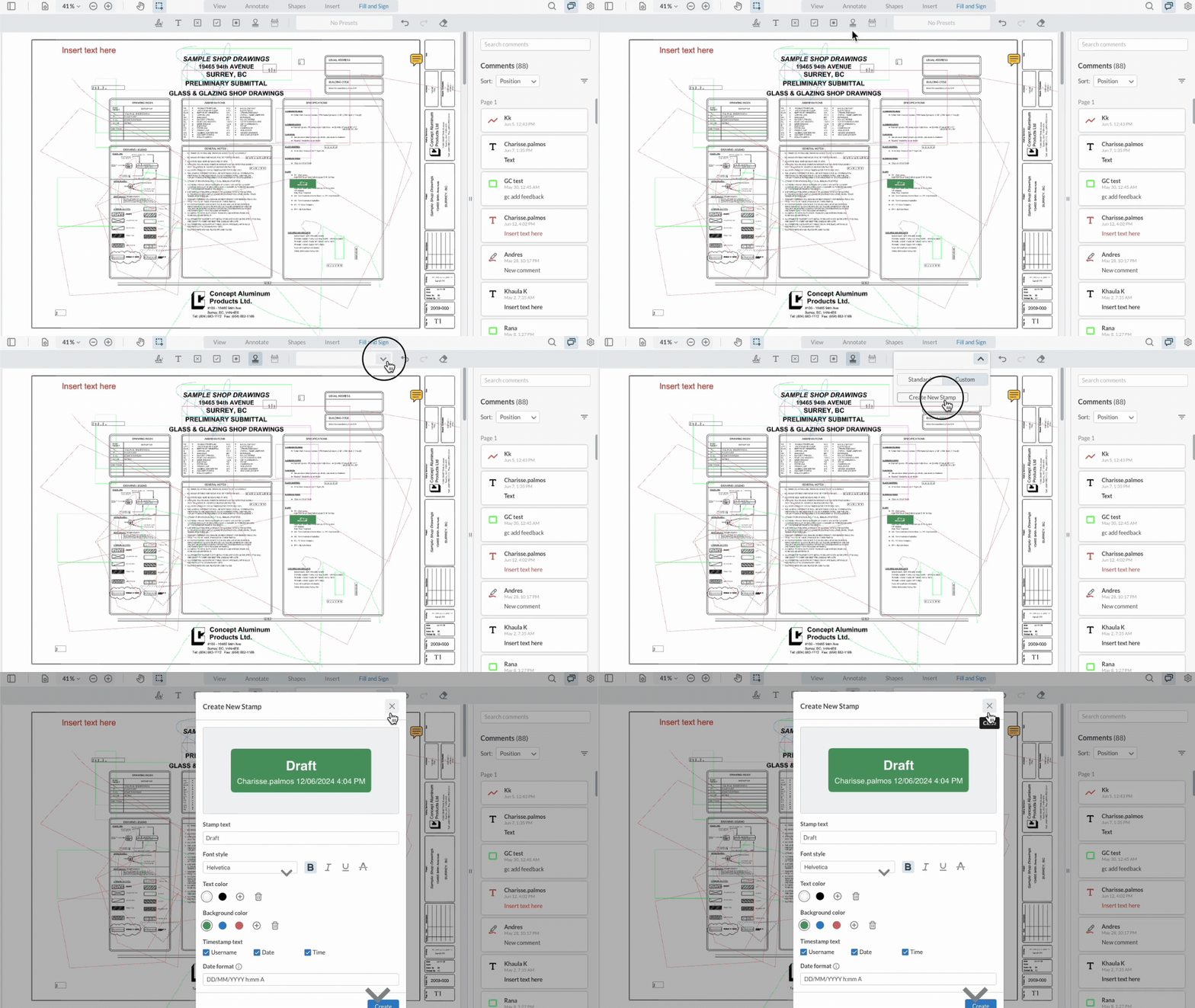
- Stamp the decision. Approved, Approved as Noted, Revise and Resubmit: the stamp and the approval are recorded with a name and a date. More on shop drawing approval.
- Compare resubmittals side by side against the previous version and last round’s comments.
- An AI first pass with Orbit Check. Orbit Check reviews PDFs and marks likely issues on the page for your reviewer to accept or reject. It’s available on paid plans (an admin turns it on for the team) and free to use until 15 January 2027.
- Start upstream with the submittal register. Send us a spec and we’ll send back a structured submittal register, built by AI and checked by your coordinator before it goes into tracking. See the AI submittal register. Tracking by hand for now? Start with our free submittal schedule template.
When you run an AI feature, your content goes to AI services on Amazon Bedrock only for that run, and it isn’t used to train models.
Related reading
- Improve your construction submittal process: a guide
- Construction submittal review checklist (free template)
- Submittal schedule template
- Shop drawing review process: steps and free template
FAQ
How long should a submittal review take?
It depends on the package and your role. A first conformance pass by the GC can be quick if the sub has marked compliance against the spec. The detailed review by the engineer of record takes longer, especially for shop drawings, calculations and life-safety items.
What should I check first on a submittal?
The deal-breakers: manufacturer and model, ratings, finish, dimensions and any required documents. If those are wrong, return it before reviewing the rest.
Can AI review submittals?
AI can do a useful first pass and point you to likely issues. It can’t judge design intent or whether a compliant product fits the project, and the reviewer remains responsible for the decision.
Is it safe to upload specs to ChatGPT?
Check your company’s policy and your contract first. Many firms restrict uploading contract documents to public AI tools, and projects under NDA often prohibit it.