
How to Compare Documents Side by Side Using Version Tools
Easily annotate and markup PDFs for free, streamline feedback, and collaborate in real time, ensuring every detail is captured and nothing gets lost in the process.
See two document versions side by side and catch every change
No more tab-switching, No more scattered email attachments
Eliminate the headache of manually toggling between file updates. Inspect visual changes, text edits, and layout iterations in a synchronized, split-screen workspace built for seamless feedback with zipBoard Version Comparison Tool.
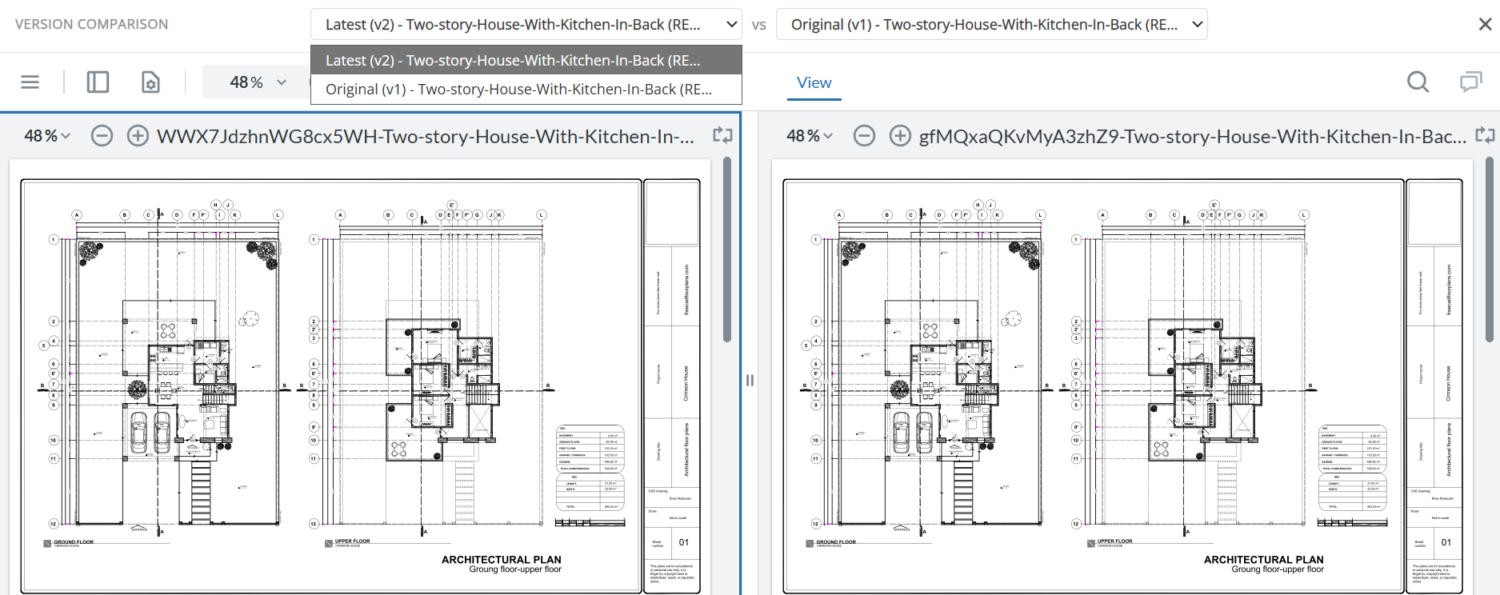

How to Compare Documents Side by Side
You’ve sent a draft out for review, feedback has come back, and now there’s a new version. Before you approve it, you need to answer a simple question: what actually changed? Maybe a paragraph was rewritten, a logo was swapped, or a slide in an e-learning module was quietly removed. Scrolling through two files and trying to spot the differences by eye is slow and error-prone, and it gets harder with every round of revisions.
What compare documents side by side means
When you compare documents side by side, you place two versions of the same file next to each other so you can see how they differ. Usually that’s an earlier version and a revised version. A good side by side document comparison does more than put two windows next to each other. It highlights what was added, removed, or changed, so you don’t have to hunt for the differences yourself.

Which approach you need depends on what you’re reviewing. For a contract or policy document, text-level changes matter most. For a brochure, a product screenshot, a video edit, or an e-learning course, the visual and structural changes matter just as much.
What compare documents side by side means
When you compare documents side by side, you place two versions of the same file next to each other so you can see how they differ. Usually that’s an earlier version and a revised version. A good side by side document comparison does more than put two windows next to each other. It highlights what was added, removed, or changed, so you don’t have to hunt for the differences yourself.
Which approach you need depends on what you’re reviewing. For a contract or policy document, text-level changes matter most. For a brochure, a product screenshot, a video edit, or an e-learning course, the visual and structural changes matter just as much.
When to use a document comparison tool
A document comparison tool is worth using any time more than one version of a file exists and someone has to sign off on the final one. Common situations include:

In all of these cases, spotting the change is only half the job. The other half is knowing why it changed: which comment requested it, who made it, and whether the reviewer is satisfied. That’s where most comparison workflows start to break down, which we’ll come back to below.
Where review teams get stuck
Whatever the format of file that you are working on, most teams can find a way to compare documents side by side. The problems start when comparison and review happen in different places.
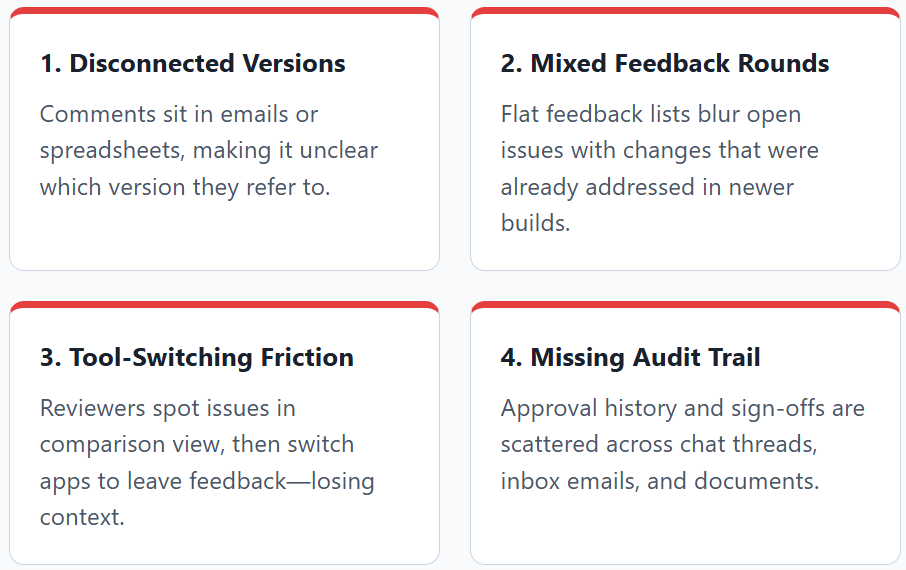
This is the gap a review-focused document comparison tool is designed to close.
zipBoard Version Comparison
zipBoard Version Comparison lets you compare documents side by side inside the same workspace where your team already leaves feedback, so you don’t have to export files or juggle separate tools.
The latest update to Version Comparison brings comments and annotations directly into the comparison view. Instead of only asking “what changed between these two versions?”, your team can now answer three questions in one place: what changed, what feedback was given on each version, and what new feedback needs to be added.
This is the gap a review-focused document comparison tool is designed to close.
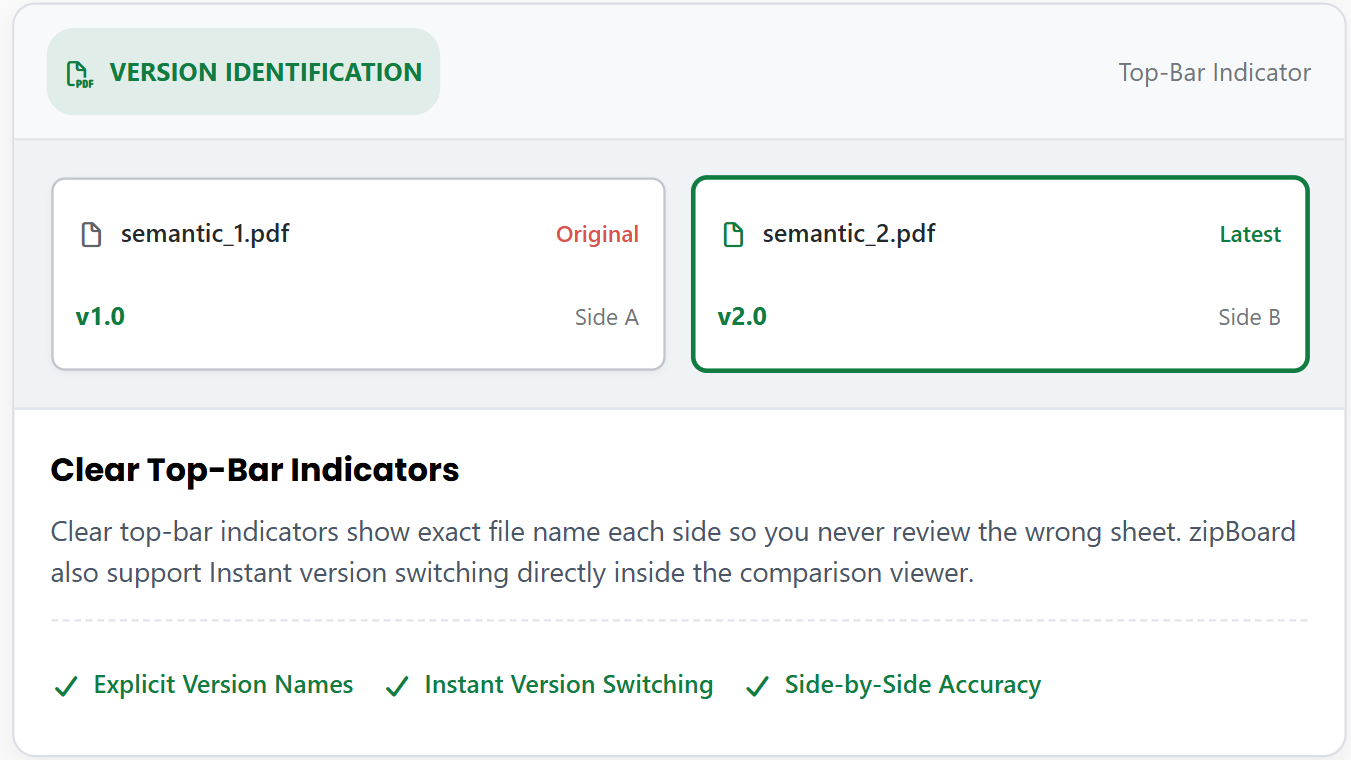
Clear Version Identification
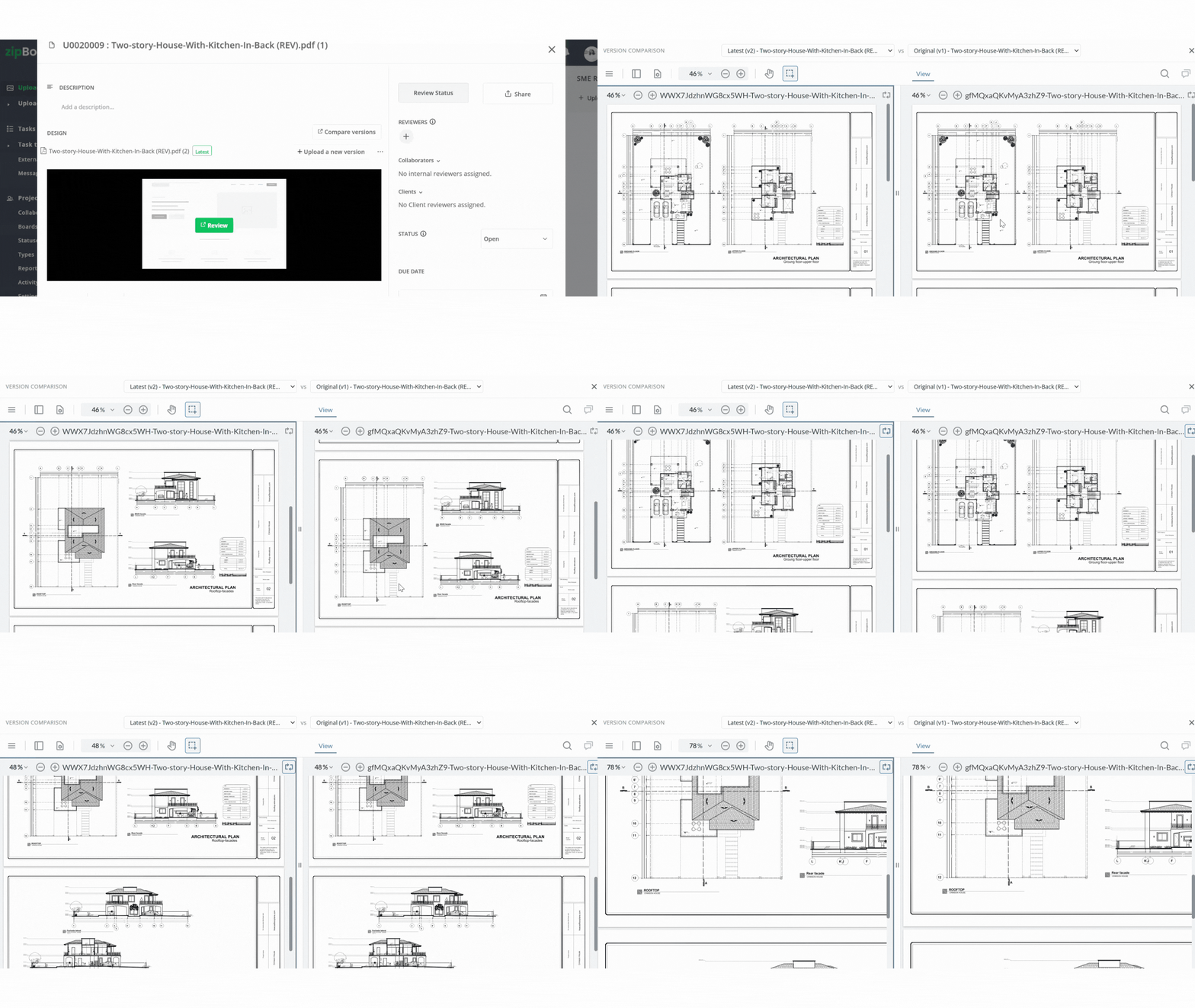
Clear top-bar indicators show exact file and version name each side so you never review the wrong sheet. zipBoard also support Instant version switching directly inside the comparison viewer.
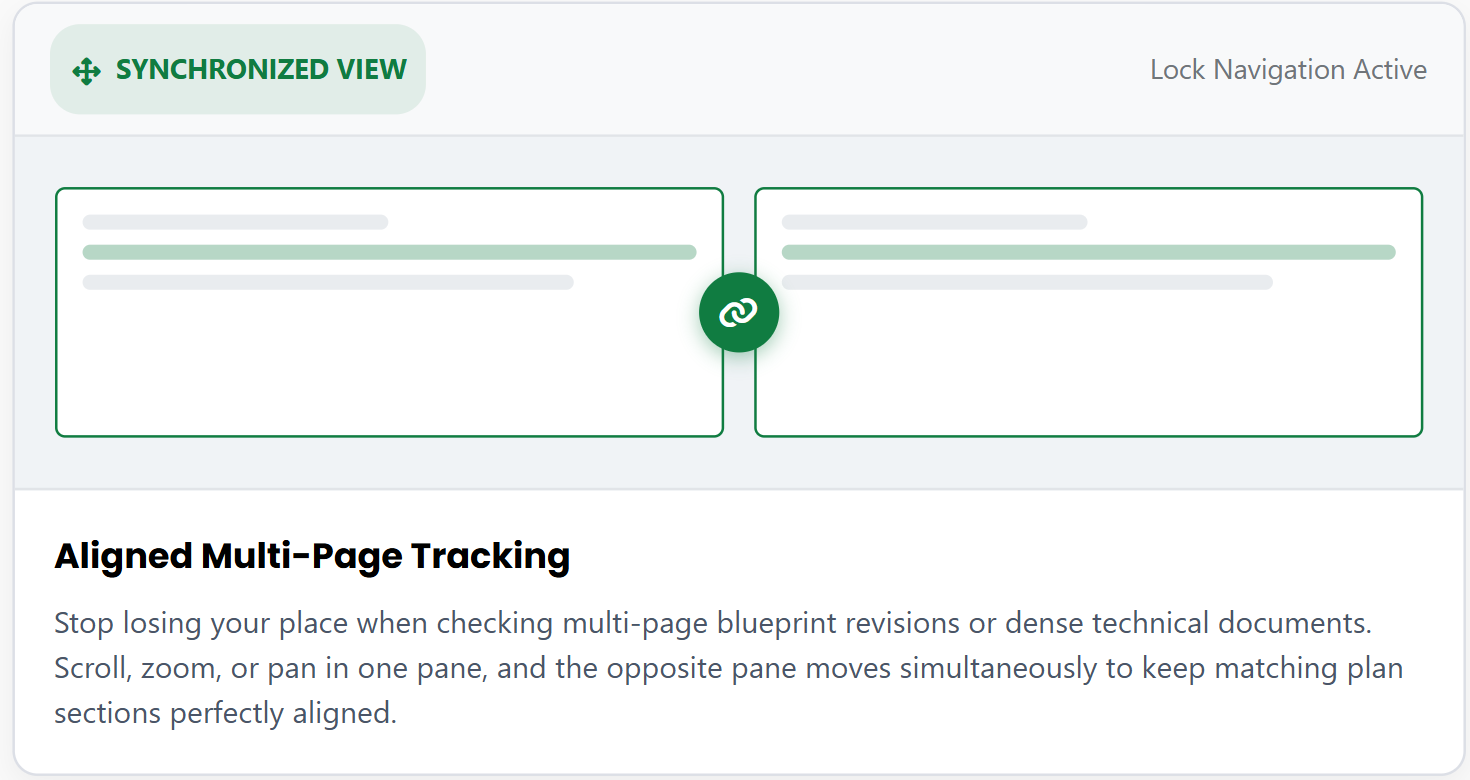
Easy Scrolling and Navigation
Stop losing your place when checking multi-page blueprint revisions or dense technical documents. Scroll, zoom, or pan in one pane, and the opposite pane moves simultaneously to keep matching plan sections perfectly aligned.
Comments stay with the version they belong to
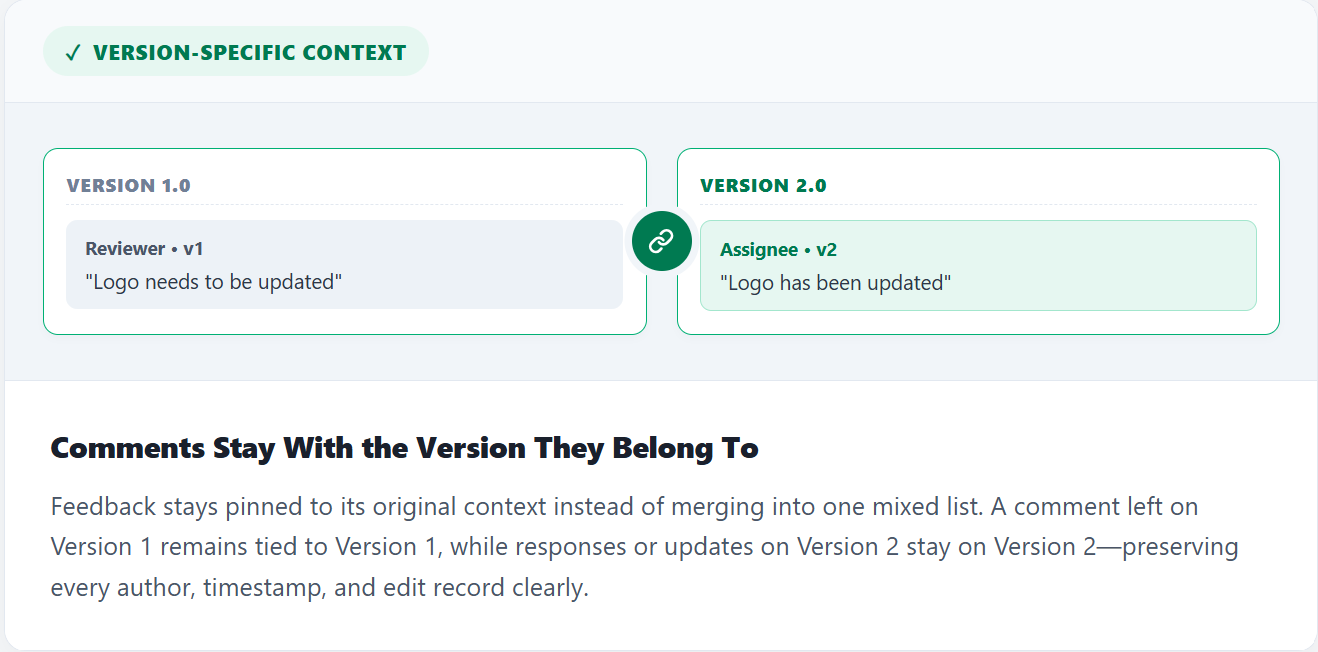
The most important thing about Version Comparison is that feedback stays version-specific. A comment left on Version 1 stays on Version 1, and a comment on Version 2 stays on Version 2. zipBoard doesn’t merge them into one undifferentiated list.
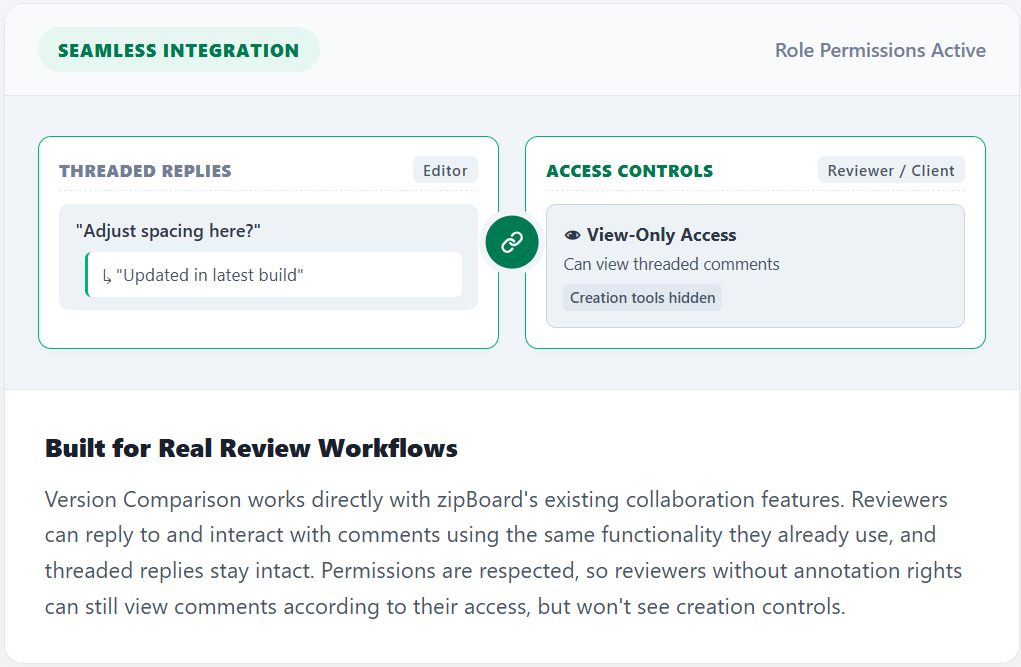
Built for real review workflows
zipBoard is a document comparison tool that fits into your review process rather than sitting next to it.
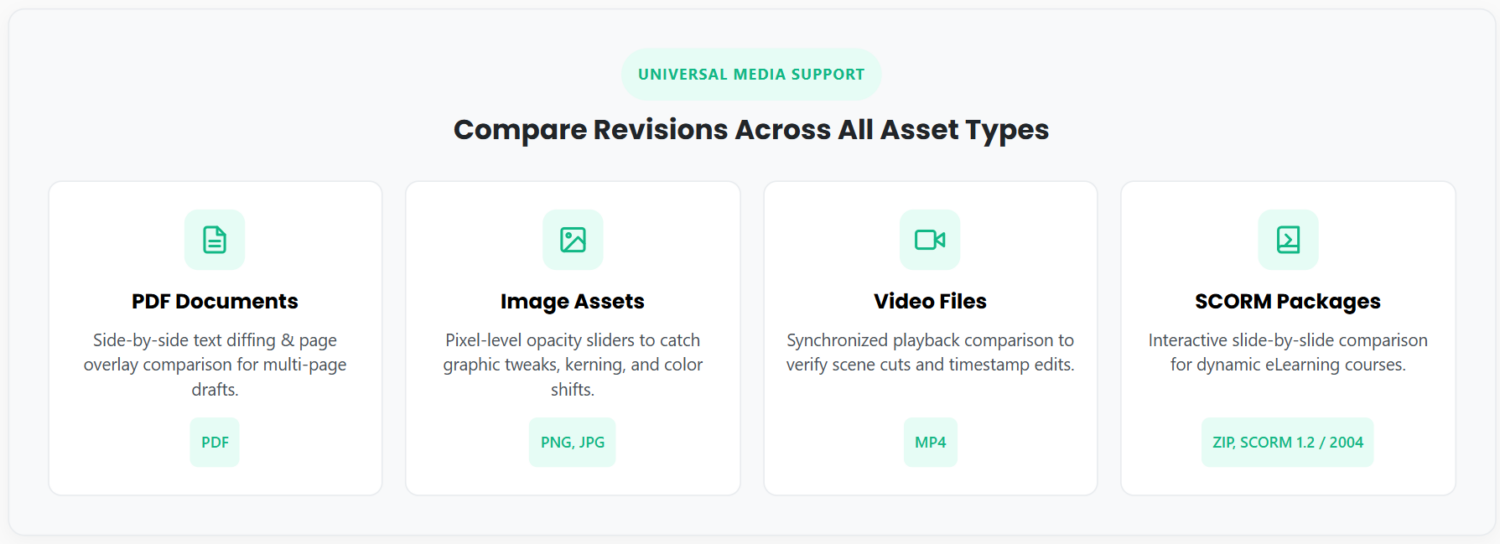
Works in All Types of Documents
The side-by-side comparison feature works across all types of documents that zipBoard support.
How to compare PDFs
PDFs are the most common format for final-stage review, but because the text is laid out as a fixed page, comparing them isn’t as simple as it is with a Word file.

In most PDF tools, the comparison is a one-off report and the review comments live somewhere else. When there are several rounds of revisions, it becomes hard to tell which comment belonged to which version. With zipBoard semantic changes detection, you can automatically see what text changes.
How to compare images
Text comparison tools can’t tell you that a logo moved ten pixels, a color shifted, or a product photo was swapped. For images, you need visual side by side document comparison:

Pinning feedback to a location on the image is what makes image review fast. The designer sees exactly where the problem is, and the next version can be checked against those same points.
How to compare e-learning courses
E-learning courses combine text, images, audio, video, and interactivity, often packaged as SCORM or HTML5. Comparing two versions of a course means checking both content and behavior:
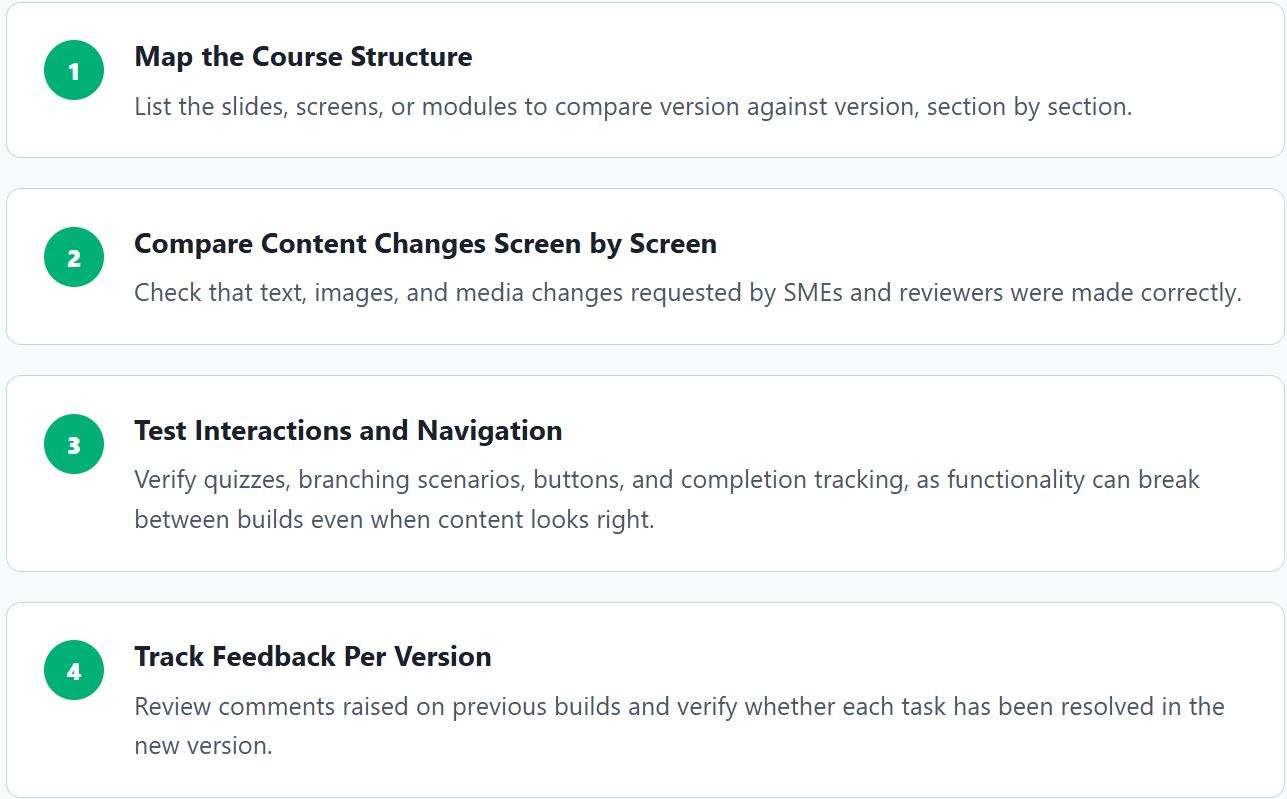
With e-learning, rounds of revisions add up quickly, and each round involves several stakeholders. Without a clear link between each version and its feedback, teams end up re-raising issues that were already fixed, or missing ones that weren’t.
How to compare videos
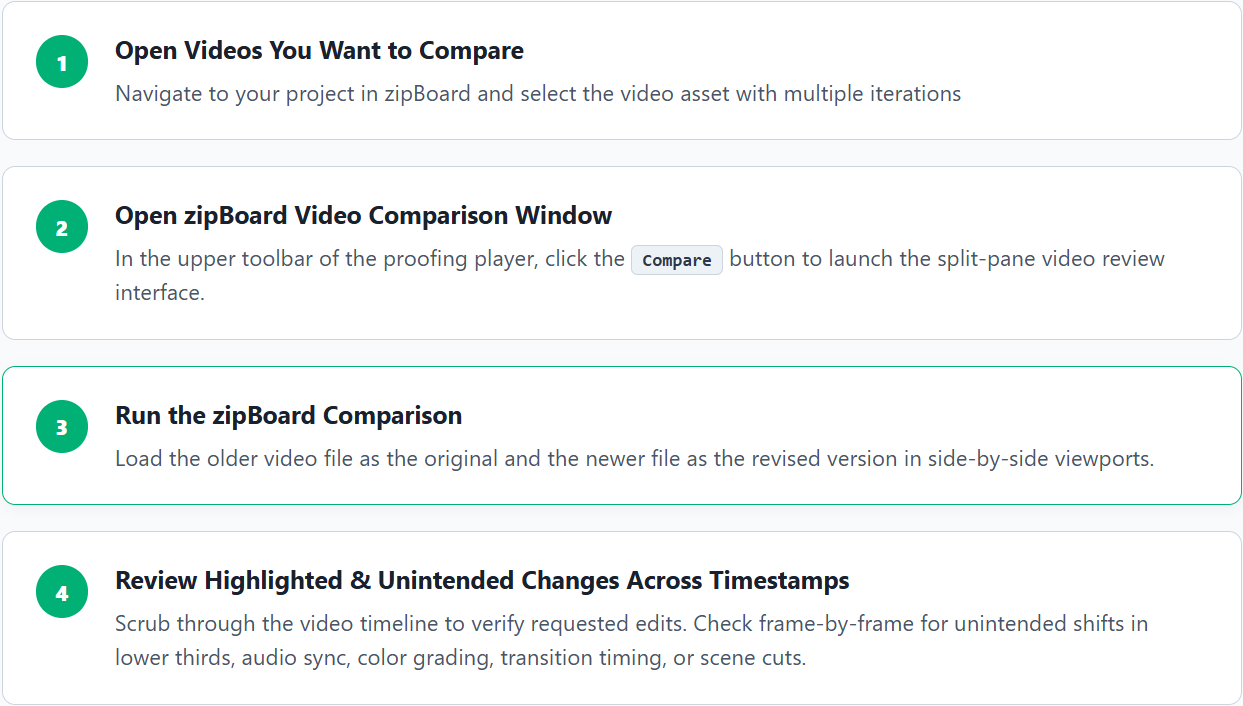
Video is one of the hardest formats to compare, because changes are spread across time as well as space. A few practices help:
See Side by Side Comparison In Action
Get to know the latest side by side comparison feature in under 1 minute!
How It Works
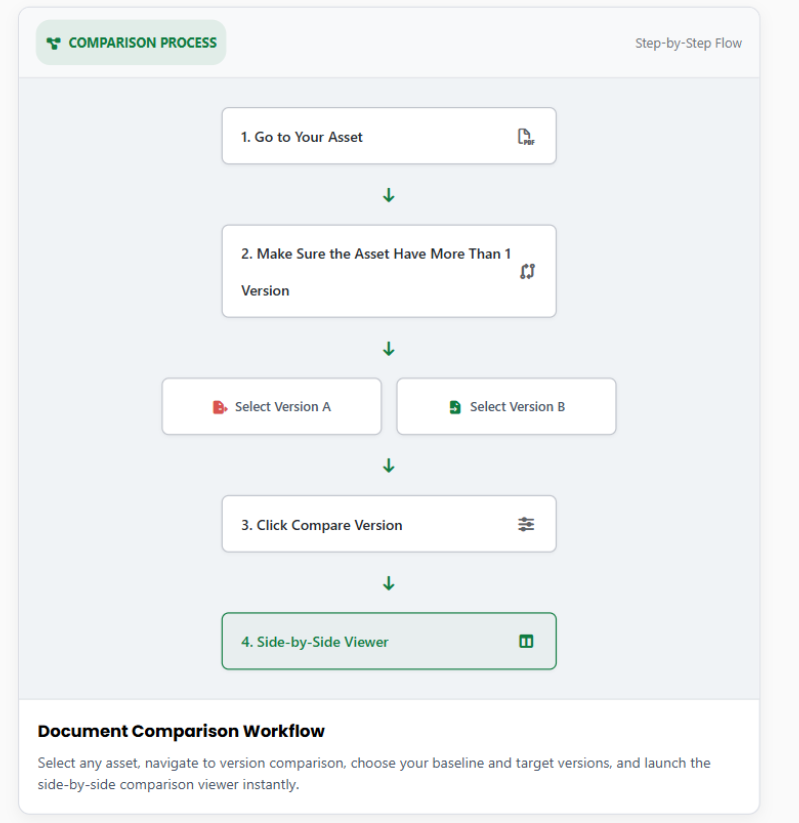
Compare different document versions with these 4 easy steps
See The Steps
Read Our Latest Article on Version Comparison
Why teams are switching to zipBoard
Secure storage of your data
With privacy as our top priority, we protect your data at a server or location you choose, ensuring you have complete control over it.
No licensing needed for externals
Your stakeholders or other externals can review and approve documents without signing up for zipBoard.
Unlimited seats
zipBoard empowers your entire team to seamlessly communicate and work on projects, regardless of size, without worrying about per-seat licensing costs.
Browser/cloud based
No app downloads and installations required. This saves storage and can be used across multiple devices with ease
What our clients are saying:
The main challenges that zipBoard solve are unifying zip materials & videos review and receiving feedback without relying on an email inbox flooded with screenshots.
CEO of TMS Brazil
Arthur Lima
Frequently Asked Questions
It is a feature that allows you to view and compare two different versions of the same asset side-by-side in a single window to easily inspect changes manually.
Yes, this feature works across all types of files that zipBoard supports, including PDF, images, videos, and SCORM files.
You must have at least two versions of the asset uploaded to your zipBoard project to activate the comparison option.
Click to open your desired asset, locate the Compare Versions button, and click it to load both versions together.
Try Compare on your own files.
©️ Copyright 2026 zipBoard Tech. All rights reserved.
©️ Copyright 2026 zipBoard Tech. All rights reserved.