
Global Asset View
Easily annotate and markup PDFs for free, streamline feedback, and collaborate in real time, ensuring every detail is captured and nothing gets lost in the process.
Track content reviews and approvals across projects
No more switching between projects or digging through folders to find what needs your approval. See your pending review, content approval, and deadline, across every project, in one place.
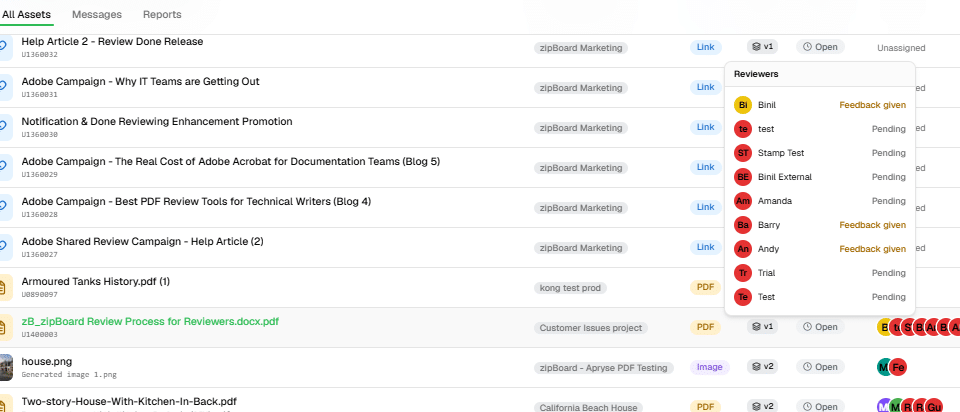

Lost Track of What Still Needs Your Review?
When reviews and approvals are scattered across a dozen different projects, it’s easy to lose track of what still needs your sign-off, who’s waiting on you, and what’s about to be overdue. zipBoard’s Global Asset View brings every file, every review, and every deadline into one searchable dashboard – so nothing falls through your content approval.
Global Asset View
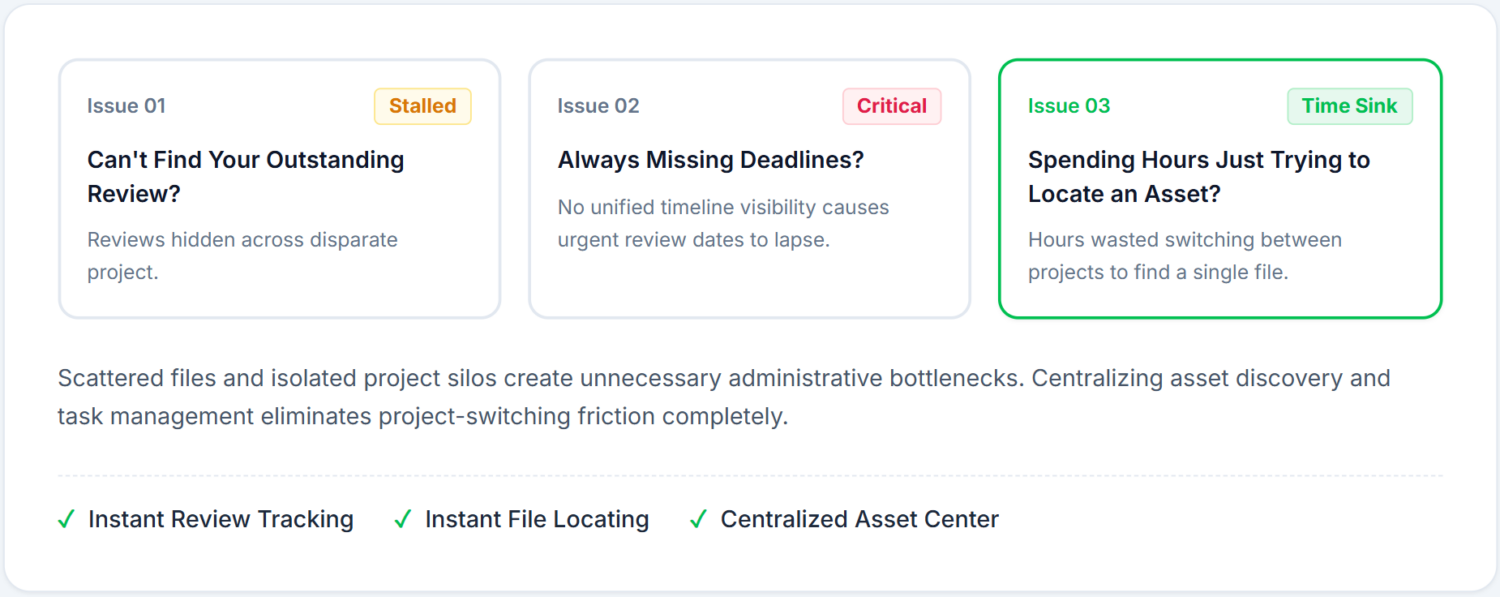
Built to Solve Constant Project-Switching & Endless File Hunting
When your files and reviews are scattered across separate projects, approvals fall through the cracks. Global Asset View brings everything – every file, every pending review, every deadline – into one clean, searchable dashboard for content approval.
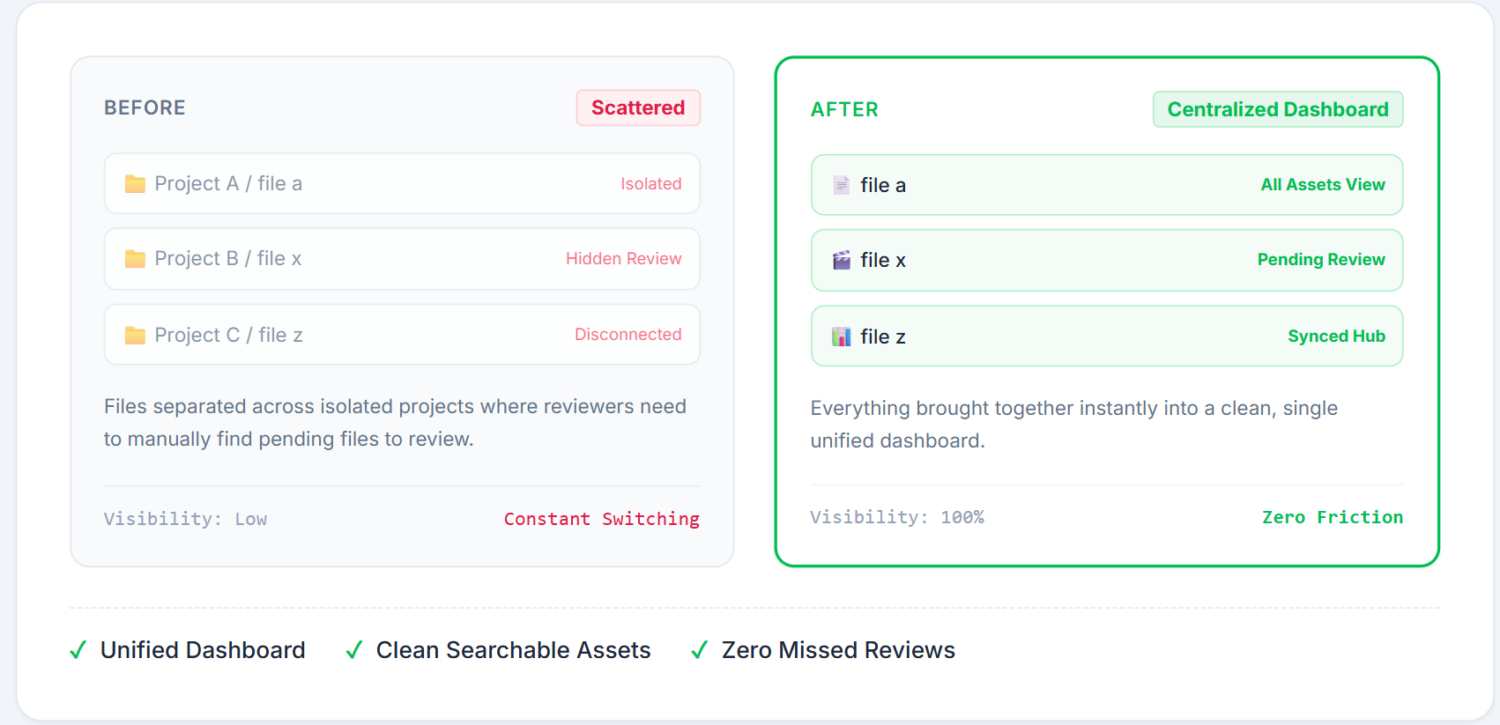
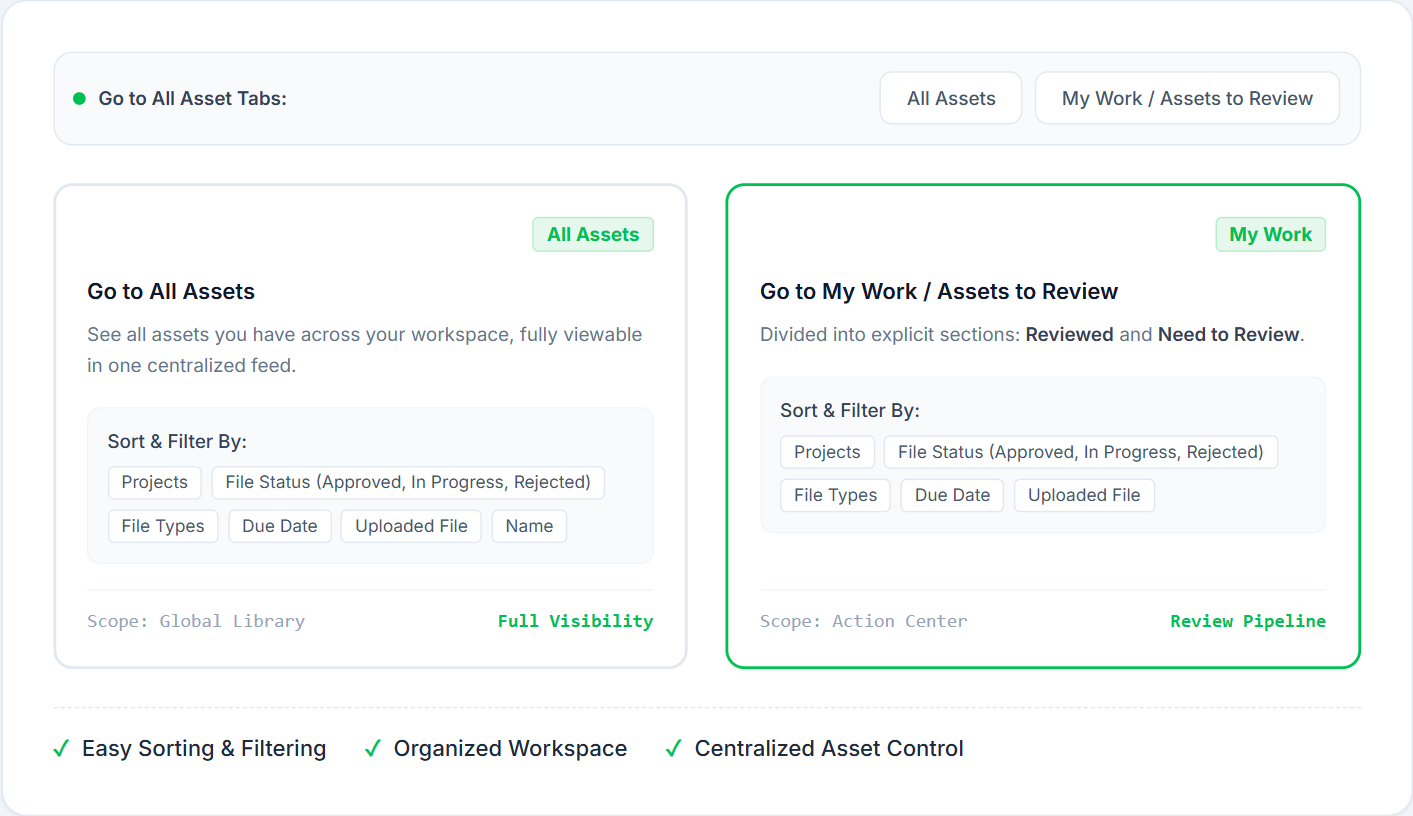
All Assets
Centralized Asset Discovery for Content Approval
Your Entire File Library, Searchable in One View Body: Search, filter, and browse every file across every project you have access to – without digging through folders or asking around to find where something lives.
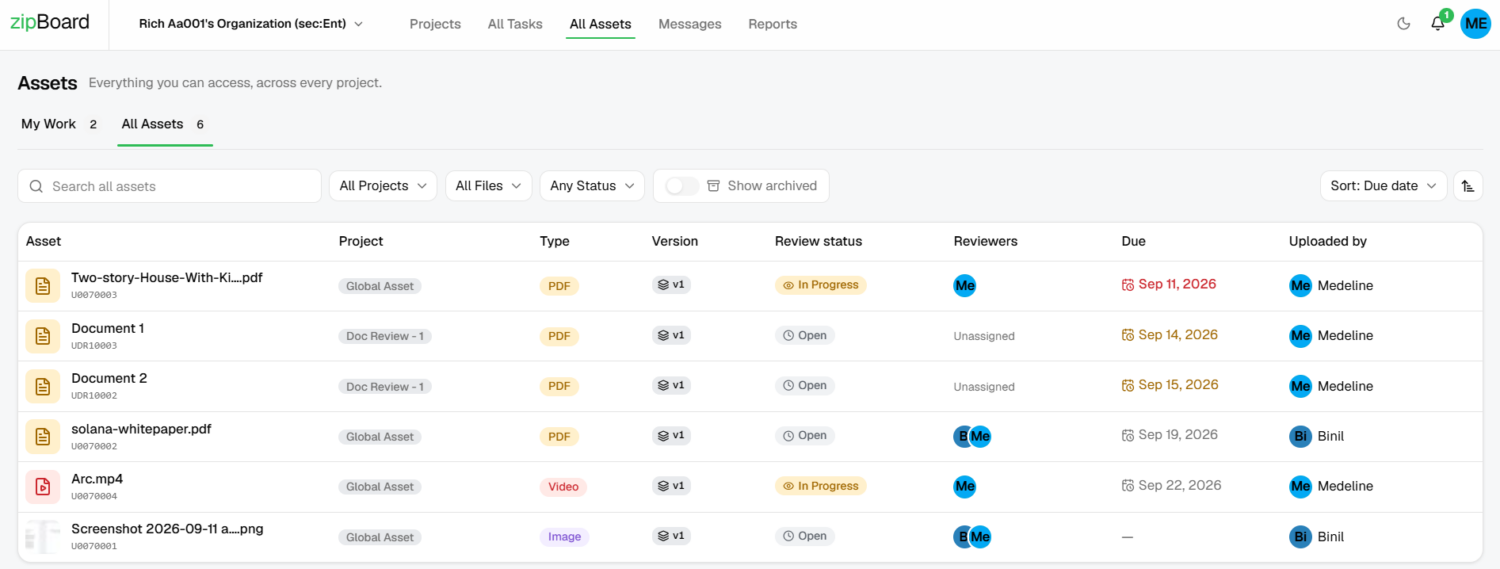
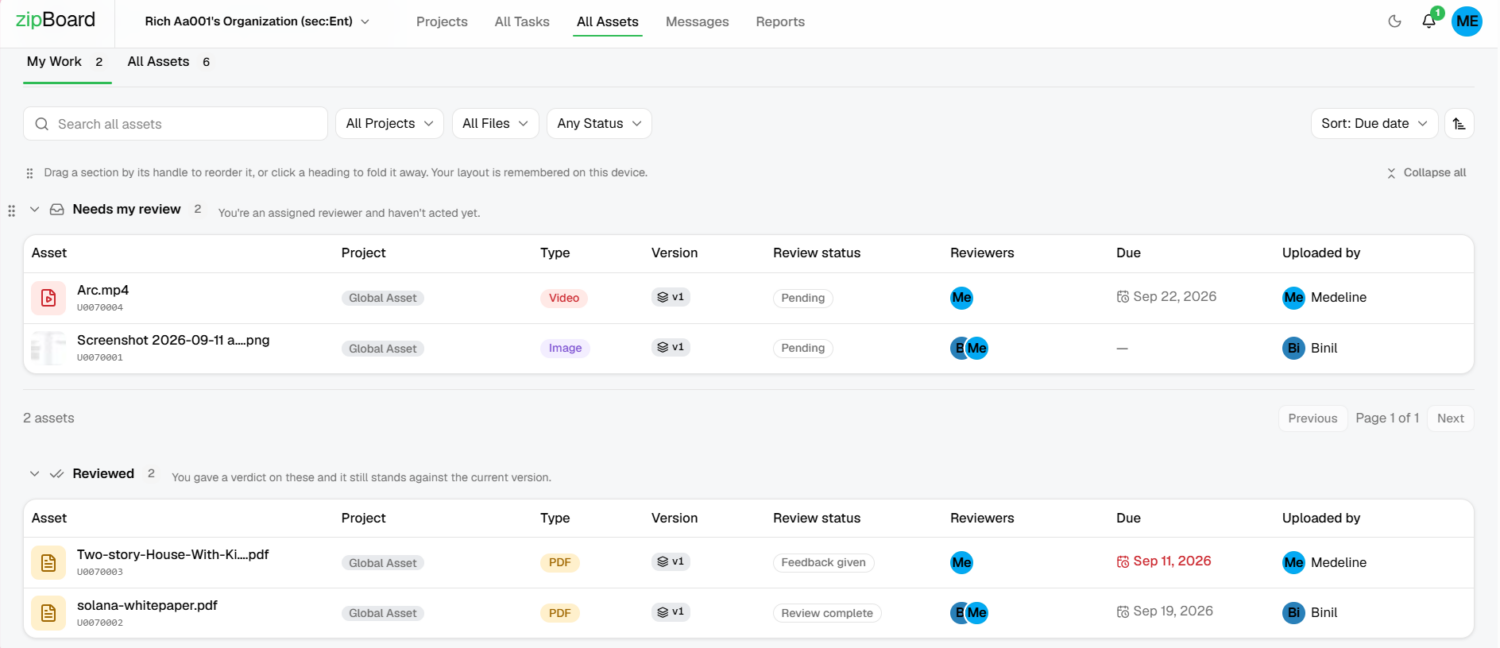
My Work
Your Personal Review Queue, Always Up to Date
Track review assignments, pending reviews, upcoming due dates, and anything that needs your attention – across every project – in one dashboard for content approval workflow built just for you.
Get to Know the Difference
Easy Filtering and Sorting
Narrow down exactly what you’re looking for by project, file types, status, or sort by due date, upload date, or name – so you can get straight to what matters instead of scrolling through everything.
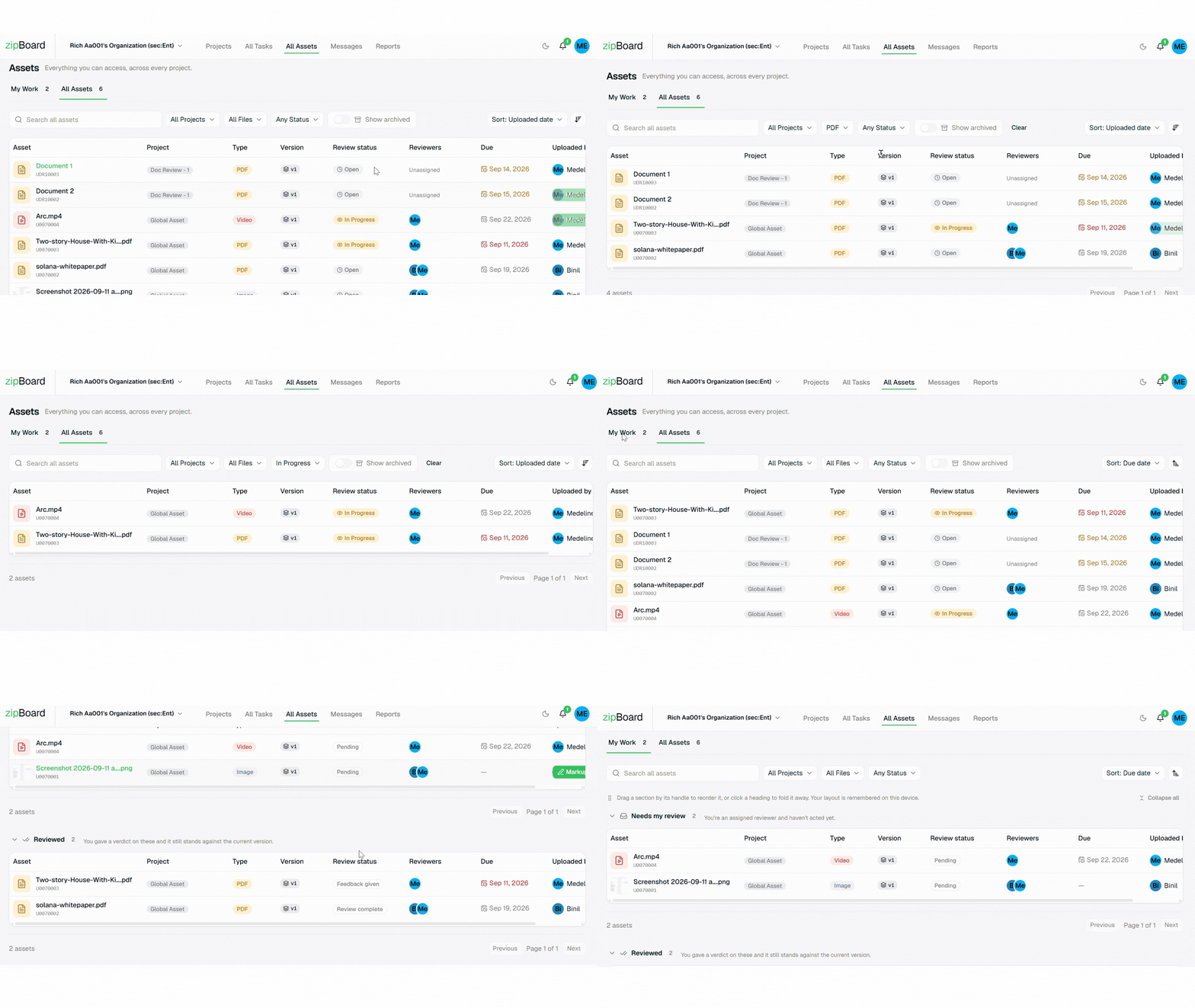
What Happens When a New Asset Version Is Uploaded
zipBoard automatically resets approvals on version updates to guarantee complete quality control and accountability. If you reviewed v1 and v2 is uploaded, the asset moves back into “Needs my review” for the v2

See Global Asset View In Action
Get to know the latest Global Asset View feature in under 1 minute!
Read Our Latest Article on Global Asset View
Why teams are switching to zipBoard
Secure storage of your data
With privacy as our top priority, we protect your data at a server or location you choose, ensuring you have complete control over it.
No licensing needed for externals
Your stakeholders or other externals can review and approve documents without signing up for zipBoard.
Unlimited seats
zipBoard empowers your entire team to seamlessly communicate and work on projects, regardless of size, without worrying about per-seat licensing costs.
Browser/cloud based
No app downloads and installations required. This saves storage and can be used across multiple devices with ease
What our clients are saying:
The main challenges that zipBoard solve are unifying zip materials & videos review and receiving feedback without relying on an email inbox flooded with screenshots.
CEO of TMS Brazil
Arthur Lima
Frequently Asked Questions
What is the Global Asset View in zipBoard?
The Global Asset View is a centralized workspace interface that brings all your files, design assets, and review items across multiple projects into a single searchable library. It eliminates project-switching fatigue by letting you browse, filter, and track assets without digging through individual project folders.
How does zipBoard prevent unauthorized users from seeing confidential project files?
Global Asset View operates strictly on an Inherited Permission Model. It acts as a secure lens over your existing project roles rather than granting blanket organizational access. Account owners see everything, managers see their assigned portfolios, collaborators see only their project scope, and no login reviewers remain completely restricted to their designated single-project portals.
What is the difference between All Assets and My Work
All Assets is a comprehensive, searchable library of every file and media item you have permission to access across all projects. Meanwhile, My Work is a dedicated task command center and personal review pipeline. It features a specialized Needs my review tab that isolates pending tasks where you are explicitly tagged as a reviewer.
What happens to my tasks if I am removed from a project mid-review?
Security is enforced instantly. If a reviewer or contributor is unassigned from a project, their access is revoked immediately, and any associated pending tasks vanish from their global view and My Work list to protect sensitive client work.
Can no-login external reviewers access the Global Asset View?
No. They are intentionally restricted from global views to ensure absolute data privacy, ensuring they can only interact with explicitly invited single-project assets.
How do I restore my default section order or collapse states after customizing my view?
Use the Reset layout feature, which provides a one-click way to revert your workspace back to its original default arrangement.
Can I change how many items are displayed on a single page?
Yes, you can adjust the Pagination settings to show 25, 50, or 100 items per page.
Why is the same asset appearing in multiple sections under "My Work"?
An asset can appear in more than one My Work section simultaneously, for example, it can show up in both “Needs my review” and “Due soon & overdue” at the same time.
Am I able to search for items inside projects that have been archived?
Yes, the platform supports searching through archived projects so you can easily locate historical files and comments.
Can I customize the order of sections, and will my changes save if I clear my cache?
You can use personalization to drag-and-drop sections to reorder your view. This layout preference is saved directly to your user profile and survives a cache clear.
How do I locate a file's location while reviewing it?
You can click the “Find this file in the project” link directly from inside any active review interface to jump straight to its location.
Track Your Pending Approval in Seconds
©️ Copyright 2026 zipBoard Tech. All rights reserved.
Features
Compare
©️ Copyright 2026 zipBoard Tech. All rights reserved.