
Compare Documents Side by Side
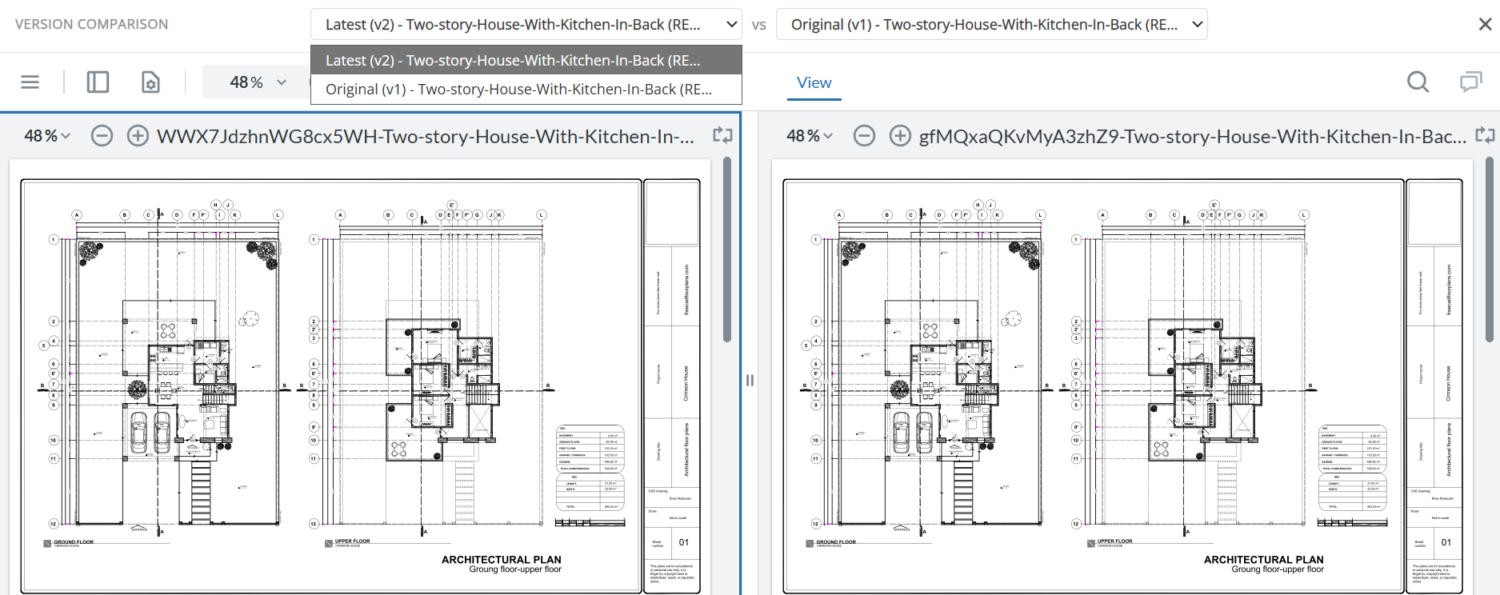
Compare two versions of a PDF or drawing side by side with synced scroll and zoom, and check every review comment was fixed before you approve.
See two document versions side by side and catch every change
No more tab-switching, No more scattered email attachments
Eliminate the headache of manually toggling between file updates. Inspect visual changes, text edits, and layout iterations in a synchronized, split-screen workspace built for seamless feedback.

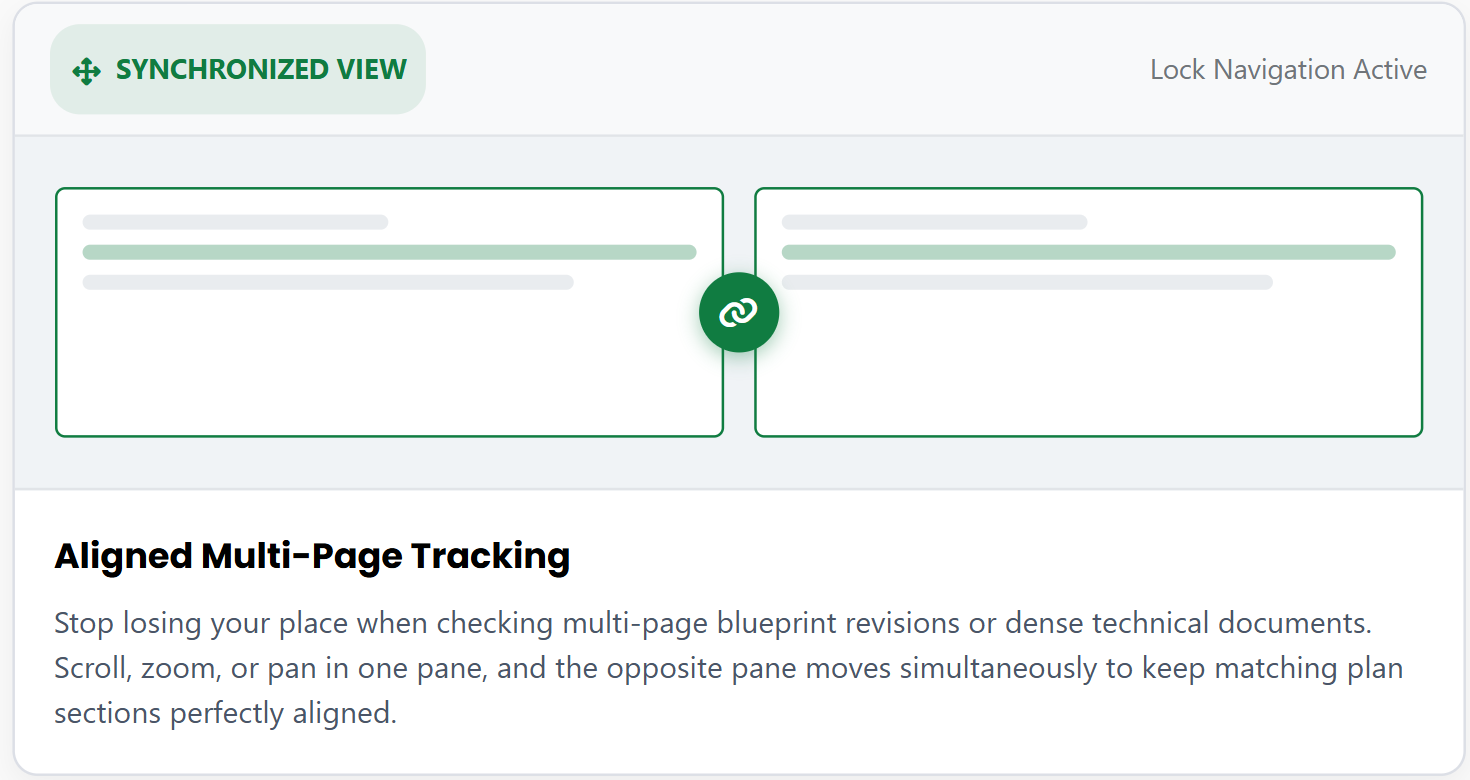
Synchronized Scrolling & Zooming
Stop losing your place when checking multi-page blueprint revisions or dense technical documents. Scroll, zoom, or pan in one pane, and the opposite pane moves simultaneously to keep matching plan sections perfectly aligned. Writers and SMEs use the same view in technical document review.
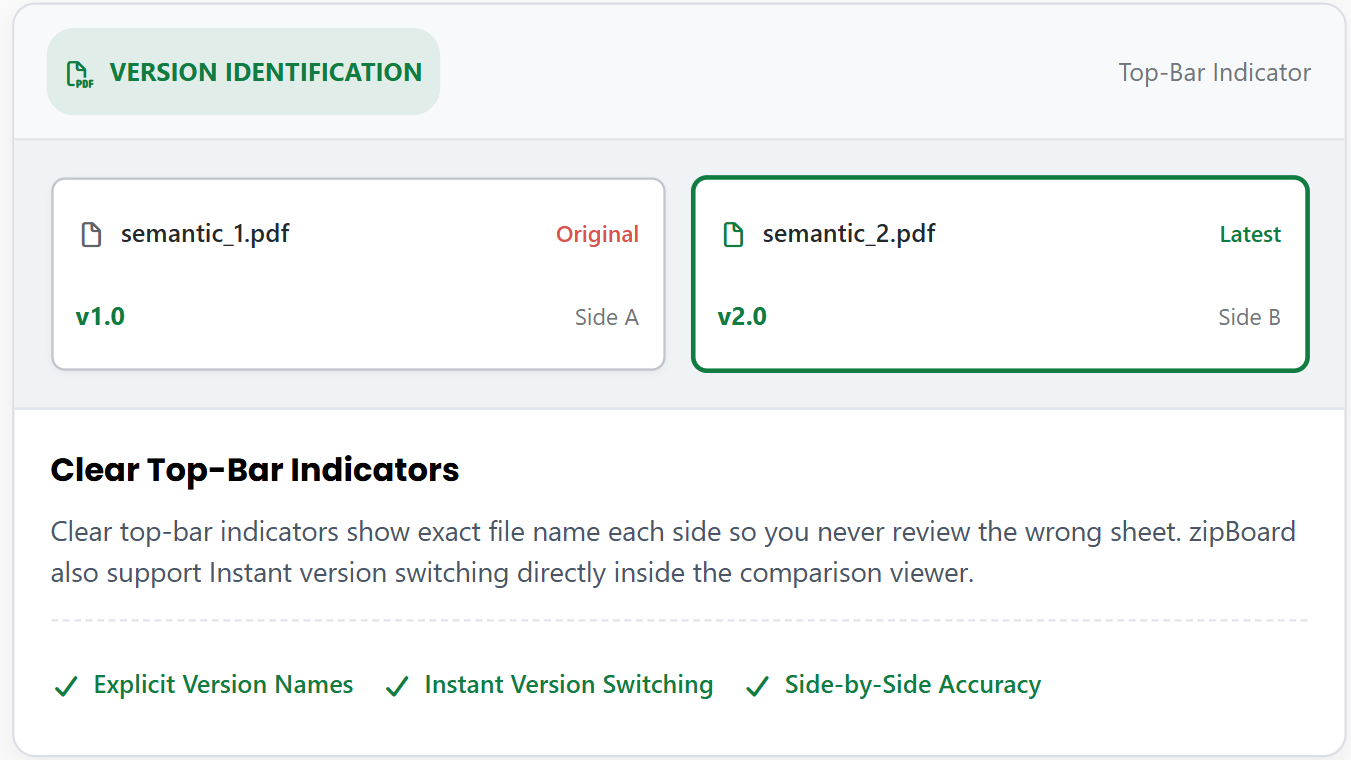
Dual-Pane Version Clarity
Clear top-bar indicators show exact file and version name each side so you never review the wrong sheet. zipBoard also support Instant version switching directly inside the comparison viewer.
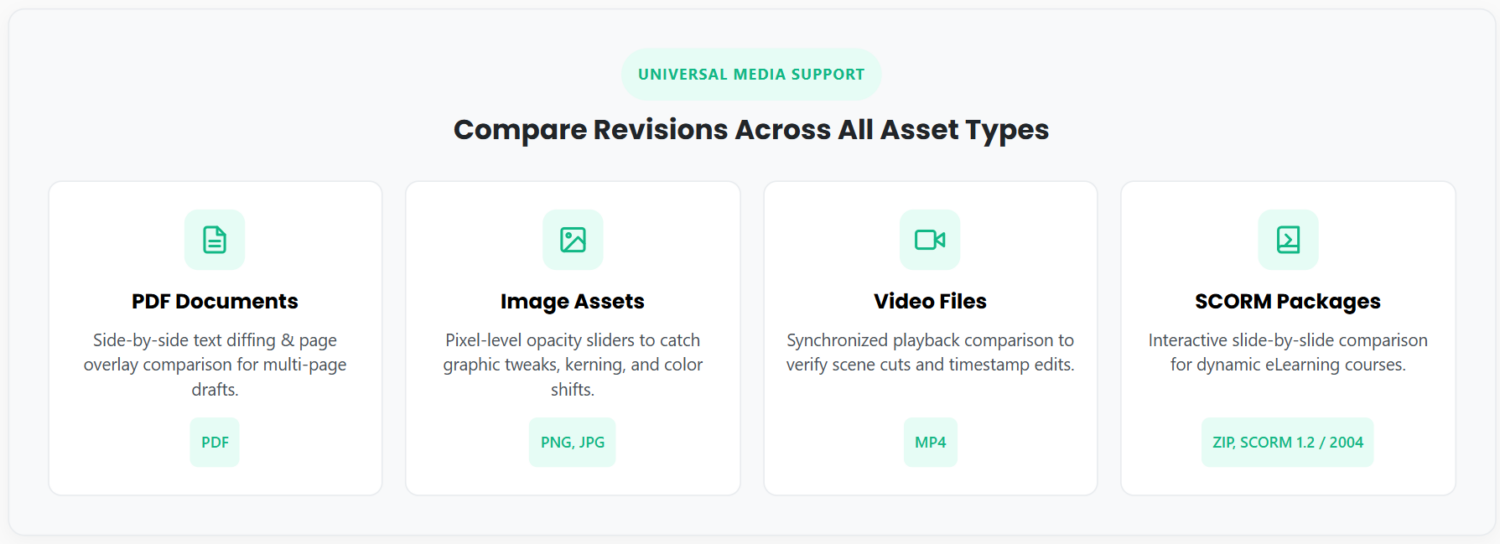
Works in All Types of Documents
The side-by-side comparison feature works across all types of documents that zipBoard support.
See Side by Side Comparison In Action
Get to know the latest side by side comparison feature in under 1 minute!
How It Works
Compare different document versions with these 4 easy steps
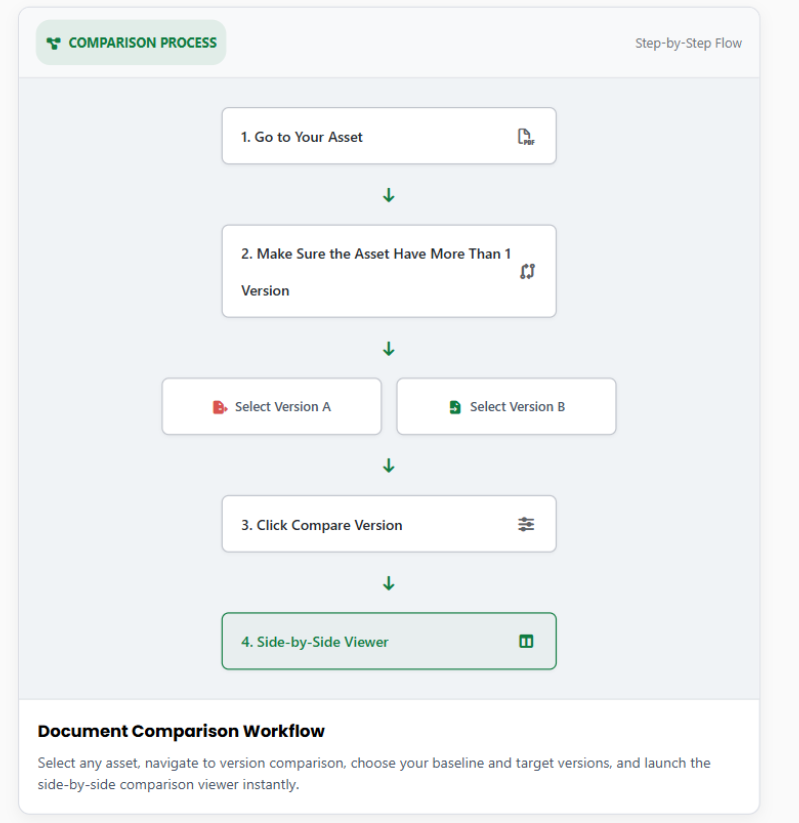
See The Steps
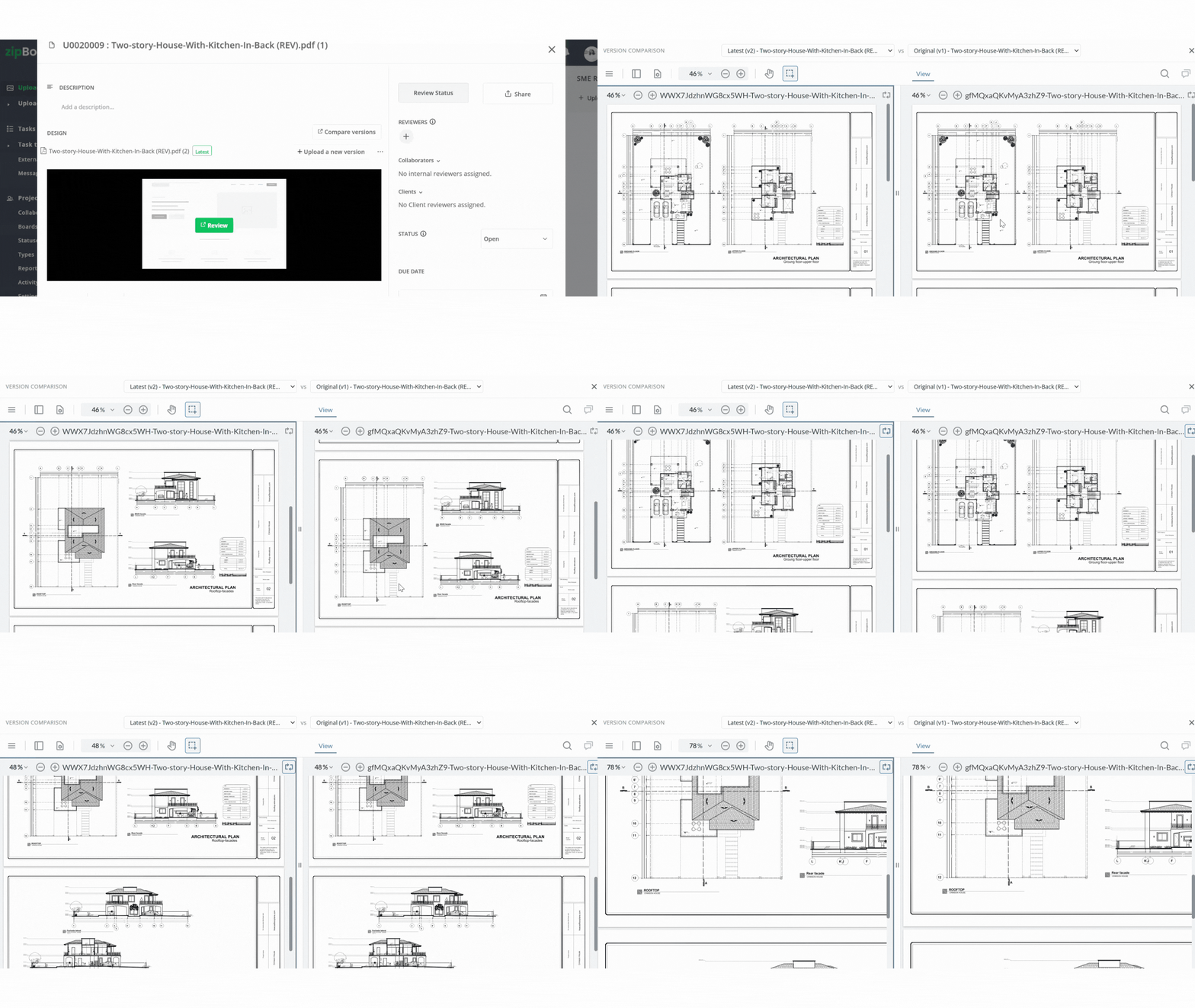
Read Our Latest Article on Version Comparison
Why teams are switching to zipBoard
Secure storage of your data
With privacy as our top priority, we protect your data at a server or location you choose, ensuring you have complete control over it.
No licensing needed for externals
Your stakeholders or other externals can review and approve documents without signing up for zipBoard.
Unlimited seats
zipBoard empowers your entire team to seamlessly communicate and work on projects, regardless of size, without worrying about per-seat licensing costs.
Browser/cloud based
No app downloads and installations required. This saves storage and can be used across multiple devices with ease
What our clients are saying:
The main challenges that zipBoard solve are unifying zip materials & videos review and receiving feedback without relying on an email inbox flooded with screenshots.
CEO of TMS Brazil
Arthur Lima
Frequently Asked Questions
It is a feature that allows you to view and compare two different versions of the same asset side-by-side in a single window to easily inspect changes manually.
Yes, this feature works across all types of files that zipBoard supports, including PDF, images, videos, and SCORM files.
You must have at least two versions of the asset uploaded to your zipBoard project to activate the comparison option.
Click to open your desired asset, locate the Compare Versions button, and click it to load both versions together.
Try Compare on your own files.
©️ Copyright 2026 zipBoard Tech. All rights reserved.
Features
Compare
©️ Copyright 2026 zipBoard Tech. All rights reserved.